1.0.39 • Published 5 years ago
@scion-scxml/cli v1.0.39
SCION CLI
The SCION command-line tool allows you to visualize, lint, compile and
interactively run SCXML files. You can install this module globally, and run it
with the command scion:
scion [command]

Commands:
  scion init [filename]     initialize a new SCXML file
  scion viz [filename]      visualize an SCXML file
  scion compile [filename]  compile an SCXML file to JSON or JavaScript
  scion run [filename]      run an SCXML file, and connect a repl to send it
                            events
  scion execute [filename]  execute an SCXML file (without the repl)
  scion lint                lint an SCXML file (this is an alias for "eslint
                            --plugin @scion-scxml/eslint-plugin-scharpie")
  scion monitor             start a monitor server

Options:
  --version  Show version number                                       [boolean]
  --help     Show help                                                 [boolean]
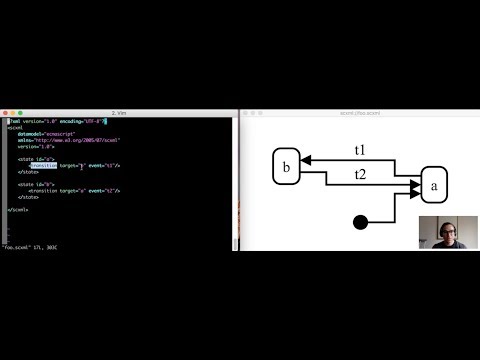
Here is a video of the SCION cli in action:
1.0.39
5 years ago
1.0.38
5 years ago
1.0.37
8 years ago
1.0.36
8 years ago
1.0.35
8 years ago
1.0.34
8 years ago
1.0.33
8 years ago
1.0.32
8 years ago
1.0.31
8 years ago
1.0.30
8 years ago
1.0.29
8 years ago
1.0.28
8 years ago
1.0.27
8 years ago
1.0.26
8 years ago
1.0.25
8 years ago
1.0.24
8 years ago
1.0.23
8 years ago
1.0.22
8 years ago
1.0.21
8 years ago
1.0.17
8 years ago
1.0.16
8 years ago
1.0.15
8 years ago
1.0.14
8 years ago
1.0.13
8 years ago
1.0.12
8 years ago
1.0.11
8 years ago