@search4asraful/vue-carousel v0.0.2
vue-carousel
This template should help get you started developing with Vue3 in Vite or laravel or any supported platform for vue.
Project Setup
npm install @search4asraful/vue-carouselInit where component will be used
import VueCarousel from '@search4asraful/vue-carousel';Compile and Hot-Reload for Development
npm run devCompile and Minify for Production
npm run buildDemo image | used as Carousel

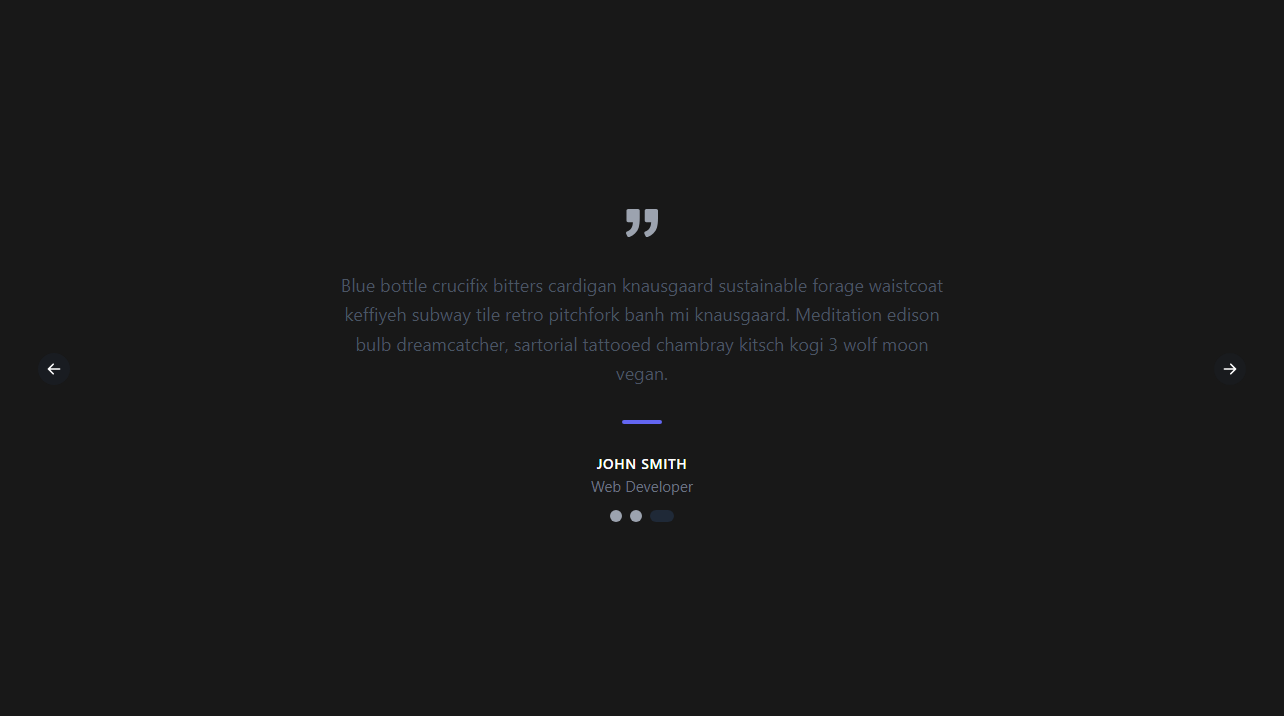
Demo image | used as feedback section
Configuration
Tweek them according your need.
| Property | Type | Default | Description |
|:----------------------------|:--------|:--------|:--------------------------------------------------------------------------------------------------------------------------------------------------------------------------------------------------------------------------------------------------------------------------------------|
| autoplay | Boolean | false | make true or just autoplay to start autoplay of slides. |
| autoplaydelay | Number | 2500 | Time elapsed before advancing slide in autoplay.
| dragging | Boolean | true | Enabled left & right dragging.
| navigation | Boolean | true | Enabled next & previous clicks to slide.
| indicators | Boolean | true | Enabled indicators in bottom also cistening clicks to select slide.
Example:
autoplay :autoplaydelay="5000" :dragging="false" :navigation="false" :indicators="false"In this demo, I'm using the Tailwind CSS framework. You can use your preferred framework like Bootstrap or raw CSS. Regardless of your choice, it won't affect the components.
Example: how to use in script setup :slidesData="dyamicData" data pass is mendatory
    <template>
        <VueCarousel :slidesData="sliders" autoplay autoplaydelay="6000">
            <template #slide="{ slide }">
            <div class="px-14 flex justify-center flex-col items-center pb-10">
                <p class="leading-relaxed text-lg text-blue-400">
                {{ slide.text }}
                </p>
                <h2
                class="text-gray-900 dark:text-white font-medium title-font tracking-wider text-sm"
                >
                {{ slide.author }}
                </h2>
                <!-- :slidesData="dyamicData" pass is mandatory -->
            </div>
            </template>
        </VueCarousel>
    </template>

    <script setup>
        import VueCarousel from "@search4asraful/vue-carousel";

        const sliders = [
        {
            key: 1,
            text: "Item 1",
            author: "HOLDEN CAULFIELD",
        },
        {
            key: 2,
            text: "Item 2",
            author: "JANE DOE",
        },
        {
            key: 3,
            text: "Item 3",
            author: "JOHN SMITH",
        },
    ];
    </script>

    <style scoped>
    /* Add your preferd styles here */
    </style>
Example: how to use in export default script :slidesData="dyamicData" data pass is mendatory
    <template>
        <VueCarousel :slidesData="sliders" autoplay autoplaydelay="6000">
            <template #slide="{ slide }">
            <div class="px-14 flex justify-center flex-col items-center pb-10">
                <p class="leading-relaxed text-lg text-blue-400">
                {{ slide.text }}
                </p>
                <h2
                class="text-gray-900 dark:text-white font-medium title-font tracking-wider text-sm"
                >
                {{ slide.author }}
                </h2>
                <!-- :slidesData="dyamicData" pass is mandatory -->
            </div>
            </template>
        </VueCarousel>
    </template>

    <script>
    import VueCarousel from "@search4asraful/vue-carousel";

    export default {
        components: {
            VueCarousel,
        },
        data() {
            return {
            sliders: [
                {
                key: 1,
                text: "Item 1",
                author: "HOLDEN CAULFIELD",
                },
                {
                key: 2,
                text: "Item 2",
                author: "JANE DOE",
                },
                {
                key: 3,
                text: "Item 3",
                author: "JOHN SMITH",
                },
            ],
            };
        },
    };
    </script>

    <style scoped>
    /* Add your preferd styles here */
    </style>