@sveltia/cms v0.80.3
Sveltia CMS
Sveltia CMS is a Git-based lightweight headless CMS under active development as a modern, powerful, quick replacement for Netlify CMS and Decap CMS. In some simple cases, migration is as easy as a single line of code change, although we are still working on improving compatibility.
The free, open source alternative/successor to Netlify/Decap CMS is now in public beta, turbocharged with great UX, performance, i18n support and so many more enhancements.


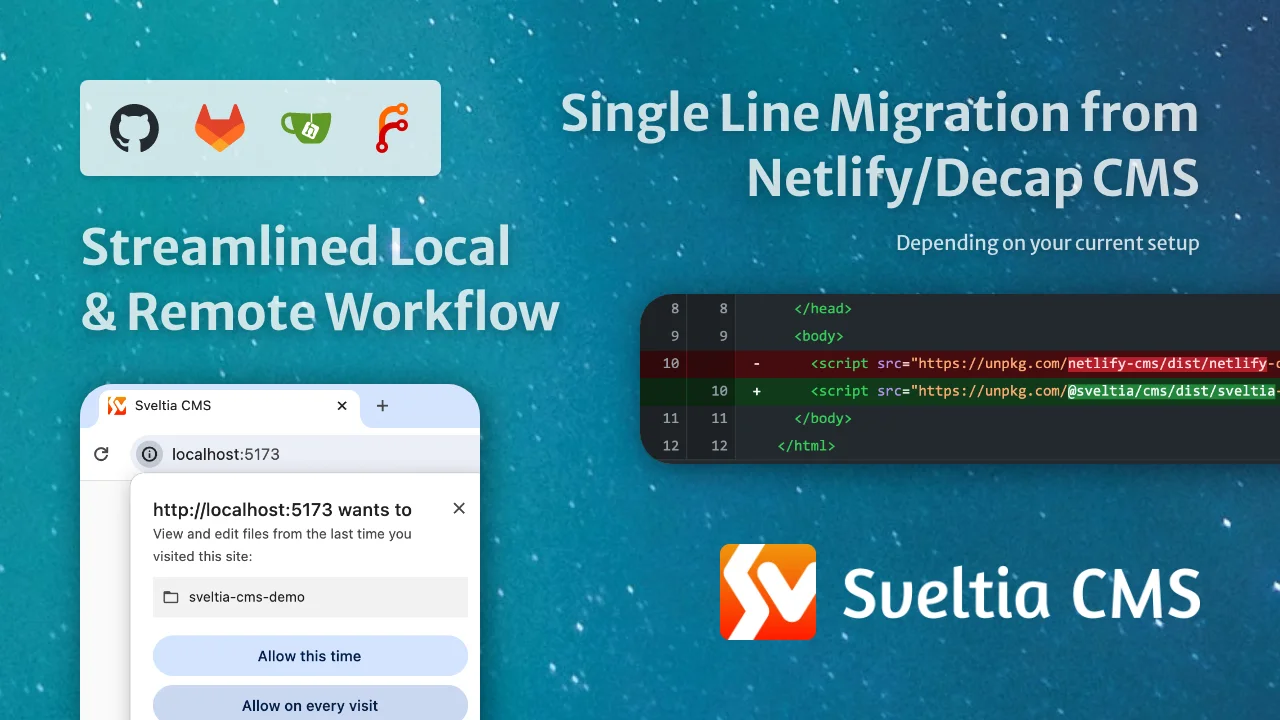
Table of contents
- Motivation
- Development status
- Differentiators
- Better UX
- Better performance
- Better productivity
- Better accessibility
- Better security
- Better installation
- Better configuration
- Better backend support
- Better i18n support
- Better collections
- Better content editing
- Better content preview
- Better data output
- Better widgets
- Better asset management
- Better customization
- Better localization
- Compatibility
- Getting started
- Tips \& tricks
- Moving your site from Netlify to another hosting service
- Providing a JSON configuration file
- Providing multiple configuration files
- Working around an authentication error
- Working with a local Git repository
- Enabling local development in Brave
- Using a custom icon for a collection
- Adding dividers to the collection list
- Using a custom media folder for a collection
- Specifying default sort field and direction
- Including Hugo’s special index file in a folder collection
- Using keyboard shortcuts
- Using DeepL to translate entry fields
- Localizing entry slugs
- Disabling non-default locale content
- Using a random ID for an entry slug
- Configuring multiple media libraries
- Optimizing images for upload
- Disabling stock assets
- Editing data files with a top-level list
- Changing the input type of a DateTime field
- Rendering soft line breaks as hard line breaks in Markdown
- Controlling data output
- Disabling automatic deployments
- Setting up Content Security Policy
- Showing the CMS version
- Support \& feedback
- Contributions
- Roadmap
- Trivia
- Related links
- Disclaimer
Motivation
Sveltia CMS was born in November 2022, when the progress of Netlify CMS was stalled for more than six months. @kyoshino’s clients wanted to replace their Netlify CMS instances without much effort, mainly to get better internationalization (i18n) support.
To achieve radical improvements in UX, performance, i18n and other areas, it was ultimately decided to build an alternative from the ground up, while ensuring an easy migration path from the other. After proving the idea with a rapid Svelte prototype, development was accelerated to address their primary use cases. The new product has since been named Sveltia CMS and released as open source software to encourage wider adoption.
We loved the simple architecture of Netlify CMS that turned a Git repository into a database with a single page app served from a CDN plus a plain YAML config file. In support of the Jamstack concept, we wanted to revive it, modernize it, and take it to the next level.
Our advantage
Due to its unfortunate abandonment in early 2022, Netlify CMS spawned 3 successors:
- Static CMS: a community fork, initial commit made in September 2022 — discontinued in September 2024 after making meaningful improvements
- Sveltia CMS: not a fork but a complete rewrite or “total reboot”, started in November 2022, first appeared on GitHub in March 2023
- Decap CMS: a rebranded version, announced in February 2023 as the official successor with a Netlify agency partner taking ownership — mostly stagnant, with only occasional releases
Sveltia CMS is the only project that doesn’t inherit the complexity, technical debt, and numerous bugs of Netlify CMS, which was launched in 2015. Our product is better by design: We rebuilt the app from the ground up using a modern framework without looking at the predecessor’s code, while closely monitoring and analyzing their issue tracker. This lets us make hundreds of improvements without getting stuck in the old system.
While Sveltia CMS was created to replace legacy Netlify CMS instances, it can also be used as an alternative to other Netlify CMS successors. With its solid i18n support, we’re hoping our product will eventually be an appearing option for anyone looking for a free headless CMS.
Our goals
- Making Sveltia CMS a viable, definitive successor to Netlify CMS
- Empowering SMBs and individuals who need a free, yet powerful, high-quality CMS solution
- Emerging as the leading open source offering in the Git-based CMS market
- Extending its capabilities as digital asset management (DAM) software
- Showcasing the power of Svelte and UX engineering
Development status
Sveltia CMS is currently in beta and version 1.0 (GA) is expected to ship in Q4 2025. Check our release notes and follow us on Bluesky for updates. See also our roadmap.
While we fix reported bugs as quickly as possible, usually within 24 hours, our overall progress may be slower than you think. The thing is, it’s not just a personal project of @kyoshino, but also a complicated system involving various kinds of activities that require considerable effort:
- Ensuring substantial compatibility with Netlify/Decap CMS
- Providing partial compatibility with Static CMS
- Tackling as many Netlify/Decap CMS issues as possible
- So far, 220+ issues, or 440+ if including duplicates, have been effectively solved in Sveltia CMS
- Target:
- 200 issues, or 400 if including duplicates, by GA — We did it! 🎉
- 400 issues, or 800 if including duplicates, in the future 💪
- or every single issue that’s relevant, fixable, and worth dealing with 🔥
- Issues include everything from feature requests to bug reports and issues closed as stale or without an effective solution, as well as discussions and stalled pull requests
- Many of the bugs, including the annoying crashes, have already been solved
- The remaining bugs are mostly related to unimplemented features
- Many of their top-voted features are on our table or already implemented in Sveltia CMS
- Solving our own issues
- Implementing our own enhancement ideas for every part of the product
- Responding to requests from the maintainer’s clients
- Making the code clean and maintainable

Differentiators
Netlify/Decap CMS users will definitely be pleased and surprised by the numerous improvements we have made, from the small to the large. Here’s what makes Sveltia CMS different. Look how serious we are!
Note: This lengthy section compares Sveltia CMS with both Netlify CMS and Decap CMS. Some of the listed bugs may have been fixed in the current version of Decap CMS.
Better UX
- Created and actively maintained by an experienced UX engineer who loves code, design, marketing and problem solving. You can expect constant improvements to the user experience (UX) and developer experience (DX) across the platform.
- The maintainer tries to respond to bug reports as quickly as possible. While there are no guarantees, the typical turnaround time for a bug fix is less than 24 hours.
- Frequent releases deliver new features and enhancements to users faster. Most of our minor releases address one or more Netlify/Decap CMS issues, giving you even more reasons to switch from the legacy predecessor.
- Offers a modern, intuitive user interface that utilizes the full viewport,^178 inspired in part by the Netlify CMS v3 prototype.^1^212^214
- Provides immersive dark mode.^2 The UI theme follows the user’s system preference by default and can be changed in the application settings.
- Users can easily manage content on-the-go with mobile and tablet support.^18
- For a smoother experience, we even go beyond responsive design with optimized navigation, view transitions, larger buttons, and other tweaks. However, there are still rough edges, and we are working to fully optimize the app for small screens and touch devices.
- If you’re already signed in on your desktop, open the Account menu in the top right corner of the CMS, click Sign In with Mobile, and scan the QR code for passwordless sign-in. Your settings will be automatically copied.
- Made with Svelte, not React, means we can spend more time on UX rather than tedious state management. It also allows us to avoid common fatal React application crashes.^113 Best of all, Svelte offers great performance.
- Other crashes in Netlify/Decap CMS are also irrelevant to us, making Sveltia CMS much more stable.^112^204
- We build our own UI component library, including custom dialogs, to ensure optimal usability without compromising accessibility.^196^206^208^210
- Users can personalize the application with various settings, including appearance and language. Developer Mode can also be enabled.
- Never miss out on the latest features and bug fixes by being notified when an update to the CMS is available.^31 Then update to the latest version with a single click.^66
Better performance
- Built completely from scratch with Svelte instead of forking React-based Netlify/Decap CMS. The app starts fast and stays fast with no virtual DOM overhead. Note that Svelte is a compiler and Sveltia CMS is framework-agnostic; it’s served as a vanilla JavaScript bundle.
- Small footprint: The bundle size is less than 500 KB when minified and brotlied, which is much lighter than Netlify CMS (1.5 MB), Decap CMS (1.5 MB) and Static CMS (2.6 MB).^57 This number is remarkable because even though some Netlify/Decap CMS features are omitted or unimplemented in Sveltia CMS, we have added a lot of new features. That’s the power of Svelte 5 + Vite.
- Uses the GraphQL API for GitHub and GitLab to quickly fetch content at once, so that entries and assets can be listed and searched instantly^32 (the useless
searchconfiguration option is therefore ignored). It also avoids the slowness and potential API rate limit violations caused by hundreds of requests with Relation widgets.^14 - Saving entries and assets to GitHub is also much faster thanks to the GraphQL mutation.
- The Gitea backend is also faster because it utilizes an efficient API method introduced in Gitea 1.24.
- Our local repository workflow utilizes the modern File System Access API to read and write files natively through the web browser, rather than using a slow, ad hoc REST API through a proxy server.
- Sorting, filtering and grouping of entries is done instantly without reloading the entire content.
- Uses caching, lazy loading and infinite scrolling techniques. A list of repository files is stored locally for faster startup and bandwidth savings.
- Thumbnails of assets, including videos and PDF files, are generated and cached for faster rendering of the Asset Library and other parts of the CMS.^39
- No typing lag on input widgets, especially within nested lists and objects.^77
- The entry preview doesn’t use an
<iframe>because it’s a performance overhead.^179
Better productivity
- Developers can work with a local Git repository without any additional configuration or proxy server, resulting in a streamlined workflow and improved performance.^26
- It also avoids a number of issues, including potential dependency corruption,^158 a 30 MB file size limit,^51 an unknown error with
publish_mode,^75 and an unusedlogo_url.^49 - When you delete an entry or an asset file, the empty folder that contains it is also deleted, so you don’t have to delete it manually.
- It also avoids a number of issues, including potential dependency corruption,^158 a 30 MB file size limit,^51 an unknown error with
- Provides a smoother user experience in the Content Editor:
- A local backup of an entry draft is automatically created without interruption by a confirmation dialog, which annoys users and can cause a page navigation problem if dismissed.^106 The backup can then be reliably restored without unexpected overwriting.^85
- Click once (the Save button) instead of twice (Publish > Publish now) to save an entry. Or just hit the
Ctrl+S(Windows/Linux) orCommand+S(macOS) key to save your time. - The editor closes automatically when an entry is saved. This behaviour can be changed in the application settings.
- Uploading files can be done with drag and drop.^20
- Users can upload multiple files at once to the Asset Library.^5
- Users can delete multiple entries and assets at once.
- Instant full-text search with results sorted by relevance helps you find entries faster.
- Some keyboard shortcuts are available for faster editing.
Better accessibility
- Improved keyboard handling lets you efficiently navigate through UI elements using the Tab, Space, Enter and arrow keys.^17
- Comprehensive WAI-ARIA support enables users who rely on screen readers such as NVDA and VoiceOver.^228 An announcement is read out when you navigate to another page.
- The rich text editor is built with Lexical, which is said to follow accessibility best practices. The Dragon NaturallySpeaking support is enabled.
- Ensures sufficient contrast between the foreground text and background colours.
- Enabled and disabled buttons can be clearly distinguished.^105
- Links are underlined by default to make them easier to recognize. This behaviour can be changed in the Accessibility Settings if you prefer.
- Honours your operating system’s reduced motion and reduced transparency settings. Support for high contrast mode will be added later.
- Browser console logs for developers are readable in either light or dark mode.^116
- We’ll continue to test and improve the application to meet WCAG 2.2.
Better security
- Avoids vulnerabilities in dependencies through constant updates,
pnpm audit, and frequent releases, unlike Netlify/Decap CMS where a number of high severity vulnerabilities remain unpatched for a long time.^33 - Our local repository workflow doesn’t require a proxy server, reducing an attack surface.^158
- We have enabled npm package provenance.
- We have documented how to set up a Content Security Policy for the CMS to prevent any unexpected errors or otherwise insecure configuration.^108
- The
unsafe-evalandunsafe-inlinekeywords are not needed in thescript-srcCSP directive.^34 - The
same-originreferrer policy is automatically set with a<meta>tag. - Sveltia CMS has a secure context requirement that forces the site content, including the CMS configuration file, to be served over HTTPS.
- GitHub commits are automatically GPG-signed and marked as verified.^144
Better installation
- Sveltia CMS is built with Svelte, and we only publish compiled vanilla JavaScript bundles, so there are no React compatibility issues that might prevent developers from upgrading a project for many months.^177 We haven’t actually integrated React for custom widgets and other features yet, but anyway, no dependencies will be installed when you install the app with npm.
- Sveltia CMS also won’t cause peer dependency conflicts due to legacy third-party React UI libraries.^175 We build the app using our own Svelte UI component library to reduce reliance on third parties.
- Some servers and frameworks are known to remove the trailing slash from the CMS URL (
/admin) depending on the configuration. In such cases, the config file is loaded from a root-relative URL (/admin/config.yml) instead of a regular relative URL (./config.yml=/config.yml) that results in a 404 Not Found error.^107 - The robots
metatag is automatically added to HTML to prevent the admin page from being indexed by search engines.^174 Developers are still encouraged to manually add<meta name="robots" content="noindex">toindex.html, as not all crawlers support dynamically added tags. However, our solution should at least work with Google in case you forget to do so.
Better configuration
- Sveltia CMS supports a JSON configuration file that can be generated for bulk or complex collections.^60
- Also supports multiple configuration files to allow developers to modularize the configuration.^197
- Improved TypeScript support: We try to keep our type definitions for
CMS.init()and other methods complete, accurate, up-to-date and annotated.^190^192^227 This makes it easier to provide a site config object when manually initializing the CMS.
Better backend support
- Uses the GraphQL API where possible for better performance, as mentioned above. You don’t need to set the
use_graphqloption to enable it for GitHub and GitLab. - The Git branch name is automatically set to the repository’s default branch (
main,masteror whatever) if not specified in the configuration file, preventing data loading errors due to a hardcoded fallback tomaster.^95 If a branch name is specified, it works as expected.^232 - It’s possible to disable automatic deployments by default or on demand to save costs and resources associated with CI/CD and to publish multiple changes at once.^24
- The GitLab backend support comes with background service status checking, just like GitHub.
- Service status checks are performed frequently and an incident notification is displayed prominently.
- Users can quickly open the source file of an entry or asset in your repository using View on GitHub (or GitLab or Gitea) under the 3-dot menu when Developer Mode is enabled.
- We provide our own OAuth client for GitHub and GitLab.
- The GitLab backend supports Git LFS (documentation).^231
- Users won’t get a 404 Not Found error when you sign in to the GitLab backend.^115
- Our Gitea backend is high-performing because it retrieves multiple entries at once. It also supports Git LFS (documentation). Additionally, the backend won’t cause 400 Bad Request errors due to the presence of
DRAFT_MEDIA_FILESin file paths.^222 - The OAuth access token is automatically renewed when using the GitLab or Gitea backend with PKCE authorization.^224 Token renewal for other backend configurations will be implemented later.
- Features the all-new local repository workflow that boosts DX. See the productivity section above.
- Developers can select the local and remote backends while working on a local server.
- The Test backend saves entries and assets in the browser’s origin private file system (OPFS) so that changes are not discarded when the browser tab is closed or reloaded.^194 The persistent storage support works with all modern browsers except Safari.
Better i18n support
Sveltia CMS has been built with a multilingual architecture from the very beginning. You can expect unparalleled internationalization (i18n) support, as it’s required by clients of maintainer @kyoshino, who himself was a long-time Japanese localizer for Mozilla and currently lives in the most diverse city in the world where 150+ languages are spoken.
- Configuration
- The i18n limitations in Netlify/Decap CMS do not apply to Sveltia CMS:
- File collections support multiple files/folders i18n structures.^87 To enable it, simply use the
{{locale}}template tag in thefilepath option, e.g.content/pages/about.{{locale}}.jsonorcontent/pages/{{locale}}/about.json. For backward compatibility, the globalstructureoption only applies to folder collections, and the default i18n structure for file collections remains single file. - The List and Object widgets support the
i18n: duplicatefield configuration so that changes made with these widgets are duplicated between locales.^7 Thei18nconfiguration can normally be used for the subfields.
- File collections support multiple files/folders i18n structures.^87 To enable it, simply use the
- The new
multiple_folders_i18n_rooti18n structure allows to have locale folders below the project root:<locale>/<folder>/<slug>.<extension>.^182 - The new
omit_default_locale_from_filenamei18n option allows to exclude the default locale from filenames. This option applies to entry collections with themultiple_filesi18n structure enabled, as well as to file collection items with thefilepath ending with.{{locale}}.<extension>, aiming to support Zola’s multilingual sites. (Discussion) - The
requiredfield option accepts an array of locale codes in addition to a boolean, making the field required for a subset of locales when i18n support is enabled. For example, if only English is required, you could writerequired: [en]. An empty array is equivalent torequired: false. - Entry-relative media folders can be used in conjunction with the
multiple_foldersi18n structure.^21 - The
{{locale}}template tag can be used in thepreview_pathcollection option to provide site preview links for each language.^63 - It’s possible to use a random UUID for an entry slug, which is a good option for locales that write in non-Latin characters.
- It’s possible to localize entry slugs while linking the localized files,^80 thanks to the support for Hugo’s
translationKey.^81 - When the
clean_accentsoption is enabled for entry slugs, certain characters, such as German umlauts, will be transliterated.^99 - It’s possible to embed the locale code in an entry by using
widget: hiddenalong withdefault: '{{locale}}'.^101 - The
value_fieldRelation field option can contain a locale prefix like{{locale}}/{{slug}}, which will be replaced with the current locale. It’s intended to support i18n in Astro. (Discussion)
- The i18n limitations in Netlify/Decap CMS do not apply to Sveltia CMS:
- User interface
- Eliminates UI confusion: The Preview Pane can be displayed without toggling i18n in the Content Editor. Both panes are scrollable. There is no condition where both panes are edited in the same language at the same time.
- Users can easily switch between locales while editing by clicking a button instead of a dropdown list when there are less than 5 locales.
- Language labels appear in human-readable display names instead of ISO 639 language codes because it’s not easy for everyone to recognize
DEas German,NLas Dutch,ZHas Chinese, and so on.
- Content editing
- Integrates DeepL to allow translation of text fields from another locale with one click. More translation services will be added in the future.
- The Content Editor supports RTL scripts such as Arabic, Hebrew and Persian.^146
- It’s possible to disable non-default locale content.^15
- Boolean, DateTime, List and Number fields in the entry preview are displayed in a localized format.
- Boolean fields are updated in real time between locales like other widgets to avoid confusion.^35
- Relation fields with i18n enabled won’t trigger a change in the content draft status when you start editing an existing entry.^84
- Solves problems with Chinese, Japanese and Korean (CJK) IME text input in the rich text editor for the Markdown widget.^54
- Raises a validation error instead of failing silently if the
single_filestructure is used and a required field is not filled in any of the locales.^55 - Fields in non-default locales are validated as expected.^13
- No internal error is thrown when changing the locale.^103
- Duplicating an entry duplicates all locale content, not just the default locale.^170
Better collections
- Configuration
- Provides some new options, including:
icon: Choose a custom icon for each collection.^3thumbnail: Specify the field name for a thumbnail displayed on the entry list, likethumbnail: featuredImage.^130- A nested field can be specified using dot notation, e.g.
heroImage.src. - A wildcard in the field name is also supported, e.g.
images.*.src. - Multiple field names can be specified as an array for fallback purpose, e.g.
[thumbnail, cover]. - Occasionally, you may not have suitable images for thumbnails. For example, your images may have subtle differences or varied aspect ratios. In that case, you can disable the thumbnail with
thumbnail: []. - If this option is omitted, any non-nested, non-empty Image or File field will be used.^173
- A nested field can be specified using dot notation, e.g.
limit: Specify the maximum number of entries that can be created in a folder collection.^185divider: Add dividers to the collection list.
- Enhancements to the entry
filteroption for folder collections: - Enhancements to summary string transformations:
- Transformations can be used in more places than just the collection
summary:- The
slugandpreview_pathcollection options^29 - The
summaryfield option for the List and Object widgets
- The
- The
defaulttransformation accepts a template tag like{{fields.slug | default('{{fields.title}}')}}, making it possible to fall back to a different field value. (Discussion) - The
datetransformation supports the time zone argument. The only available value isutc, which converts a date to UTC. This is useful if the specified DateTime field is local, but you want to force UTC in the entry slug, e.g.{{date | date('YYYYMMDD-HHmm', 'utc')}}. (Discussion) - The
datetransformation returns an empty string if an invalid date is given.^176 - Multiple transformations can be chained like
{{title | upper | truncate(20)}}.
- Transformations can be used in more places than just the collection
- The collection
labeldefaults to thenamevalue according to the Decap CMS document, while Netlify/Decap CMS actually throws a configuration error if thelabeloption is omitted. - Nested fields (dot notation) can be used in the
pathoption for a folder collection, e.g.{{fields.state.name}}/{{slug}}.^62 - Markdown is supported in the
descriptioncollection option.^79 Bold, italic, strikethrough, code and links are allowed. - The collection
foldercan be an empty string (or.or/) if you want to store entries in the root folder. This supports a typical VitePress setup. - Each file in a file collection has the
formatandfrontmatter_delimiteroptions, which can be used to specify the file format, making it possible to haveyaml-frontmatter,toml-frontmatterandjson-frontmatterside by side.^218
- Provides some new options, including:
- Entry slugs
- It’s possible to use a random UUID for an entry slug.
- Slug generation is fail-safe: If a slug cannot be determined from entry content, part of a random UUID is used instead of throwing an error or filling in with arbitrary string field values.^133
- Users can edit entry slugs via the 3-dot menu in the Content Editor.^184
- If a collection only has the Markdown
bodyfield, an entry slug will be generated from a header in thebody, if exists. This supports a typical VitePress setup. - Entry slug template tags support transformations just like summary string template tags.^29
- Single quotes (apostrophes) in a slug will be replaced with
sanitize_replacement(default: hyphen) rather than being removed.^52 - The maximum number of characters for an entry slug can be set with the new
slug_lengthcollection option to avoid deployment errors with Netlify or other platforms.^25 - Setting the collection
pathdoesn’t affect the entry slugs stored with the Relation widget.^137 - Entry slugs are localizable.^80
- Entry listing
- Default sort field and direction can be specified.^172
- Sorting entries by a DateTime field works as expected.^110
- Entry grouping and sorting can work together. For example, it’s possible to group by year and then sort by year if configured properly.
- Index file inclusion allows users to edit Hugo’s special
_index.mdfile, including localized ones like_index.en.md, within a folder collection.^201 If theindex_fileoption is not defined, these files will be hidden in a folder collection unless thepathoption is configured to end with_indexand theextensionismd.^120 - A console error won’t be thrown when a collection doesn’t have the
titlefield.^152 In that case, an entry summary will be generated from a header in the Markdownbodyfield, if exists, or from the entry slug, so the summary will never be an empty.^161 This supports a typical VitePress and Docusaurus setup.^230 - If there was an error while parsing an entry file, such as duplicate front matter keys, it won’t show up as a blank entry, and a clear error message will be displayed in the browser console.^121
- A single file can be used for more than one item in a file collection.^127
- User interface
- The collection list displays the number of items in each collection.
- Users can select multiple entries and delete them at once.
- In an entry summary, basic Markdown syntax used in the title, including bold, italic and code, are parsed as Markdown. HTML character references (entities) are also parsed properly.^69
- If you update an entry field that appears in the collection’s
summary, such astitle, the entry list displays an updated summary after you save the entry.^159 - Thumbnails of entries are displayed not only in the grid view but also in the list view, making it easier to navigate.
- If entries don’t have an Image field for thumbnails, the entry list will only be displayed in the list view, because it doesn’t make sense to show the grid view.^143
- Assets stored in a collection media folder can be displayed next to the entries.
- The New Entry button won’t appear when a developer accidentally sets the
create: trueoption on a file collection because it’s useless.^89 - The Delete Entry button won’t appear when a developer accidentally sets the
delete: trueoption on a file collection because the preconfigured files should not be deleted.
Better content editing
- Required fields, not optional fields, are marked for efficient data entry.
- Users can revert changes to all fields or a specific field.
- If you revert changes and there are no unsaved changes, the Save button is disabled as expected.^118
- The new
readonlyfield option makes the field read-only. This is useful when adefaultvalue is provided and the field should not be editable by users.^223 - Fields with validation errors are automatically expanded if they are part of nested, collapsed objects.^40
- A full regular expression, including flags, can be used for the widget
patternoption.^82 For example, if you want to allow 280 characters or less in a multiline text field, you could write/^.{0,280}$/s(but you can now use themaxlengthoption instead.) - A long validation error message is displayed in full, without being hidden behind the field label.^59
- Any links to other entries will work as expected, with the Content Editor being updated for the other.^100
- In the Boolean and Select widgets, you don’t have to update a value twice to re-enable the Save button after saving an entry.^139
datacan be used as a field name without causing an error when saving the entry.^180
Better content preview
- The Preview Pane comes with a minimal default style.^168 It looks nice without a custom preview style or template.
- For better performance, the Preview Pane doesn’t use an
<iframe>.^179 - The Preview Pane displays all fields, including each label, making it easier to see which fields are populated.
- Clicking a field in the Preview Pane focuses the corresponding field in the Edit Pane.^41 It automatically expands when collapsed.
- This is equivalent to the (misleading) visual editing feature introduced in Decap CMS 3.6.0, but our click-to-highlight feature is enabled by default; you don’t need to opt in with the
editor.visualEditingcollection option. - Our implementation doesn’t cause a module import error^225 or broken image previews.^188
- This is equivalent to the (misleading) visual editing feature introduced in Decap CMS 3.6.0, but our click-to-highlight feature is enabled by default; you don’t need to opt in with the
- The Preview Pane doesn’t cause a scrolling issue.^136
- The Preview Pane doesn’t crash with a Minified React error.^186
- Provides better scroll synchronization between the panes when editing or previewing an entry.^92
- Developers can hide the preview of a specific field using a new field option:
preview: false.^126 - See below for widget-specific enhancements, including support for variable types^42 and YouTube videos.
Better data output
- Keys in generated JSON/TOML/YAML content are always sorted by the order of configured fields, making Git commits clean and consistent.^86
- Netlify/Decap CMS often, but not always, omits optional and empty fields from the output.^154 Sveltia CMS aims at complete and consistent data output — it always saves proper values, such as an empty string, an empty array or
null, instead of nothing (undefined), regardless of therequiredfield option.^45^44- In other words, in Sveltia CMS,
required: falsemakes data input optional, but doesn’t make data output optional. - To omit empty optional fields from data output, use
omit_empty_optional_fields: truein the data output options. This is useful if you have data type validations that expectundefined.^156
- In other words, in Sveltia CMS,
- JSON/TOML/YAML data is saved with a new line at the end of the file to prevent unnecessary changes being made to the file.^11
- Leading/trailing whitespaces in text-type field values are automatically removed when you save an entry.^37
- YAML string folding (maximum line width) is disabled, mainly for framework compatibility.^119
- A standard time is formatted as
HH:mm:ssinstead ofHH:mmfor framework compatibility. - DateTime field values in ISO 8601 format are stored in native date/time format instead of quoted strings when the data output is TOML.^147
- Provides JSON/YAML format options as part of the data output options, including indentation and quotes.^155
- The
yaml_quotecollection option added in v0.5.10 is now deprecated and will be removed in v1.0.0.yaml_quote: trueis equivalent toquote: doublein the new YAML format options.
- The
Better widgets
Sveltia CMS supports all built-in widgets available in Netlify/Decap CMS except Map. We have made significant improvements to these widgets while adding some new ones. The remaining Map widget will be added soon, followed by support for custom widgets.
Note: The Date widget has been deprecated in Netlify CMS and removed from both Decap CMS and Sveltia CMS in favour of the DateTime widget, as noted in the Compatibility section.
- Boolean
- Code
- More than 300 languages are available, thanks to Prism’s extensive language support.
- The language switcher always appears in the user interface, so it’s easy to spot and change the selected language.
- Dynamic loading of language modes work as expected.^198
- A Code field under a List field work as expected, saving both code and language.^181
- Color
- The widget doesn’t cause scrolling issues.^128
- The preview shows both the RGB(A) hex value and the
rgb()function notation.
- DateTime
- Hidden
- The
defaultvalue supports the following template tags:{{locale}}: The current locale code.^101{{datetime}}: The current date/time in ISO 8601 format.^102{{uuid}},{{uuid_short}}and{{uuid_shorter}}: A random UUID or its shorter version, just like the slug template tags.^12
- The
defaultvalue is saved when you create a file collection item, not just a folder collection item.^78
- The
- List
- It’s possible to edit data files with a top-level list using the new
rootoption.^148 - The
minandmaxoptions can be used separately. You don’t need to specify both to use either option.^145 - The Add Item button appears at the bottom of the list when the
add_to_topoption is nottrue, so you don’t have to scroll up each time to add new items. - A list item comes with a menu that allows users to duplicate the item, insert a new item above/below it, or remove it.^187
- Users can expand or collapse the entire list, while the Expand All and Collapse All buttons allow you to expand or collapse all items in the list at once.^164
- A required List field with no subfield or value is marked as invalid.^43 No need to set the
minandmaxoptions for therequiredoption to work. - An optional List field with no subfield or value is saved as an empty array, rather than nothing.^44
- An optional List field won’t populate an item by default when the subfield has the
defaultvalue.^162 - A simple List field with no subfields is displayed as a multiline text field,^219 where users can use spaces^50 and commas^220 for list items. A comma is no longer treated as a list delimiter.
- Users can preview variable types without having to register a preview template.^42
- It’s possible to omit
fieldsin a variable type object.^163 In that case, only thetypeKey(default:type) is saved in the output. - A collapsed List field will not display a programmatic summary like
List [ Map { "key": "value" } ]if thesummaryoption is not set.^183
- It’s possible to edit data files with a top-level list using the new
- Markdown
- The rich text editor is built with the well-maintained Lexical framework, which solves various issues with a Slate-based editor in Netlify/Decap CMS, including fatal application crashes,^71^73 lost formatting when pasting,^124 an extra line break when pasting,^169 extra HTML comments when pasting,^229 backslash injections,^53 dropdown visibility,^70 and text input difficulties with IME.^54
- The default editor mode can be set by changing the order of the
modesoption.^58 If you want to use the plain text editor by default, addmodes: [raw, rich_text]to the field configuration. - A Markdown field plays well with a variable type List field.^202
- A combination of bold and italic doesn’t create a confusing 3-asterisk markup.^160 In our editor, bold is 2 asterisks and italic is an underscore.
- The built-in
imagecomponent can be inserted with a single click. - The built-in
imagecomponent allows users to add, edit or remove a link on an image.^171 To disable this feature, addlinked_images: falseto the Markdown field options. - It’s possible to paste/drop local/remote images into the rich text editor to insert them as expected. Note: Pasting multiple images is not supported in Firefox. In Netlify/Decap CMS, pasting an image may cause the application to crash.
- The built-in
code-blockcomponent is implemented just like a blockquote. You can simply convert a normal paragraph into a code block instead of adding a component. - Code in a code block in the editor can be copied as expected.^165
- Language-annotated code block doesn’t trigger unsaved changes.^189
- Soft line breaks are rendered as hard line breaks in the Preview Pane.
- Number
- If the
value_typeoption isint(default) orfloat, therequiredoption isfalse, and the value is not entered, the field will be saved asnullinstead of an empty string.^157 Ifvalue_typeis anything else, the data type will remain a string.
- If the
- Object
- Sveltia CMS offers two ways to have conditional fields in a collection:^30
- The Object widget supports variable types (the
typesandtypeKeyoptions) just like the List widget.^226 - An optional Object field (
required: false) can be manually added or removed with a checkbox.^88 If unadded or removed, the required subfields won’t trigger validation errors,^16 and the field will be saved asnull.
- The Object widget supports variable types (the
- Sveltia CMS offers two ways to have conditional fields in a collection:^30
- Relation
- Field options are displayed with no additional API requests.^14 The confusing
options_lengthoption, which defaults to 20, is therefore ignored.^76 slugcan be used forvalue_fieldto show all available options instead of just one in some situations.^91- Template strings with a wildcard like
{{cities.*.name}}can also be used forvalue_field.^94 display_fieldsis displayed in the Preview Pane instead ofvalue_field.- The redundant
search_fieldsoption is optional in Sveltia CMS, as it defaults todisplay_fields,value_fieldor the collection’sidentifier_field, which istitleby default. - The
value_fieldoption is also optional in Sveltia CMS, as it defaults to{{slug}}(entry slugs). - A new item created in a referenced collection is immediately available in the options.^138
- A referenced DateTime field value is displayed in the specified format.^221
- It’s possible to refer to a List field with the
fieldoption, which produces a single subfield but does not output the subfieldnamein the data, using thevalue_field: cities.*.namesyntax. (Discussion)
- Field options are displayed with no additional API requests.^14 The confusing
- Select
- It’s possible to select an option with value
0.^56 labelis displayed in the Preview Pane instead ofvalue.
- It’s possible to select an option with value
- String
- When a YouTube video URL is entered in a String field, it appears as an embedded video in the Preview Pane. Check your site’s CSP if the preview doesn’t work.
- When a regular URL is entered in a String field, it appears as a link that can be opened in a new browser tab.
- Supports the
typeoption that acceptsurloremailas a value, which will validate the value as a URL or email. - Supports the
prefixandsuffixstring options, which automatically prepend and/or append the developer-defined value to the user-input value, if it’s not empty.
- Boolean, Number and String
- Supports the
before_inputandafter_inputstring options, which allow developers to display custom labels before and/or after the input UI.^28 Markdown is supported in the value.- Compatibility note: In Static CMS, these options are implemented as
prefixandsuffix, respectively, which have different meaning in Sveltia CMS.
- Compatibility note: In Static CMS, these options are implemented as
- Supports the
- File and Image
- The new
acceptoption allows files to be filtered by a comma-separated list of unique file type specifiers, in the same way as the HTMLacceptattribute for<input type="file">.^216- By default, the Image widget only accepts an AVIF, GIF, JPEG, PNG, WebP or SVG image. BMP, HEIC, JPEG XL, PSD, TIFF and other less common or non-standard files are excluded.^217
- The File widget has no default restriction.
- Provides a reimagined all-in-one asset selection dialog for File and Image fields.
- Entry, file, collection and global assets are listed on separate tabs for easy selection.^19
- A new asset can be uploaded by dragging & dropping it into the dialog.^20
- A URL can also be entered in the dialog.
- Integration with Pexels, Pixabay and Unsplash makes it easy to select and insert a free stock photo.^8 More stock photo providers will be added in the future.
- Users can also simply drag and drop a file onto a File/Image field to attach it without having to open the Select File dialog.
- Large images automatically fit in the Preview Pane instead of being displayed at their original size, which can easily exceed the width of the pane.
- If the
public_foldercontains{{slug}}and you’ve edited a slug field (e.g.title) of a new entry after uploading an asset, the updated slug will be used in the saved asset path.^140 Other dynamic template tags such as{{filename}}will also be populated as expected.^141 - The CMS prevents the same file from being uploaded twice. It compares the hashes and selects an existing asset instead.
- The new
- List and Object
- The
summaryis displayed correctly when it refers to a Relation field^36 or a simple List field. - The
summarytemplate tags support transformations, e.g.{{fields.date | date('YYYY-MM-DD')}}.
- The
- Markdown, String and Text
- A required field containing only spaces or line breaks will result in a validation error, as if no characters were entered.
- Relation and Select
- If a dropdown list has options with long wrapping labels, they won’t overlap with the next option.^83
- When there are 5 or fewer options, the UI automatically switches from a dropdown list to radio buttons (single-select) or checkboxes (multi-select) for faster data entry.^61 This number can be changed with the
dropdown_thresholdoption for therelationandselectwidgets.
- String and Text
- Supports the
minlengthandmaxlengthoptions, which allow developers to specify the minimum and maximum number of characters required for input without having to write a custom regular expression with thepatternoption. A character counter is available when one of the options is given, and a user-friendly validation error is displayed if the condition is not met.
- Supports the
New widgets
- Compute
- The experimental
computewidget allows to reference the value of other fields in the same collection, similar to thesummaryproperty for the List and Object widgets.^104 Use thevalueproperty to define the value template, e.g.posts-{{fields.slug}}. (Example) - The
valueproperty also supports a value of{{index}}, which can hold the index of a list item. (Example)
- The experimental
- KeyValue (Dictionary)
- The new
keyvaluewidget allows users to add arbitrary key-value string pairs to a field.^123 - While the implementation is compatible with Static CMS, we provide a more intuitive UI. You can press Enter to move focus or add a new row while editing, and the preview is displayed in a clean table.
- The new
- UUID
- In addition to generating UUIDs for entry slugs, Sveltia CMS supports the proposed
uuidwidget with the following properties:^12prefix: A string to be prepended to the value. Default: an empty string.use_b32_encoding: Whether to encode the value with Base32. Default:false.read_only: Whether to make the field read-only. Default:true.
- In addition to generating UUIDs for entry slugs, Sveltia CMS supports the proposed
Better asset management
- A completely new, full-fledged Asset Library, built separately from the image selection dialog, makes it easy to manage all of your files, including images, videos and documents.^96
- Navigate between the global media folder and collection media folders.^6
- Preview image, audio, video, text and PDF files. Check your site’s CSP if the preview doesn’t work.
- Copy the public URL,^74 file path, text data or image data of a selected asset to clipboard. The file path starts with
/as expected.^48 - Edit plain text assets, including SVG images.
- Rename existing assets. If the asset is used in any entries, the File/Image fields will be automatically updated with a new file path.
- Replace existing assets.
- Download one or more selected assets at once.
- Delete one or more selected assets at once.
- Upload multiple assets at once, including files in nested folders, by browsing or dragging and dropping them into the library.^5
- Sort or filter assets by name or file type.
- View asset details, including size, dimensions, commit author/date and a list of entries that use the selected asset.
- Enhancements to media libraries:
- Supports multiple media libraries with the new
media_librariesoption.^195 - Default media library
- It comes with a built-in image optimizer. With a few lines of configuration, images selected by users for upload are automatically converted to WebP format for reduced size,^199 and it’s also possible to specify a maximum width and/or height.^200 SVG images can also be optimized.
- The
max_file_sizeoption for the File/Image widget can be defined within the globalmedia_libraryoption, usingdefaultas the library name. It applies to all File/Image entry fields, as well as direct uploads to the Asset Library. The option can also be part of the newmedia_librariesoption.
- Other integrations
- Integrates stock photo providers, including Pexels, Pixabay and Unsplash.^8 Developers can disable them if needed.
- More integration options, including Amazon S3 and Cloudflare R2/Images/Stream, would be added in the future.
- Supports multiple media libraries with the new
- The global
media_foldercan be an empty string (or.or/) if you want to store assets in the root folder. - PDF documents are displayed with a thumbnail image in both the Asset Library and the Select File dialog, making it easier to find the file you’re looking for.^38
- Assets stored in an entry-relative media folder are displayed in the Asset Library.^142
- These entry-relative assets are automatically deleted when the associated entry is deleted because these are not available for other entries.^22 When you’re working with a local repository, the empty enclosing folder is also deleted.
- Hidden files (dot files) don’t appear in the Asset Library.^47
- Users can add assets using the Quick Add button in the upper right corner of the application.
- Files are uploaded with their original names, without converting uppercase letters and spaces to lowercase letters and hyphens.^97
Better customization
- The application renders within the dimensions of a custom mount element, if exists.^109
- A custom logo defined with the
logo_urlproperty is displayed on the global application header and the browser tab (favicon).^134 A smaller logo is also correctly positioned on the authentication page.^135 CMS.registerCustomFormat()supports async parser/formatter functions.^149- The component definition for
CMS.registerEditorComponent()accepts theiconproperty. Developers can specify a Material Symbols icon name just like custom collection icons.
Better localization
- The application UI locale is automatically selected based on the preferred language set with the browser.^132 Users can also change the locale in the application settings. Therefore, the
localeconfiguration option is ignored andCMS.registerLocale()is not required. - The List widget’s
labelandlabel_singularare not converted to lowercase, which is especially problematic in German, where all nouns are capitalized.^98 - Long menu item labels, especially in non-English locales, don’t overflow the dropdown container.^117
Compatibility
We are trying to make Sveltia CMS compatible with Netlify/Decap CMS where possible, so that more users can seamlessly switch to our modern alternative. It’s ready to be used as a drop-in replacement for Netlify/Decap CMS in some casual use case scenarios with a single line of code update.
However, 100% feature parity is not planned, and some features are still missing or will not be added due to performance, deprecation and other factors. Look at the compatibility info below to see if you can migrate now or in the near future.
Features not to be implemented
- Azure and Bitbucket backends: For performance reasons. We’ll support these platforms if their APIs improve to allow the CMS to fetch multiple entries at once.
- Git Gateway backend: Also for performance reasons. Git Gateway has not been actively maintained since Netlify CMS was abandoned, and it’s known to be slow and prone to rate limit violations. We plan to develop a GraphQL-based high-performance alternative in the future.
- Netlify Identity Widget: It’s not useful without Git Gateway, and the Netlify Identity service itself is now deprecated. We plan to develop an alternative solution with role support in the future, most likely using Cloudflare Workers and Auth.js.
- The deprecated client-side implicit grant for the GitLab backend: It has already been removed from GitLab 15.0. Use the client-side PKCE authorization instead.
- The deprecated Netlify Large Media service: Consider other storage providers.
- Deprecated camel case configuration options: Use snake case instead, according to the current Decap CMS document.
- Collection:
sortableFields - DateTime widget:
dateFormat,timeFormat,pickerUtc - Markdown widget:
editorComponents - Number widget:
valueType - Relation widget:
displayFields,searchFields,valueField - Note: Some other camel case options, including Color widget options, are not deprecated.
- Collection:
- The deprecated Date widget: It was removed from Decap CMS 3.0 and Sveltia CMS 0.10. Use the DateTime widget with the
time_format: falseoption instead. - Some date/time format tokens: Decap CMS 3.1.1 replaced Moment.js with Day.js, and Sveltia CMS will follow suit soon. Since Day.js tokens are not 100% compatible with Moment.js tokens, this could be a breaking change in certain cases.
- The theme and keymap inline settings of the Code widget, along with support for some languages: We use the Prism-powered code block functionality in Lexical instead of CodeMirror. Prism may be replaced by Shiki in the future.
- Remark plugins for the Markdown widget: Not compatible with our Lexical-based rich text editor.
- An absolute URL in the
public_folderoption: Such configuration is not recommended, as stated in the Netlify/Decap CMS document. - Performance-related options: Sveltia CMS has drastically improved performance with GraphQL enabled by default, so these are no longer relevant:
- Global:
search - Backend:
use_graphql - Relation widget:
options_length
- Global:
- The global
localeoption andCMS.registerLocale()method: Sveltia CMS automatically detects the user’s preferred language and changes the UI locale as mentioned above. - Undocumented methods exposed on the
CMSobject: This includes custom backends and custom media libraries, if any. We may support these features in the future, but our implementation would likely be incompatible with Netlify/Decap CMS. - Any other undocumented options/features. Exceptions apply.
Current limitations
These Netlify/Decap CMS features are not yet implemented in Sveltia CMS. We are working hard to add them before the 1.0 release due Q4 2025. Check the release notes and Bluesky for updates.
- Com
1 year ago
1 year ago
1 year ago
1 year ago
1 year ago
1 year ago
1 year ago
1 year ago
1 year ago
1 year ago
1 year ago
1 year ago
1 year ago
1 year ago
1 year ago
1 year ago
1 year ago
1 year ago
1 year ago
1 year ago
1 year ago
1 year ago
1 year ago
1 year ago
1 year ago
1 year ago
1 year ago
1 year ago
1 year ago
1 year ago
1 year ago
1 year ago
1 year ago
1 year ago
1 year ago
1 year ago
1 year ago
1 year ago
1 year ago
1 year ago
1 year ago
1 year ago
1 year ago
1 year ago
1 year ago
1 year ago
1 year ago
1 year ago
1 year ago
1 year ago
1 year ago
1 year ago
1 year ago
1 year ago
1 year ago
1 year ago
1 year ago
1 year ago
1 year ago
1 year ago
1 year ago
1 year ago
1 year ago
1 year ago
1 year ago
1 year ago
1 year ago
1 year ago
1 year ago
1 year ago
1 year ago
1 year ago
1 year ago
1 year ago
1 year ago
1 year ago
1 year ago
1 year ago
1 year ago
1 year ago
1 year ago
1 year ago
1 year ago
1 year ago
1 year ago
1 year ago
1 year ago
1 year ago
1 year ago
1 year ago
1 year ago
2 years ago
1 year ago
1 year ago
2 years ago
2 years ago
2 years ago
1 year ago
1 year ago
1 year ago
2 years ago
1 year ago
2 years ago
2 years ago
2 years ago
2 years ago
2 years ago
2 years ago
2 years ago
2 years ago
1 year ago
1 year ago
2 years ago
2 years ago
2 years ago
2 years ago
2 years ago
2 years ago
2 years ago
2 years ago
2 years ago
2 years ago
2 years ago
2 years ago
2 years ago
2 years ago
2 years ago
2 years ago
2 years ago
2 years ago
2 years ago
2 years ago
2 years ago
2 years ago
2 years ago
2 years ago
2 years ago
2 years ago
2 years ago
2 years ago
2 years ago
2 years ago
2 years ago
2 years ago
2 years ago
2 years ago
2 years ago
2 years ago
2 years ago
2 years ago
2 years ago
2 years ago
2 years ago
2 years ago
2 years ago
2 years ago
2 years ago
2 years ago
2 years ago
2 years ago
2 years ago
2 years ago
2 years ago
2 years ago
2 years ago
2 years ago
2 years ago
2 years ago
2 years ago
2 years ago
2 years ago
2 years ago
2 years ago
2 years ago
2 years ago
2 years ago
2 years ago
2 years ago
2 years ago
2 years ago
2 years ago
2 years ago
2 years ago
2 years ago
2 years ago
2 years ago
2 years ago
2 years ago
2 years ago
2 years ago
2 years ago
2 years ago
2 years ago
2 years ago
2 years ago
2 years ago
2 years ago
2 years ago
2 years ago
2 years ago
2 years ago
2 years ago
2 years ago
2 years ago
2 years ago
2 years ago
2 years ago
2 years ago
2 years ago
2 years ago
2 years ago
2 years ago
2 years ago
2 years ago
2 years ago
2 years ago
2 years ago
2 years ago
2 years ago
2 years ago
2 years ago
2 years ago
2 years ago
2 years ago
2 years ago
2 years ago
2 years ago
2 years ago
2 years ago
2 years ago
2 years ago
2 years ago
2 years ago
2 years ago
2 years ago
2 years ago
2 years ago
2 years ago
2 years ago
2 years ago
2 years ago
2 years ago
2 years ago
2 years ago
2 years ago
2 years ago
2 years ago
3 years ago
3 years ago
3 years ago
3 years ago
3 years ago
3 years ago
3 years ago
3 years ago
3 years ago
3 years ago
3 years ago
3 years ago
3 years ago
3 years ago
3 years ago
3 years ago
3 years ago
3 years ago
3 years ago
3 years ago
3 years ago
3 years ago
3 years ago
3 years ago
3 years ago
3 years ago
3 years ago
3 years ago
3 years ago
3 years ago
3 years ago
3 years ago
3 years ago
3 years ago
3 years ago
3 years ago
3 years ago
3 years ago
3 years ago
3 years ago
3 years ago
3 years ago
3 years ago
3 years ago
3 years ago
3 years ago
3 years ago
3 years ago
3 years ago
3 years ago
3 years ago
3 years ago
3 years ago
3 years ago
3 years ago
3 years ago
3 years ago
3 years ago
3 years ago
3 years ago
3 years ago
3 years ago
3 years ago
3 years ago
3 years ago
3 years ago
3 years ago
3 years ago
3 years ago
3 years ago
3 years ago
3 years ago
3 years ago
3 years ago
3 years ago
3 years ago
3 years ago
3 years ago