0.0.9 • Published 7 years ago
ac-toast v0.0.9
ac-toast


1. 简介
一个基于react的提示组件,可以弹出文字,图片,图标,以及显示loading
2. 安装
npm install ac-toast -S3. 使用
import Toast from 'ac-toast';
import 'ac-toast/dist/ac-toast.css';
Toast.info({
msg: '提交成功',
duration: 3000,
transition: 'fade',
icon: 'success',
className: 'submit-success'
});更多用法可以参考demo文件夹中的示例
4. 预览




5. 参数
| Parameter | Type | Default | Description |
|---|---|---|---|
| id | string | 随机字符串 | toast组件的id |
| msg | string | 组件中显示的文字 | |
| className | string | 组件顶层的class,用来自定义样式 | |
| horizontal | string | center | 组件的水平位置。有3个预置选项: center,left,right |
| vertical | string | middle | 组件的竖直位置。有3个预置选项: middle,top,bottom |
| duration | number | 2000 | 组件显示时间,单位毫秒 |
| mode | string | override | 多个组件连续弹出显示模式。内置的模式有: override,queue,layout。override模式, 最后显示的toast会强制覆盖前面的。queue模式, toast排队显示,一个消失,才显示下一个。layout模式,toast会在竖直方向上排列,不覆盖 |
| transition | string | fade | toast组件显示和消失的过渡效果,预置的过渡有: fade |
| zIndex | number | 9999 | 组件的层级 |
| onClose | function | 组件关闭后的回调 |
6. 方法
| Name | Parameter | return Value | Description |
|---|---|---|---|
| info | above | 默认的黑色背景弹出消息 | |
| success | above | 绿色背景弹出成功消息 | |
| warning | above | 黄色背景弹出警告消息 | |
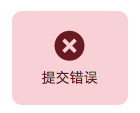
| error | above | 红色背景弹出错误消息 | |
| close | id:toast's id | 关闭指定id的toast | |
| closeAll | 关闭所有的toast |