angular2-busy v2.0.4
Angular2-Busy


Angular 2 Busy can show busy/loading indicators on any promise, or on any Observable's subscription.
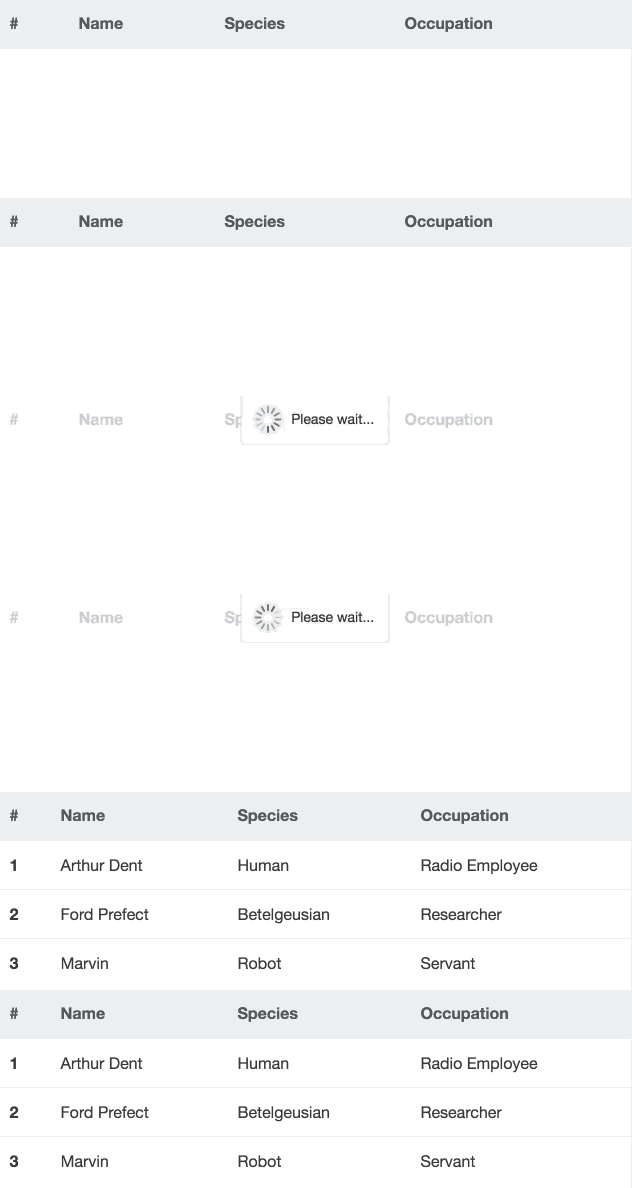
Rewritten from angular-busy, and add some new features in terms of Angular 2.
Built with Angular 4.0.1
Demo
devyumao.github.io/angular2-busy/demo/asset/
Installation
npm install --save angular2-busyLink CSS
<link rel="stylesheet" href="/node_modules/angular2-busy/build/style/busy.css">Getting Started
Import the BusyModule in your root application module:
import {NgModule} from '@angular/core';
import {BrowserAnimationsModule} from '@angular/platform-browser/animations';
import {BusyModule} from 'angular2-busy';

@NgModule({
	imports: [
    	// ...
        BrowserAnimationsModule,
        BusyModule
    ],
	// ...
})
export class AppModule {}
Reference your promise in the ngBusy directive:
import {Component, OnInit} from '@angular/core';
import {Http} from '@angular/http';

@Component({
    selector: 'some',
    template: `
        <div [ngBusy]="busy"></div>
    `
})
class SomeComponent implements OnInit {
    busy: Promise<any>;

    constructor(private http: Http) {}

    ngOnInit() {
        this.busy = this.http.get('...').toPromise();
    }
}
Moreover, the subscription of an Observable is also supported:
// ...
import {Subscription} from 'rxjs';

// ...
class SomeComponent implements OnInit {
    busy: Subscription;

    // ...

    ngOnInit() {
        this.busy = this.http.get('...').subscribe();
    }
}
Directive Syntax
The ngBusy directive expects a busy thing, which means:
- A promise
- Or an Observable's subscription
- Or an array of them
- Or a configuration object
In other words, you may use flexible syntax:
<!-- Simple syntax -->
<div [ngBusy]="busy"></div>
<!-- Collection syntax -->
<div [ngBusy]="[busyA, busyB, busyC]"></div><!-- Advanced syntax -->
<div [ngBusy]="{busy: busy, message: 'Loading...', backdrop: false, delay: 200, minDuration: 600}"></div>Options
| Option | Required | Default | Details |
|---|---|---|---|
| busy | Required | null | A busy thing (or an array of busy things) that will cause the loading indicator to show. |
| message | Optional | 'Please wait...' | The message to show in the indicator which will reflect the updated values as they are changed. |
| backdrop | Optional | true | A faded backdrop will be shown behind the indicator if true. |
| template | Optional | A default template string | If provided, the custom template will be shown in place of the default indicatory template. The scope can be augmented with a {{message}} field containing the indicator message text. |
| delay | Optional | 0 | The amount of time to wait until showing the indicator. Specified in milliseconds. |
| minDuration | Optional | 0 | The amount of time to keep the indicator showing even if the busy thing was completed quicker. Specified in milliseconds. |
| wrapperClass | Optional | 'ng-busy' | The name(s) of the CSS classes to be applied to the wrapper element of the indicator. |
Overriding Defaults
The default values of options can be overriden by configuring the provider of the BusyModule.
In the root application module, you can do this:
import {NgModule} from '@angular/core';
import {BusyModule, BusyConfig} from 'angular2-busy';

@NgModule({
    imports: [
    	// ...
        BusyModule.forRoot(
        	new BusyConfig({
            	message: 'Don\'t panic!',
                backdrop: false,
                template: '<div>{{message}}</div>',
                delay: 200,
                minDuration: 600,
                wrapperClass: 'my-class'
            })
        )
    ],
	// ...
})
export class AppModule
FAQ
The indicator's position is not inside the ngBusy container
You may add position: relative style to your ngBusy container.
SystemJS Config?
You may need this in your systemjs.config.js:
{
    paths: {
        'npm:': 'node_modules/'
    },
    map: {
        // ...
        'angular2-busy': 'npm:angular2-busy'
    },
    packages: {
        // ...
        'angular2-busy': {
            main: './index.js',
            defaultExtension: 'js'
        }
    }
}
TODO
Provide custom animations for the indicator
Unit & E2E test
Credits
Rewritten from cgross's angular-busy.
Inspired by ajoslin's angular-promise-tracker.
LICENSE
This project is licensed under the MIT license. See the LICENSE file for more info.
9 years ago
9 years ago
9 years ago
9 years ago
9 years ago
9 years ago
9 years ago
9 years ago
9 years ago
9 years ago
9 years ago
9 years ago
10 years ago
10 years ago
10 years ago
10 years ago
10 years ago
10 years ago
10 years ago
10 years ago
10 years ago
10 years ago
10 years ago
10 years ago
10 years ago
10 years ago
10 years ago
10 years ago
10 years ago
10 years ago
10 years ago