bananacss v0.8.0
Banana CSS
:banana: The Brazilian CSS superset.



What is?
- Syntax abstractions for complex native CSS features.
- If you can, compile native CSS features like a pre-processor (ex: Custom properties and @import).
- Provide a simple abstraction for a Semantic Grid System with calc().
- Extra features (ex: @function).
How it works?
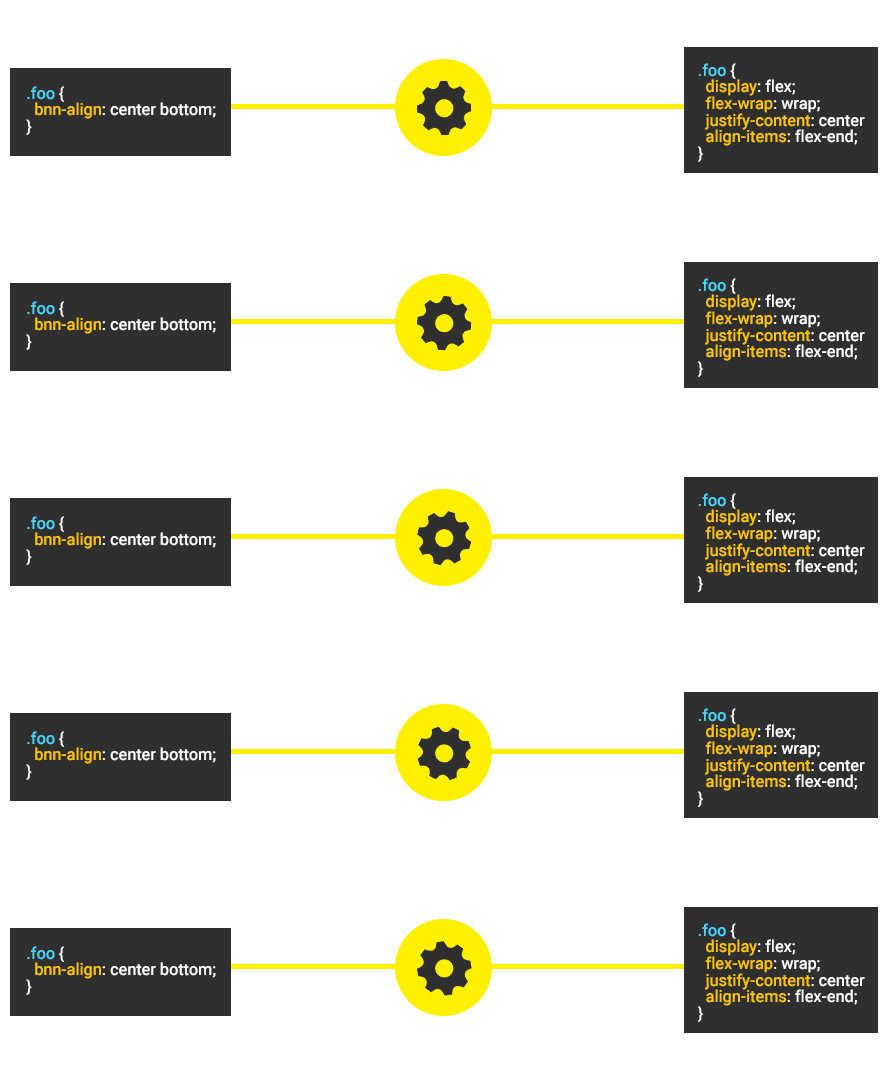
Table of contents
- How to install
- Command Line Usage
- The bananafile.json
- Module Usage
- Features
- Example
- Development
- Versioning
- Contributing
- History
- License
How to install
Verify if you have node and npm installed.
Command Line
$ npm install -g bananacssModule
$ npm install bananacss --saveCommand Line Usage
Compile you .bnn file to .css
$ banana <input_path>Watch for changes.
$ banana <input_path> -wOutput to dir when passing files.
$ banana <input_path> -o <out_path>Show the project version.
$ banana --versionShow all available commands.
$ banana --helpThe bananafile
Create a file called bananafile.json in the directory where you will run the command $ banana and configure as need.
{
	"bnnSize" : true,
	"bnnPosition" : true,
	"bnnGradient" : true,
	"bnnVariable" : true,
	"bnnImport" : true,
	"bnnAlign" : true,
	"bnnWidth" : true,
	"bnnHeight" : true,
	"bnnCol" : true,
	"bnnRow" : true,
	"bnnBox" : true,
	"bnnFunction" : true,
	"compress" : false
}
All features have true as default value, except the compress.
Module Usage
const inputBananaCode = '.a {bnn-size: 50px;}';

// Features injection
const config = {};
config.bnnSize = true;
config.bnnPosition = true;
config.bnnGradient = true;
config.bnnVariable = true;
config.bnnImport = true;
config.bnnAlign = true;
config.bnnWidth = true;
config.bnnHeight = true;
config.bnnCol = true;
config.bnnRow = true;
config.bnnBox = true;
config.bnnFunction = true;
config.compress = true;

const Banana = require('banana')(config);

// Output the css
const output = Banana.render(inputBananaCode);

console.log(output); // .a {width: 50px; height: 50px;}
Features
- bnn-size property.
- bnn-position property.
- bnn-gradient property.
- bnn-align property.
- bnn-width property.
- bnn-height property.
- Intuitive box model with bnn-box property and inside/outside values.
- Customizable Grid System with
bnn-rowandbnn-col. - Module Bundler with native
@importsyntax. - Global variables with native custom properties syntax.
- Create reusable functions with @function.
- Configure your build with bananafile.json.
- Minify/Compress the generated CSS.
View all features docs here.
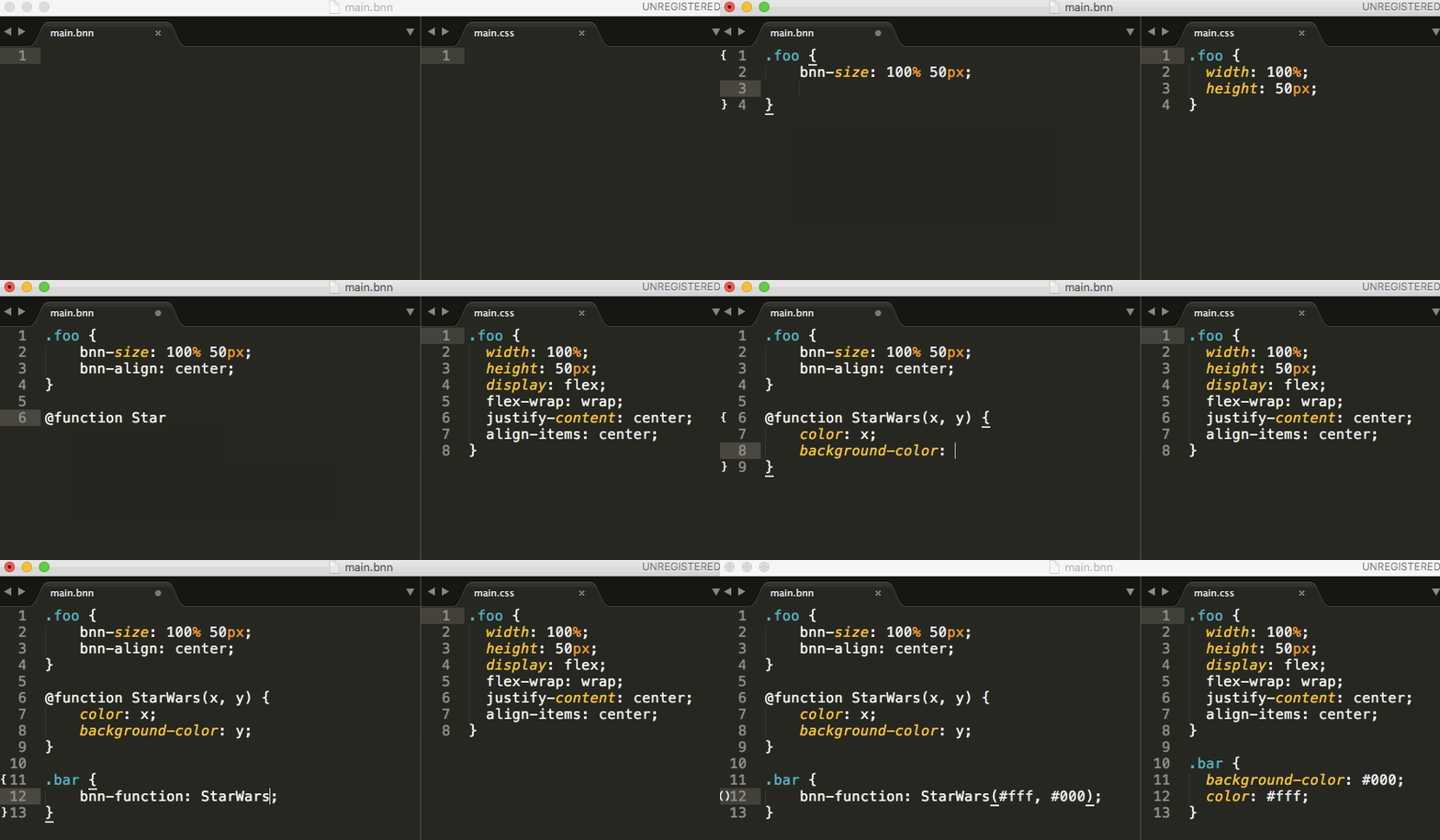
Example
Development
Code Style
Follow the Banana NodeJS style guide.
Validate the code style with ESLint:
$ npm run eslintCode Docs
Generate code docs with JSDocs
$ npm run jsdocsView code docs in out/index.html
Tests
Run the unit tests with mocha:
$ npm testCalculate the coverage with Istanbul:
$ npm run coverVersioning
To keep better organization of releases we follow the Semantic Versioning 2.0.0 guidelines.
Contributing
Find on our issues the next steps of the project ;) Want to contribute? Follow these recommendations.
History
See Releases for detailed changelog.