compodoc v0.0.41
#Features
Clean, simple design — With Compodoc, the main endpoints are on the left side of your documentation, and all the content on the right side
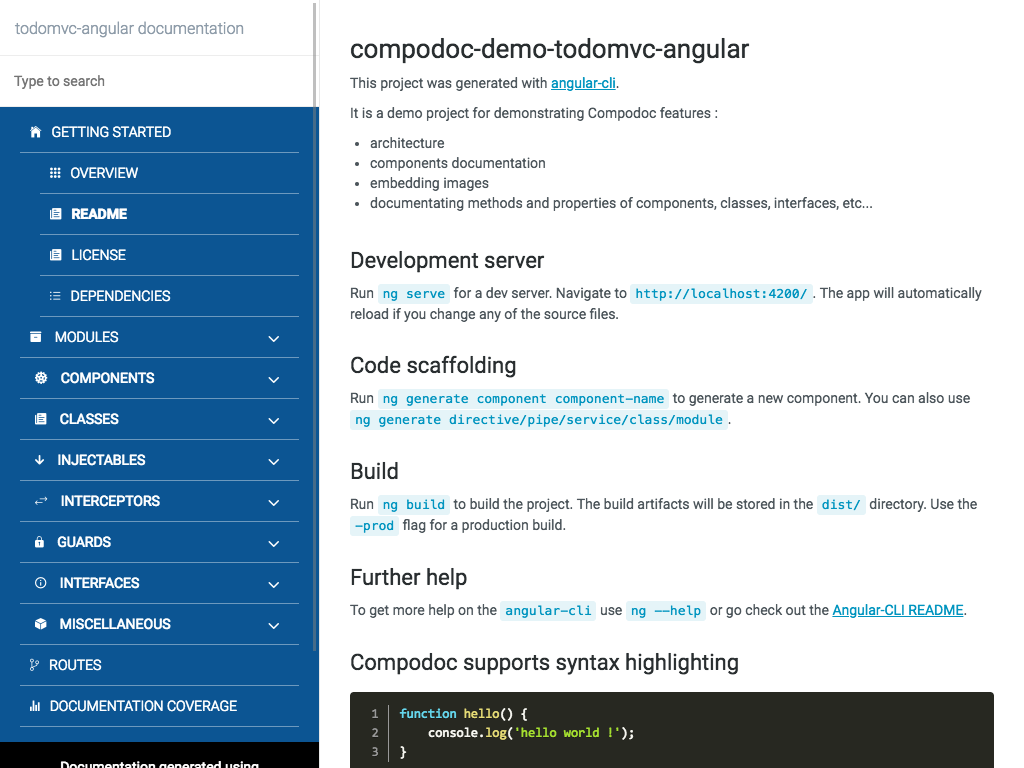
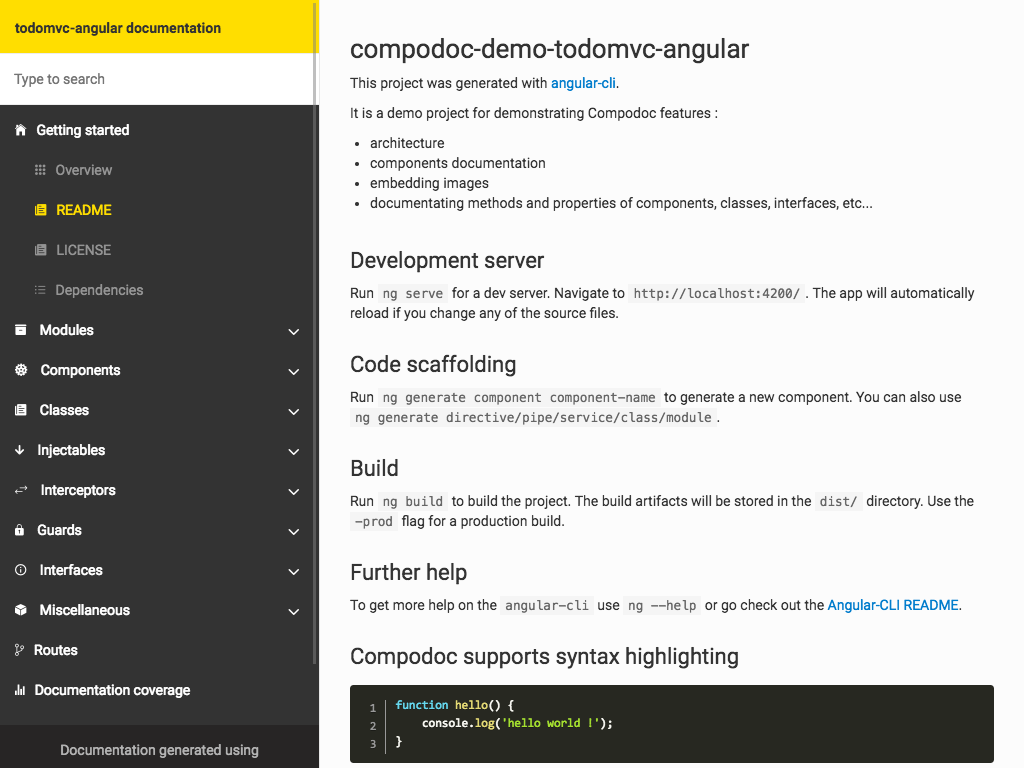
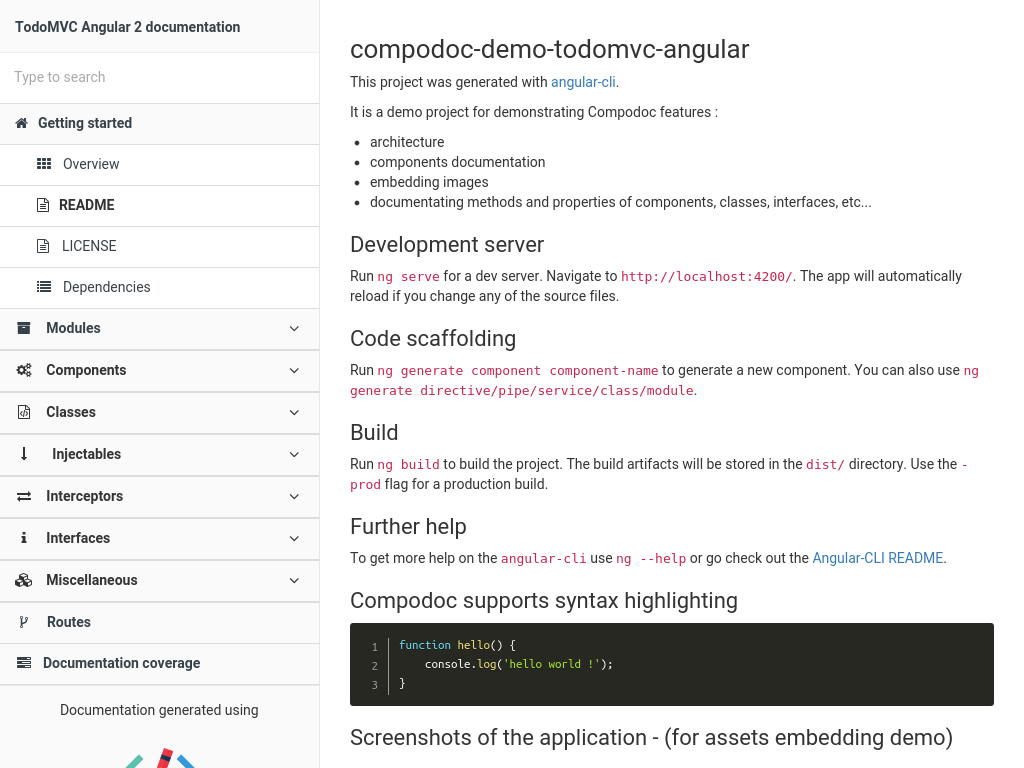
Beautiful themes — 7 themes are available from famous documentation tools like Gitbook, Read the Docs or projects like Vagrant, Laravel, Postmark and Stripe.
Search — Compodoc include a powerful search engine (lunr.js) for easily finding your information
Automatic table of contents - API table of contents is generated using elements found during files parsing
Open-source and on npm - Use it directly in your project using npm and one script, that's it !
A local tool - No server needed, no sources uploaded online
JSDoc light support - Support of @param, @returns, @link and @example tags
Documentation coverage - Get the documentation coverage report of your project
Angular-CLI friendly - Compodoc support out of the box Angular-CLI projects
Live Demo
Demo : documentation generated for TodoMVC Angular Compodoc demo project
Static Demo
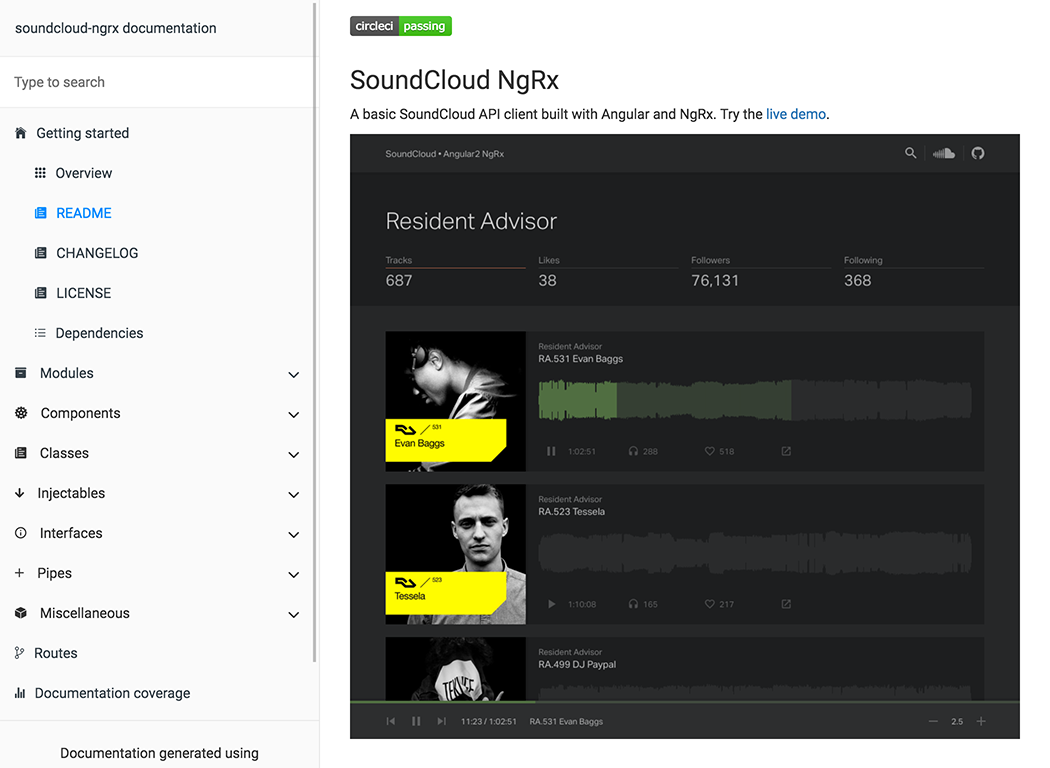
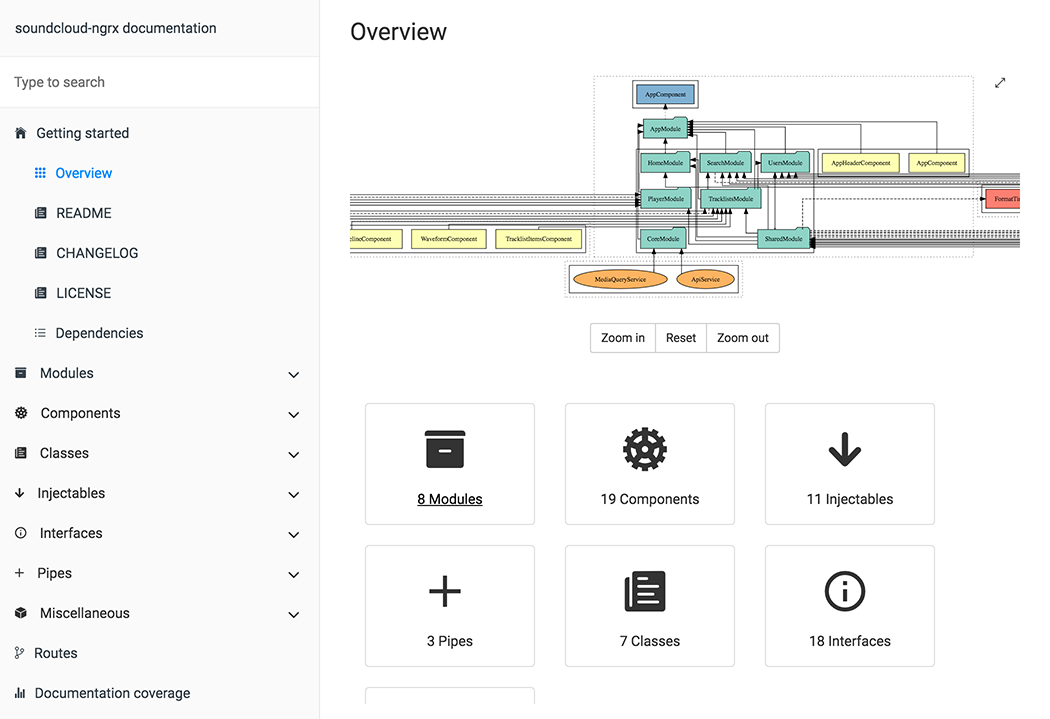
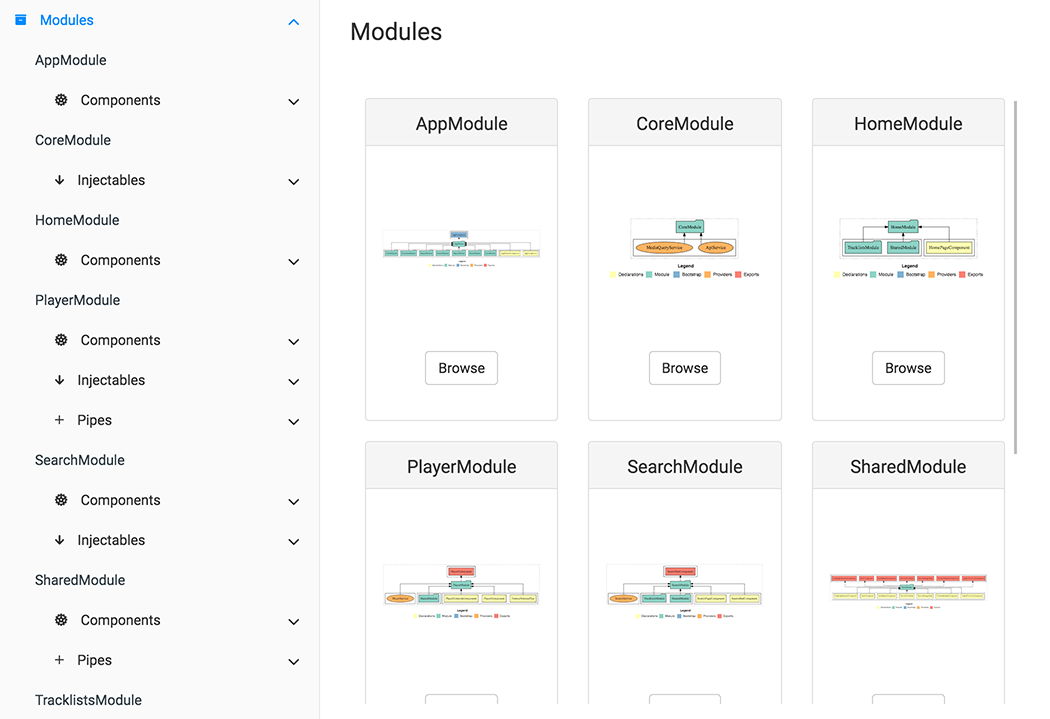
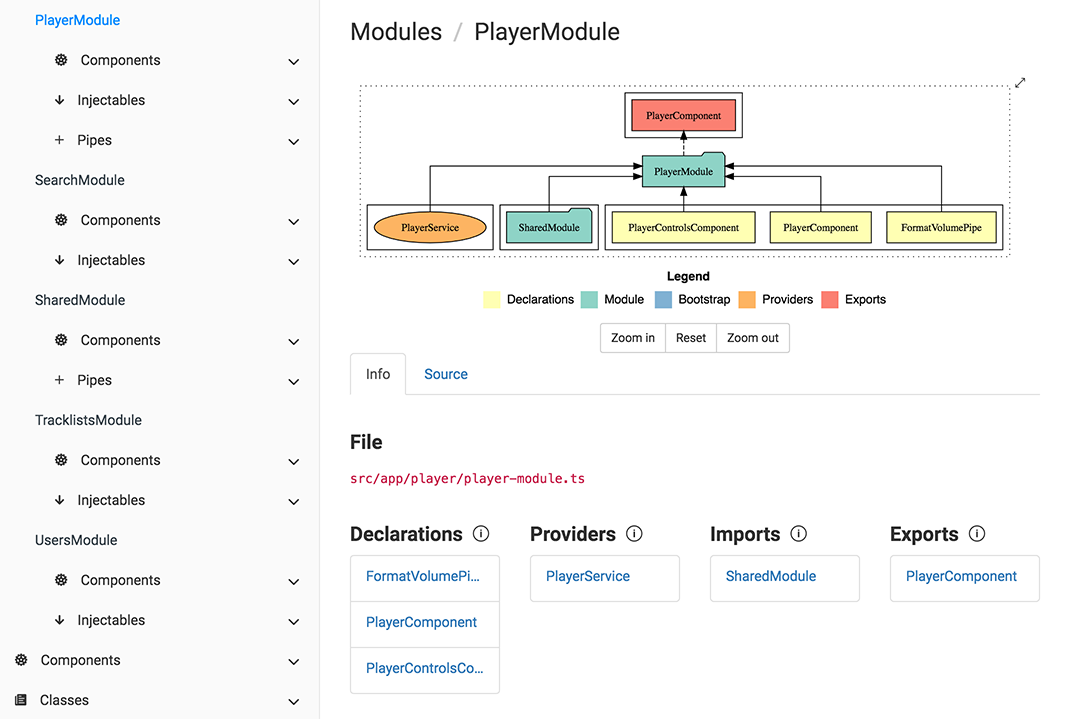
Using SoundCloud API client / Angular2 project and default theme (gitbook)
| README page | Overview page |
|---|---|
 |  |
| Modules page | Single module page |
 |  |
| Component page | Source code tab |
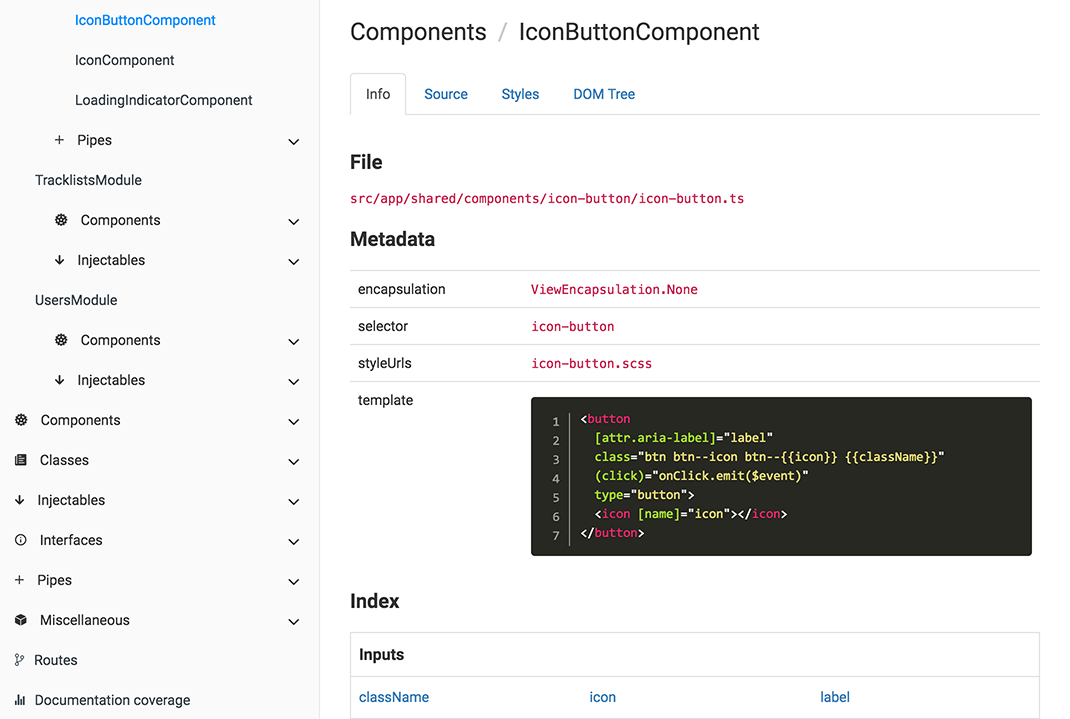 | 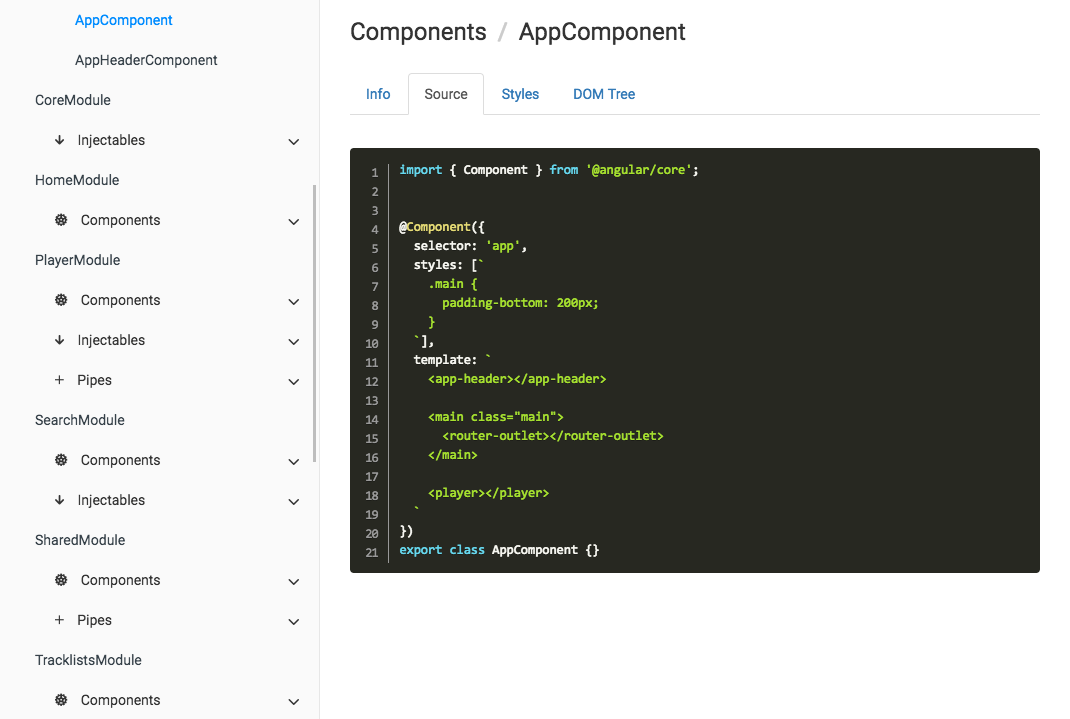 |
| Search page | Coverage report |
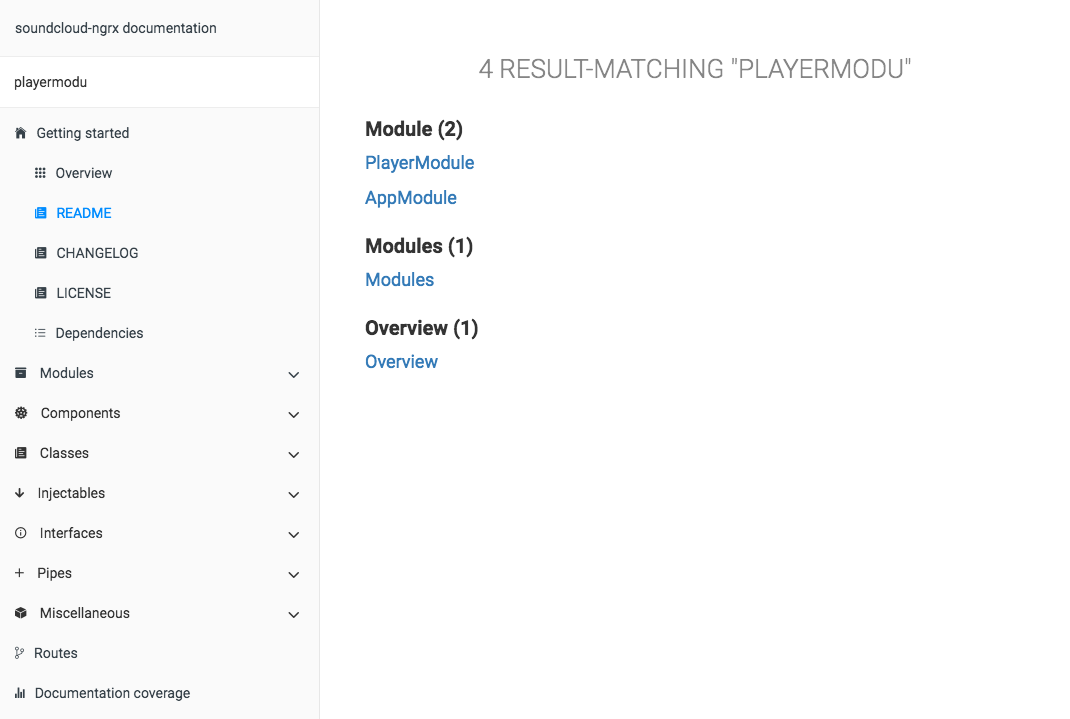 | 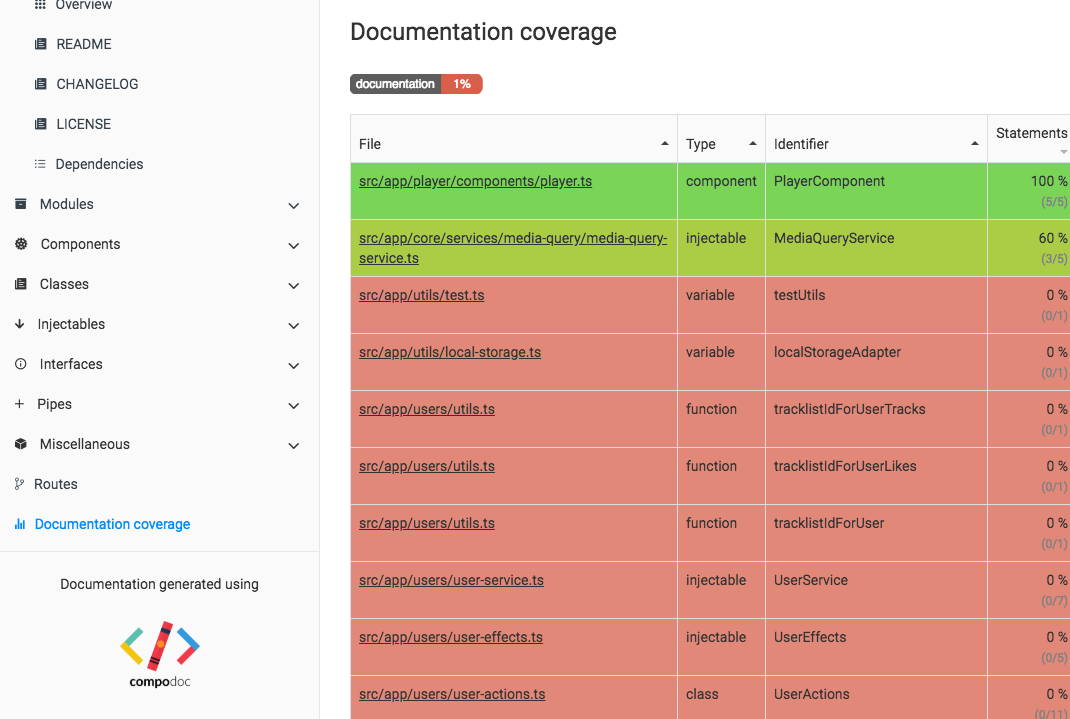 |
Why this tool ?
Because we doesn't find our needs on existing tools. We want to have a single place where there is :
- api documentation of code
- component(s), directive(s), pipe(s), ... documentation
- general documentation (*.md files)
Why not a SPA for outputed documentation ?
KISS principle or shortly "Keep it simple". We think static html files are simpler than another SPA inside an "SPA documentation".
Who's using Compodoc ?
These are some that we know of. Want your project listed here ? Drop us a line.
Table of Contents
- Node.js versions
- Angular-CLI
- Getting Started with compodoc
- Themes
- Common use cases
- Remark for comments
- Remark for routes
- Roadmap
- Extensions
- Contributing
- Contributors
- Resources
- License
Node.js versions
Compodoc is tested with only LTS versions : v6.9.4 & v4.7.1
Angular-CLI
Compodoc supports last Angular-CLI version : 1.0.0-beta-26
Just run Compodoc in a fresh or existing project.
Getting Started with compodoc
Install
Install from npm :
npm install -g compodocUsage
$ compodoc --help

Usage: compodoc <src> [options]

Options:

  -h, --help                         output usage information
  -V, --version                      output the version number
  -p, --tsconfig [config]            A tsconfig.json file
  -d, --output [folder]              Where to store the generated documentation
  -y, --extTheme [file]              External styling theme
  -n, --name [name]                  Title documentation
  -a, --assetsFolder [folder]        External assets folder to copy in generated documentation folder
  -o, --open                         Open the generated documentation
  -t, --silent                       In silent mode, log messages aren't logged in the console
  -s, --serve                        Serve generated documentation (default http://localhost:8080/)
  -r, --port [port]                  Change default serving port
  --theme [theme]                    Choose one of available themes, default is 'gitbook' (laravel, original, postmark, readthedocs, stripe, vagrant)
  --hideGenerator                    Do not print the Compodoc link at the bottom of the page
  --disableSourceCode                Do not add source code tab
  --disableGraph                     Disable rendering of the dependency graph
  --disableCoverage                  Do not add the documentation coverage report
  --disablePrivateOrInternalSupport  Do not show private or @internal in generated documentation
Local installation
npm install --save-dev compodocDefine a script task for it in your package.json :
"scripts": {
  "compodoc": "./node_modules/.bin/compodoc -p src/tsconfig.json"
}
and run it like a normal npm script :
npm run compodocThemes
| Default (gitbook) | Laravel |
|---|---|
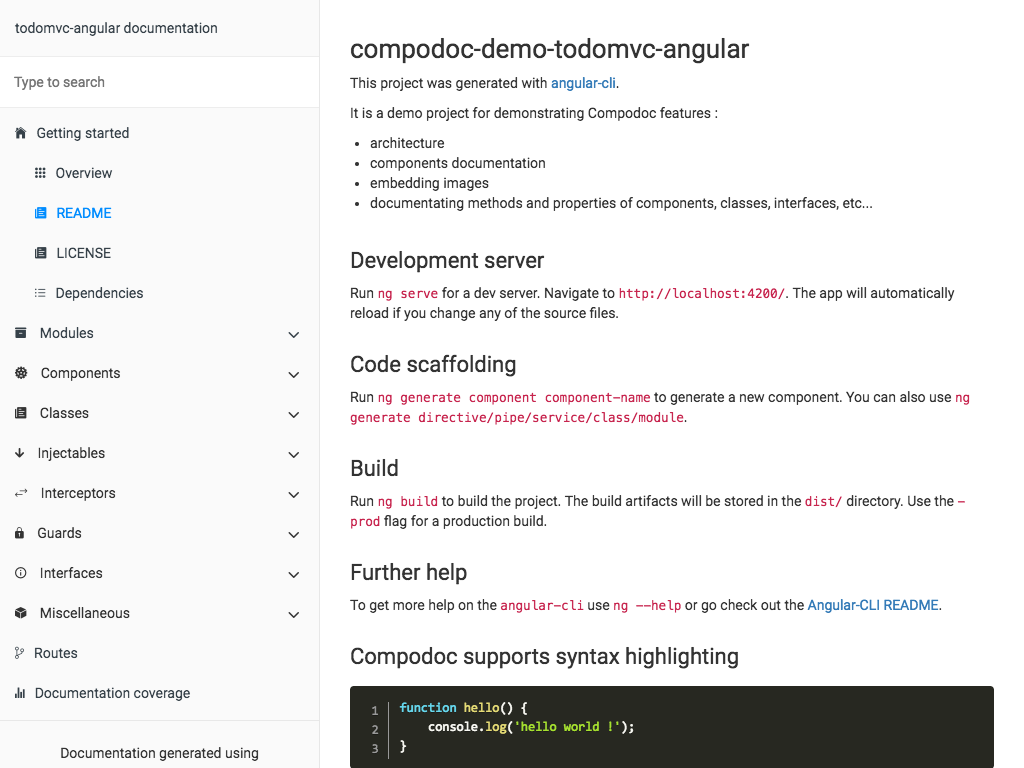 | 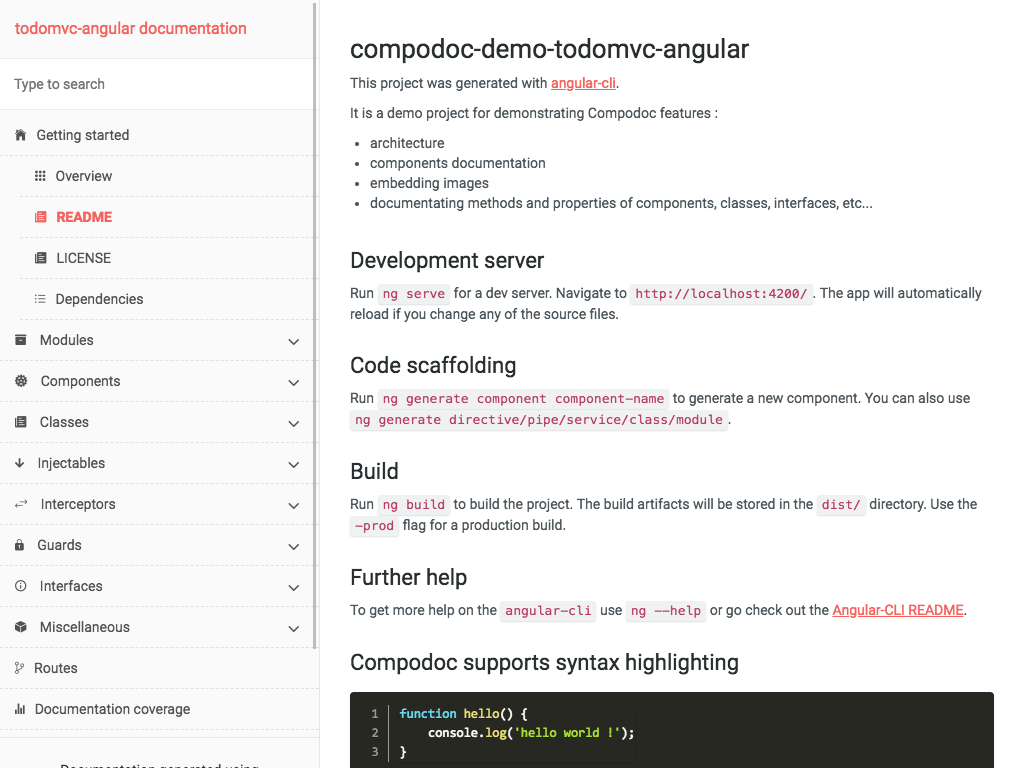 |
| Readthedocs | Stripe |
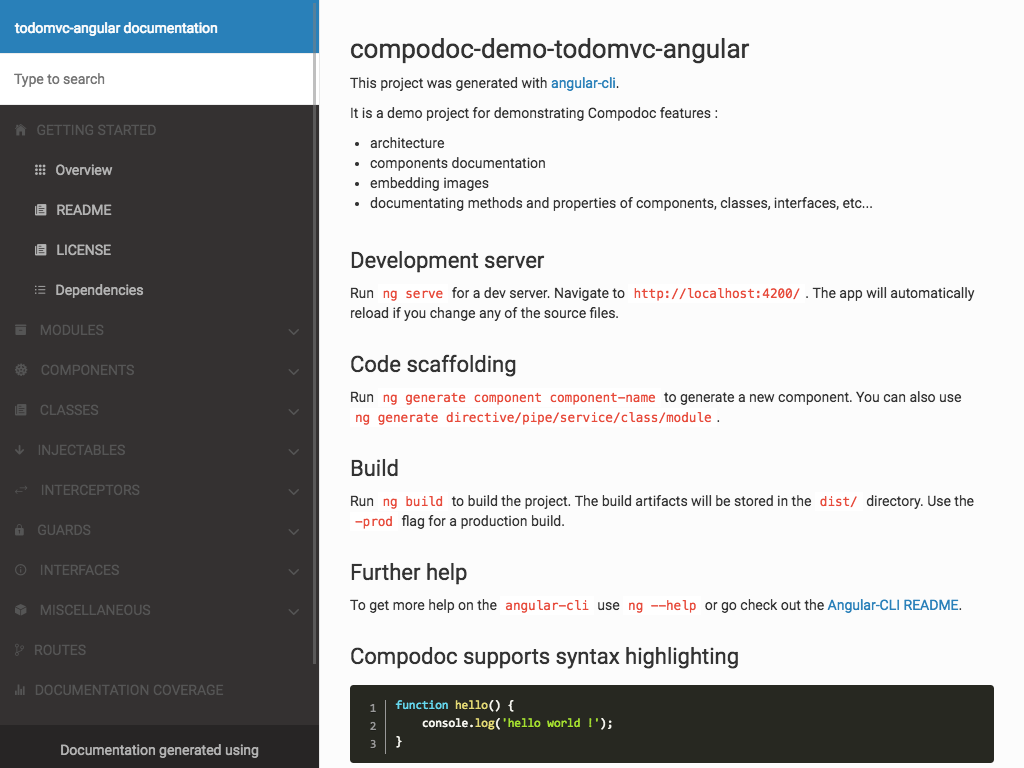 | 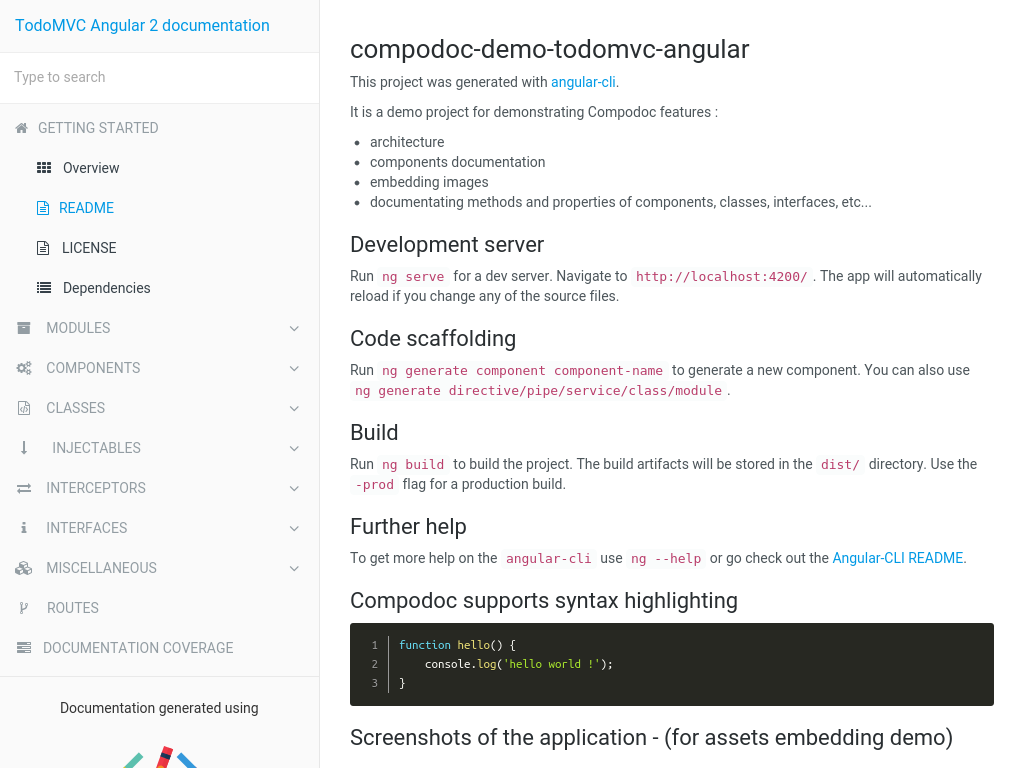 |
| Vagrant | Postmark |
 |  |
| Original | |
 |
Common use cases
Render documentation
Documentation is generated in default output folder, then run your HTTP server in that folder.
compodoc -p src/tsconfig.jsonRender documentation while providing source folder
compodoc src -p src/tsconfig.jsonServe generated documentation with compodoc
Documentation was generated in default output folder or a specific one, the local HTTP server is launched at http://localhost:8080
compodoc -s

or

compodoc -s -d ./doc
Render documentation, and serve it with compodoc
Documentation is generated in default output folder, and a local HTTP server is available at http://localhost:8080
compodoc -p src/tsconfig.json -sStyling the documentation
compodoc -p src/tsconfig.json -y your_theme_styles/Inside your folder you need to provide at least a style.css file with these 5 imports as below.
@import "./reset.css";
@import "./bootstrap.min.css";
@import "./bootstrap-card.css";
@import "./font-awesome.min.css";
@import "./compodoc.css";
Compodoc use bootstrap 3.3.7. You can customize Compodoc easily.
bootswatch.com can be a good starting point. If you want to override the default theme, just provide a bootstrap.min.css file, and it will override the default one.
└── your_theme_styles/
    ├── style.css // the main css file with default imports
    └── bootstrap.min.css // your bootstrap theme
Documentation of each component
A comment description in xxx.component.ts file, between JSDoc comments can be a little short.
Compodoc search for a default README.md file inside the root folder of each component, and add it inside a tab in the component page.
└── my-component/
    ├── my.component.ts
    ├── my.component.spec.ts
    ├── my.component.scss|css
    ├── my.component.html
    └── README.md
The live demo as a component documented in that way : TodoMVC Angular Compodoc demo / todo component
Remark for comments
Compodoc use Typescript AST parser and it's internal APIs, so the comments have to be JSDoc comments :
/**
 * Supported comment
 */
These ones are not supported :
/*
 * unsupported comment
 */

/*
  unsupported comment
 */

// unsupported comment
Currently Compodoc only support these JSDoc tags :
@param <param name>@returns@example@link
/**
 * @param {string} target  The target to process see {@link Todo}
 *
 * @example
 * This is a good example
 * processTarget('yo')
 *
 * @returns      The processed target number
 */
function processTarget(target:string):number;
For @link you can use this three syntax like JSDoc:
- for an internal reference
{@link Todo}
[Todo]{@link Todo}
{@link Todo|TodoClass}- for an external link
[Google]{@link http://www.google.com}
{@link http://www.apple.com|Apple}
{@link https://github.com GitHub}
For giving an example on directives, components and pipes decorators, use @example or markdown :
/**
 * Shows all events on a given day. Example usage:
 *
 * ```
 * <mwl-calendar-day-view
 *  [viewDate]="viewDate"
 *  [events]="events">
 * </mwl-calendar-day-view>
 * ```
 */
/**
* Shows all events on a given day. Example usage:
*
* @example
* <mwl-calendar-day-view
* [viewDate]="viewDate"
* [events]="events">;
* </mwl-calendar-day-view>
*/Remark for routes
Follow the style guide and provide a const of type 'Routes' :
const APP_ROUTES: Routes = [
    { path: 'about', component: AboutComponent },
    { path: '', component: HomeComponent}
];

...

RouterModule.forRoot(APP_ROUTES)
Syntax highlighting in markdown files
Compodoc use Marked for markdown parsing and compiling to html. highlight.js has been added for supporting syntax highlighting.
Just use a normal code block in your markdown with correct language : Github help
The integrated languages are : json, bash, javascript, markdown, html, typescript
Excluding files
For excluding files from the documentation, simply use the exports property of tsconfig.json file.
Roadmap
- handle external markdown files as "functional" documentation
- watch/recompile feature while serving documentation
- support for Angular 1.5+ projects written in Typescript
- documentation coverage
- routes
- classes
- module(s) page(s) with comments
- component(s) page(s) with comments, API, class
- directives
- injectables
- interfaces
- pipes
Extensions
Gulp
There is a plugin available to run Compodoc with Gulp. You can find it on NPM: https://www.npmjs.com/package/gulp-compodoc
JHispter
There is a JHipster module available to run Compodoc with JHipster. You can find it on NPM: https://www.npmjs.com/package/generator-jhipster-compodoc
Contributing
Want to file a bug, contribute some code, or improve documentation? Excellent !
Read up on our guidelines for contributing.
Contributors
| vogloblinsky | daniele-zurico | mattlewis92 |
Resources
Inspired by stuff from angular2-dependencies-graph, ng-bootstrap
Logo designed using Book vector designed by Freepik
License
Everything in this repo is MIT License unless otherwise specified.
MIT © 2016 - Vincent Ogloblinsky
9 years ago
9 years ago
9 years ago
9 years ago
9 years ago
9 years ago
9 years ago
9 years ago
9 years ago
9 years ago
9 years ago
9 years ago
9 years ago
9 years ago
9 years ago
9 years ago
9 years ago
9 years ago
9 years ago
9 years ago
10 years ago
10 years ago
10 years ago
10 years ago
10 years ago
10 years ago
10 years ago
10 years ago
10 years ago
10 years ago
10 years ago
10 years ago
10 years ago
10 years ago
10 years ago
10 years ago
10 years ago
10 years ago
10 years ago
10 years ago
10 years ago