convex-panel v0.1.44
Convex Panel

A development panel for Convex applications that provides real-time logs, data inspection, and more.
Features
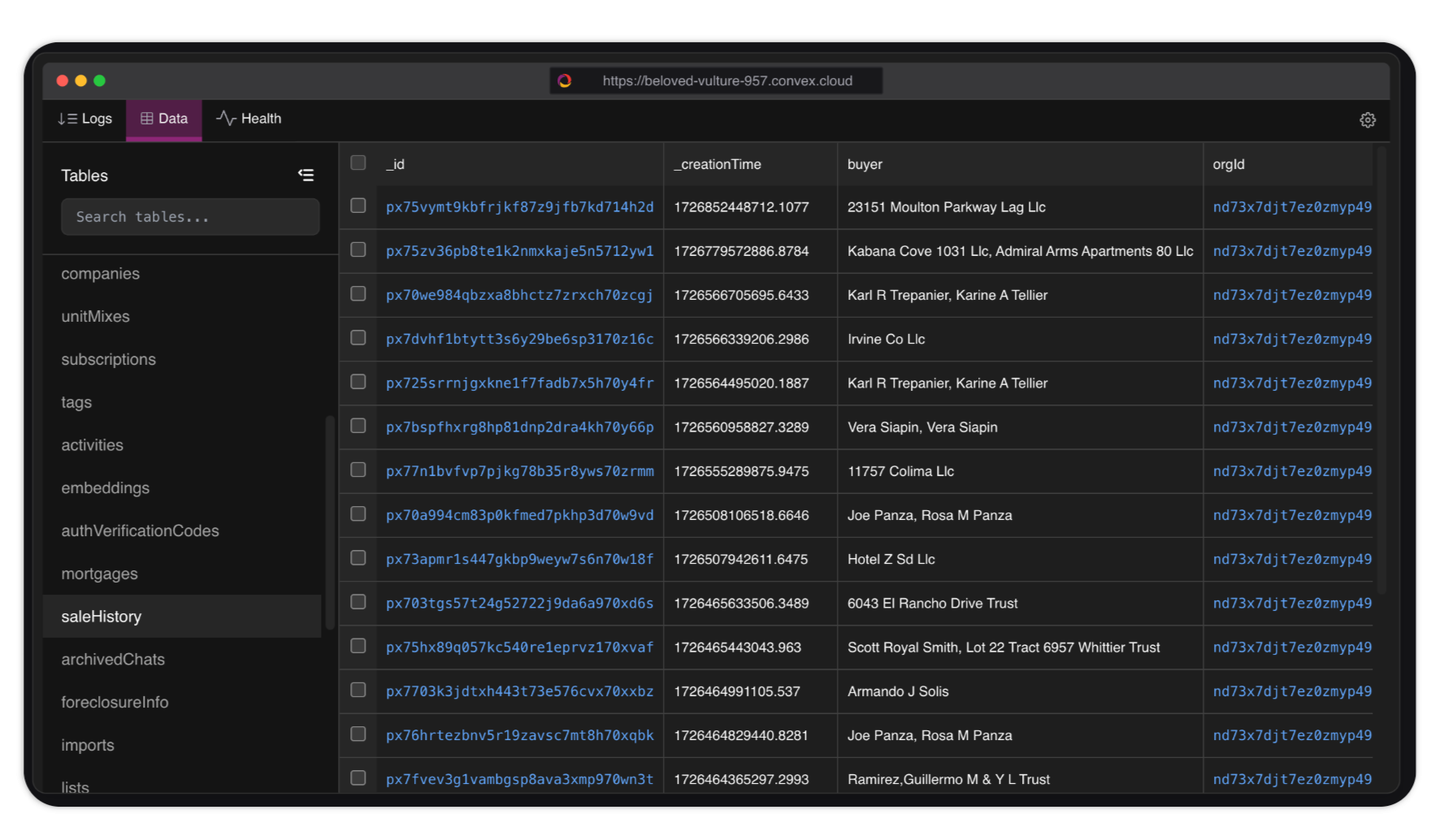
- 📊 Real-time Data View: Browse and filter your Convex tables with ease
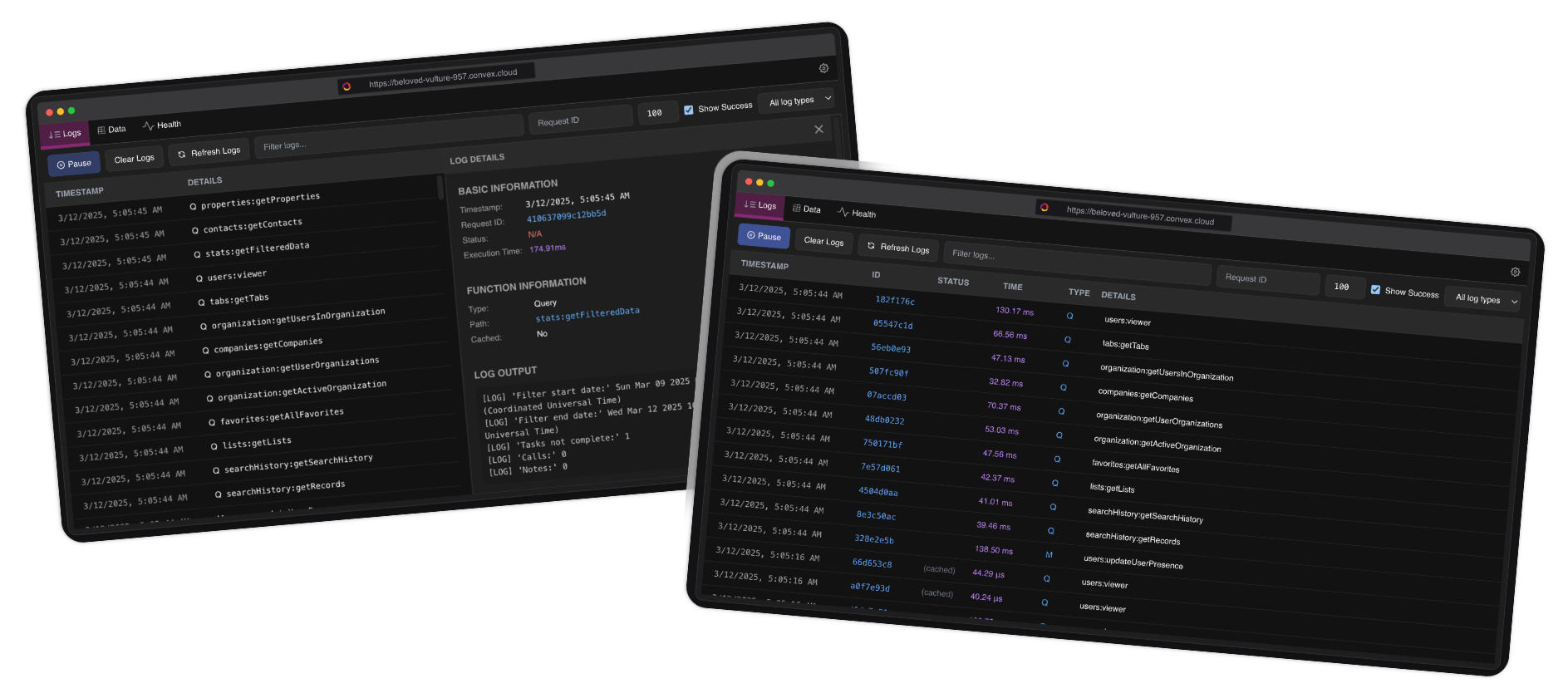
- 📝 Live Logs: Monitor function calls, HTTP actions, and system events in real-time
- 🔍 Advanced Filtering: Filter logs and data with query capabilities
- 🔄 Health Monitoring: Track the health of your application with metrics for cache rates, scheduler health, database performance, and system latency
- ✏️ In-place Data Editing: Directly edit your data values with double-click editing capability
- 🎨 Beautiful UI: Sleek, developer-friendly interface that integrates with your app
- 🔐 Automatic Token Setup: Automatically configures your Convex access token during installation
Installation
bun add convex-panel
# or
npm install convex-panel
# or
yarn add convex-panel
# or
pnpm add convex-panel
During installation, the package will automatically:
1. Check if you're logged in to Convex
2. If not logged in, prompt you to run npx convex login
3. Once logged in, detect your Convex access token from ~/.convex/config.json (or %USERPROFILE%\.convex\config.json on Windows)
4. Add it to your project's .env file as CONVEX_ACCESS_TOKEN
The package will guide you through the login process if needed. You can also manually log in at any time by running:
npx convex loginUsage
You can use the panel in two ways:
Automatic Token Setup (Recommended): The access token will be automatically loaded from your environment variables during installation.
Manual Token Setup: If you prefer, you can manually provide the access token by running:
cat ~/.convex/config.json
# or
more %USERPROFILE%\.convex\config.json
And then using it in your component:
<ConvexPanel
  accessToken="YOUR_ACCESS_TOKEN" // Required
  deployKey={process.env.CONVEX_DEPLOYMENT} // Required
  deployUrl={process.env.NEXT_PUBLIC_CONVEX_URL || REACT_APP_CONVEX_URL} // Optional
  convex={convex}
/>
Here's a complete example:
Warning: This component must be placed inside a
ConvexProviderorConvexReactProvidercomponent.
import { ConvexPanel } from 'convex-panel';
import { useConvex } from 'convex/react';

export default function YourComponent() {
  const convex = useConvex();

  return (
    <>
      {/* Your app content */}
      <ConvexPanel
        accessToken="YOUR_ACCESS_TOKEN"
        deployUrl={process.env.CONVEX_DEPLOYMENT}
        convex={convex}
      />
    </>
  );
}
Configuration
The Convex Panel accepts the following props:
| Prop | Type | Required | Description |
|---|---|---|---|
accessToken | string | Yes | Your Convex access token (from convex config) |
deployKey | string | Yes | Your Convex deployment URL (or use CONVEX_DEPLOYMENT env var) |
deployUrl | string | No | Alternative to deployKey - your Convex deployment URL |
convex | ConvexReactClient | Yes | Convex client instance |
theme | ThemeClasses | No | Custom theme options |
initialLimit | number | No | Initial log limit (default: 100) |
initialShowSuccess | boolean | No | Initially show success logs (default: true) |
initialLogType | LogType | No | Initial log type filter (default: ALL) |
maxStoredLogs | number | No | Maximum number of logs to store (default: 500) |
onLogFetch | (logs: LogEntry[]) => void | No | Callback function when logs are fetched |
onError | (error: string) => void | No | Callback function when an error occurs |
onToggle | (isOpen: boolean) => void | No | Callback function when panel is opened/closed |
Features Documentation
Health Monitoring
The health dashboard provides real-time insights into your Convex application's performance metrics:
- Cache Rates: Monitor your application's cache hit rates and efficiency
- Scheduler Health: Track the health and performance of your scheduled functions
- Database Metrics: View database throughput, operation counts, and response times
- System Latency: Visualize overall system response times and identify bottlenecks
Data Editing
Convex Panel now supports in-place editing of table data:
- Double-click Editing: Simply double-click on any editable cell to modify its value
- Smart Value Parsing: Automatically converts edited values to the appropriate type (number, boolean, array, object)
- Real-time Updates: Changes are immediately reflected in your Convex database
Troubleshooting
Common Errors
"Convex authentication required":
- Make sure you've provided a valid access token via the
accessTokenprop - Get your access token by running
cat ~/.convex/config.jsonormore %USERPROFILE%\.convex\config.json
- Make sure you've provided a valid access token via the
No logs appearing:
- Verify that your
deployKeyprop orCONVEX_DEPLOYMENTenvironment variable is correctly set - Check that you've passed the
convexprop to the ConvexPanel component - Verify that your access token is valid
- Verify that your
Build warnings about "use client" directive:
- If you see warnings like
Module level directives cause errors when bundled, "use client" in "src/data/components/FilterMenu.tsx" was ignored, this is expected and won't affect functionality. The package is designed to work in both client and server environments.
- If you see warnings like
Development
To contribute to this package:
- Clone the repository
- Install dependencies:
npm install - Start the development server:
npm run dev
Publishing Updates
To publish a new version of the package:
- Update the version in
package.json - Run
npm run buildto build the package - Commit your changes and push to GitHub
- Run
npm publishto publish to npm
License
MIT
11 months ago
11 months ago
11 months ago
11 months ago
11 months ago
11 months ago
11 months ago
11 months ago
11 months ago
11 months ago
11 months ago
11 months ago
11 months ago
11 months ago
11 months ago
11 months ago
11 months ago
11 months ago
11 months ago
11 months ago
12 months ago
12 months ago
12 months ago
12 months ago
12 months ago
12 months ago
12 months ago
12 months ago
12 months ago
12 months ago
12 months ago
12 months ago
12 months ago
12 months ago
12 months ago
12 months ago
12 months ago
12 months ago
12 months ago
12 months ago
12 months ago
12 months ago