
Licence
—
Version
1.2.12
Deps
1
Size
241 kB
Vulns
0
Weekly
0
country-code-picker
A library for Country code picker field
Live example
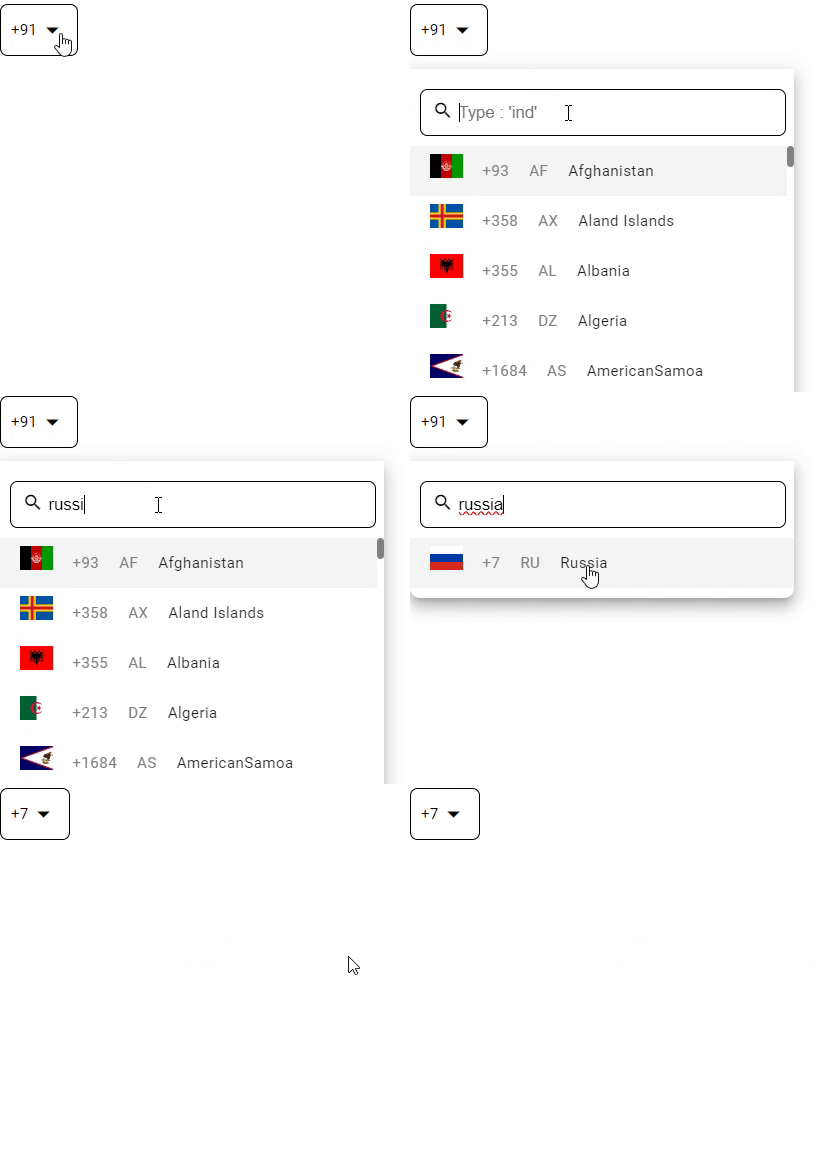
Getting started
Step 1: Install angular material:
NPM
ng add @angular/materialStep 2: Install country-code-picker:
NPM
npm install country-code-pickerStep 3: Import the CountryCodePickerComponent
popup.component.ts
import { CountryCodePickerComponent } from "country-code-picker";

@Component({
  selector: "app-popup",
  standalone: true,
  imports: [RouterOutlet, CountryCodePickerComponent],
  templateUrl: "./popup.component.html",
  styleUrl: "./popup.component.scss",
})
export class AppComponent {
  actionSelectEvent(event: Event) {
    console.log(event);
  }
}
Step 4: implement in html
popup.component.html
<country-code-picker displayValue="dial_code" defaultValue="+91" placeHolder="search" backgroundColor="#ffffff" borderColor="#000000" (actionSelectEvent)="actionSelectEvent($event)"></country-code-picker>Step 5: download and add flags folder in your assets that you can find in my repo
- download the zip and extract open and get flags folder add it in your assets folder
Step 6: still flag image is not showing please restart the server
API
Inputs
| Input | Type | Default | Allowed Values | Required | Description |
|---|---|---|---|---|---|
| displayValue | string | dial_code | dial_code/code/flag | no | display value that display in select field |
| defaultValue | string | +91 | +91/IN | no | default value to be selected |
| placeHolder | string | dial_code | any text | no | placeholder to display in search input |
| backgroundColor | string | #ffffff | hex codes | no | color to add in background to selection field |
| borderColor | string | #000000 | hex codes | no | color to add in border to selection field |
Outputs
| Output | Description |
|---|---|
| actionSelectEvent | event will called when an country code is selected |