coveradge v0.8.2






(see also licenses for dev. deps.)

coveradge
Installation
If you need png export, run:
npm i -D coveradge convert-svg-to-pngOtherwise, just this:
npm i -D coveradgeUsage
- Ensure you have at least the following
reporterin yourpackage.json:
{
  "nyc": {
    "reporter": [
      "json-summary"
    ]
  }
}
You may optionally set coverage thresholds and/or watermarks:
{
  "nyc": {
    "reporter": [
      "json-summary"
    ],
    "branches": 80,
    "lines": 80,
    "functions": 80,
    "statements": 80,
    "watermarks": {
      "lines": [80, 95],
      "functions": [80, 95],
      "branches": [80, 95],
      "statements": [80, 95]
    }
  }
}
The watermarks, if present, will be given precedence over the regular thresholds for determining color (though not as high of a precedence as command-line thresholds).
Add
--reporter coveradgeat the beginning of thenyccall. Alternatively, e.g., if you need to build a coveradge badge after testing has already finished for a merged coverage file, add a call tocoveradgein yourpackage.jsonscriptsat some point after runningnyc.Add any desired options. If using as an nyc
--reporter, then add the options topackage.jsoninstead of acoveradgeOptionsproperty. Otherwise, pass as CLI or programmatic options. (See below for the choices.)Add the badge to your README (e.g.,
[](coverage-badge.svg)) or for a link that will also work on npmjs.com:[](coverage-badge.svg)
That's it!
Options

See also
- eslint-formatter-badger - Locally created badges indicating linting results (as run against your project and/or your dependencies)
- filesize-badger - Locally created badges indicating file size (also buildable as part of Rollup routine)
- mocha-badge-generator - Locally created badges for Mocha test results
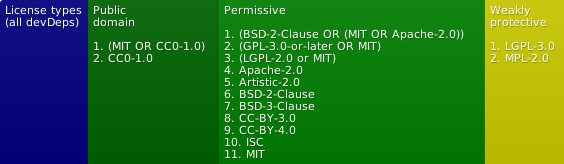
- license-badger - Locally-created badges indicating license types (by degree of permissiveness) used within or required by the project.