1.2.7-1 • Published 6 years ago
custom-cron-generator v1.2.7-1
react-cron-generator
Simple react component to generate cron expression
Getting Started
Package helps to build linux scheduler cron expression. Make sure you have include bootstrap in your project
data = '* * * * * * *'npm install react-cron-generatordemo
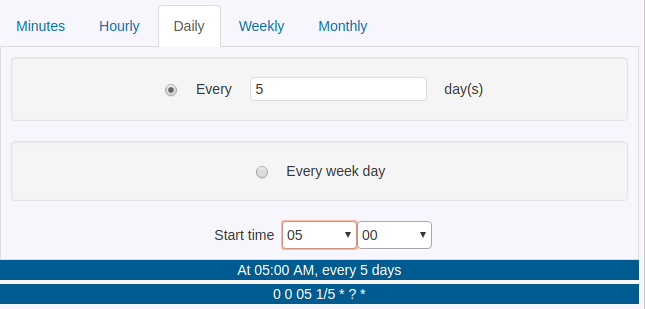
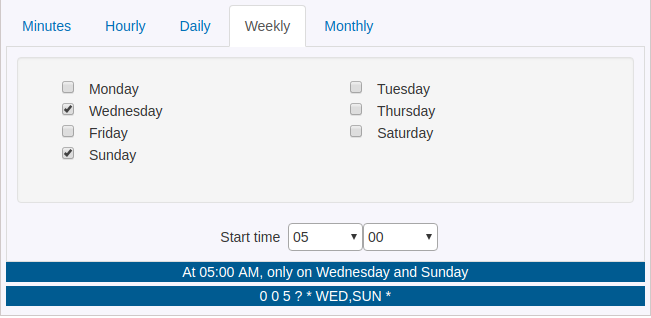
import React, { Component } from 'react'
import Cron from 'react-cron-generator'
import 'react-cron-generator/dist/cron-builder.css'


class App extends Component {

  constructor(props) {
      super(props);
      this.state = {

      };
  }

  render() {
    return (<div>
      <Cron
        onChange={(e)=> {this.setState({value:e});}}
        value={this.state.value}
        showResultText={true}
        showResultCron={true}
        />

    </div>)
  }
}

export default App;
props
| Prop | Description | Default | Mandatory |
|---|---|---|---|
| value | cron expression | No | |
| onChange | Yes | ||
| showResultText | show in readable text format | false | No |
| showResultCron | show cron expression | false | No |
| translateFn | translate function callback | method | No |
| locale | locale for cronstrue | en | No |
| options | Options for Cron component, *Must pass a valid cron value for available headers | All available headers | No |
translateFn
Expects a method. Use this prop for localization support. react-cron-generator will call this method for every key. List of keys are available here
locale option should be set for correct ResultText translation. Please visit cronstrue for supported locales.
Options
options.headers
import { HEADER } from 'react-cron-generator';

const options = {
  headers: [HEADER.MONTHLY, HEADER.WEEKLY, HEADER.MINUTES, HEADER.HOURLY, HEADER.DAILY]
};
Ref
Added ref to the component now you can access state and functions using ref.
add the new prop onRef={ref => (this.cronGen = ref)}
      <Cron
        onRef={ref => (this.cronGen = ref)}
        onChange={(e)=> {this.setState({value:e}); console.log(e)}}
        value={this.state.value}
        showResultText={true}
        showResultCron={true}
/>Acknowledgments
cronstrue