1.1.1 • Published 2 years ago
customer-chat-widget v1.1.1
Customer Chat Widget
With this widget, you can add a customer chat widget to your website. It is easy to use and customizable. Your contacts can easily reach you on WhatsApp or Telegram.
Installation
npm i customer-chat-widgetUsage
First, import css in your main.css or nuxt.config.ts.
main.css
@import url('~/node_modules/customer-chat-widget/dist/style.css');nuxt.config.ts
export default defineNuxtConfig({
  // ...
  css: ['~/node_modules/customer-chat-widget/dist/style.css']
  // ...
})
Then, add the component to your template:
- use WhatsApp component
import { WhatsAppChat } from 'customer-chat-widget';

<template>
  <WhatsAppChat />
</template>- use Telegram component
import { TelegramChat } from 'customer-chat-widget';

<template>
  <TelegramChat />
</template>
Props
| Property | Description | Type | Default |
|---|---|---|---|
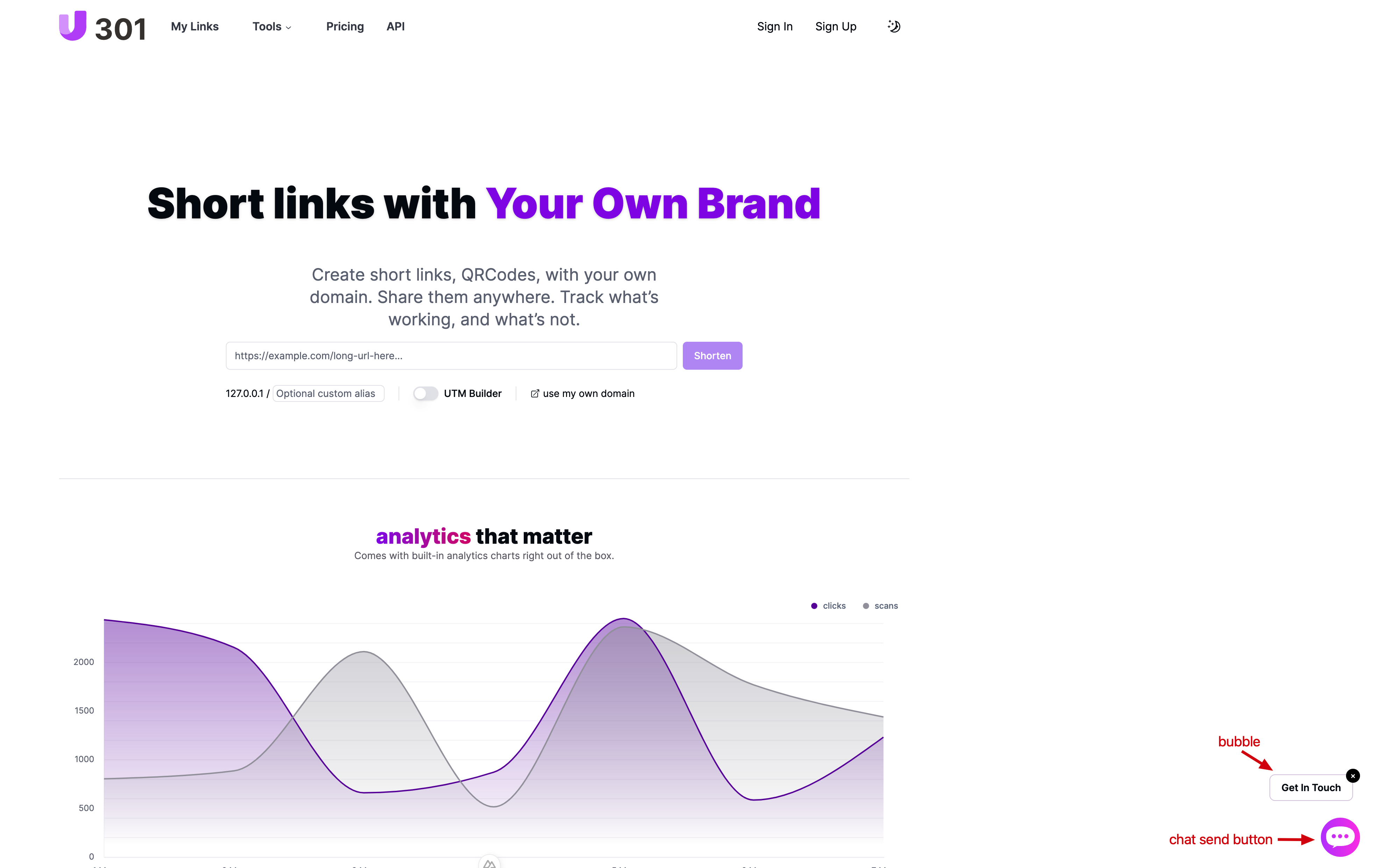
| position | Set widget show position | fixed|static | fixed |
| chatSendButtonClickable | Set chat send button clickable | boolean | true |
| bubbleText | Set bubble text | string | Get In Touch |
| showBubble | Set bubble show or hide | boolean | true |
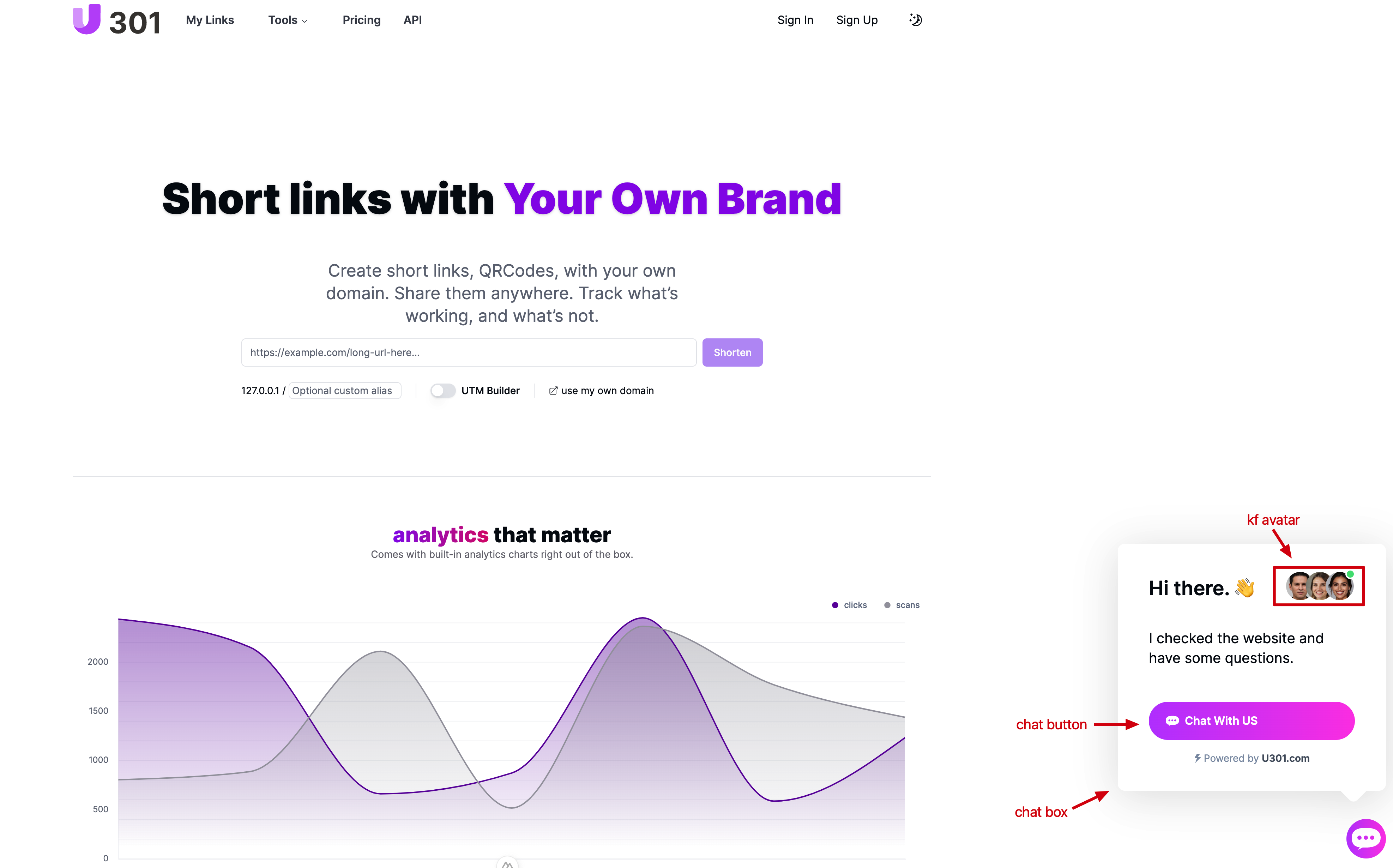
| chatBoxTitle | Set chat box title | string | Hi there. 👋 |
| chatBoxMessage | Set chat box message, this message will be filled in WhatsApp's chat box | string | I checked the website and have some questions. |
| showChatBoxShadow | Set chat box shadow | boolean | true |
| chatButtonText | Set chat button text | string | Chat With US |
| phone | Set customer service staff's WhatsApp phone | string | +447354255981 |
| username | Set customer service staff's Telegram username | string | +447354255981 |
| showKfAvatar | Set customer service staff's avatar | boolean | true |
| withGradient | Set whether there is a gradient effect to chat send button and chat button background color | boolean | rgb(191, 81, 254) |
| gradientBaseRGB | Set chat send button and chat button background color RGB value | string | rgb(191, 81, 254) |
Contributors
This project is contributed by u301 team. Create an issue to give suggestions or feedback questions.