1.1.6 • Published 9 years ago
drag-it v1.1.6
Drag It


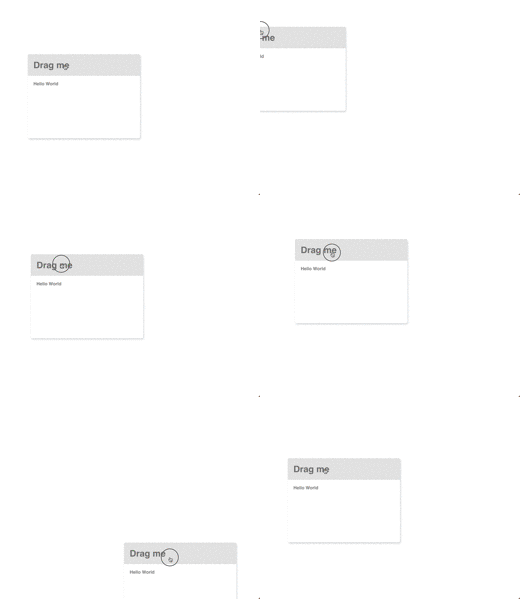
Free to drag the HTML element to any place. 🍭
- Tiny
- No dependence
- High Performance
- Mobile supported
- Easy use
<div class="box">
  <h1>Drag me</h1>
  <p>Hello World</p>
</div>

<script>
  const box = document.querySelector('.box');
  const dragger = new Dragger();
  dragger.draggable(box)
</script>Installation
Direct download
download source file at src/drag-it.js and simply include it.
<script src="/path/to/drag-it.js"></script>
Package Managers & Module Loaders
drag-it supports npm under the name "drag-it".
npm install drag-it or yarn add drag-it
DragIt can also be loaded as an AMD, CommonJS or ES6 module.
import dragIt from 'drag-it'
const dragIt = require('drag-it')
require(['drag-it'], callback)
Usage
<div class="box">
  <h1>Drag me</h1>
  <p>Hello World</p>
</div>
const box = document.querySelector('.box');
const dragger = new Dragger();
dragger.draggable(box)More
Fully declare just like this ↓
<div class="box">
  <h1 class="header">Drag me</h1>
  <p>Hello World</p>
</div>

<script>
  const box = document.querySelector('.box')
  const header = box.querySelector('.header')

  const dragger = new Dragger({
    hasBoundary: false,
    container: document.documentElement,
    overflowLeft: 0,
    overflowRight: 0,
    overflowTop: 0,
    overflowBottom: 0
  })

  dragger.draggable(header, box)
</script>
constructor options object
| param | means | default |
|---|---|---|
| hasBoundary | has moving boundary | false |
| container | declare a container of mover | \ element |
| overflowLeft | the overflow left distance of boundary | 0 |
| overflowRight | the overflow right distance of boundary | 0 |
| overflowTop | the overflow top distance of boundary | 0 |
| overflowBottom | the overflow bottom distance of boundary | 0 |
instance params
| param | means | required |
|---|---|---|
| dragger | The dom element which trigger dragging, such as the dialog title bar. | yes |
| mover | The dom element which is moving actually, such as the entire dialog. If no declared, the mover will be the dragger. | no |