1.0.9 • Published 10 years ago
easycountdown v1.0.9
Easy Countdown
A small library that has countdown directive
Requirements
- AngularJS
Installation
Download
You have two options to get the files:
- Use npm:
npm install easycountdown - Use Bower:
bower install easycountdown
Add files
Add the scripts to your application. Make sure the easy-count-down.js file is inserted after the angular.js library:
<link rel="stylesheet" type="text/css" href="easy-count-down.css">

<script src="angular.js"></script>
<script src="easy-count-down.js"></script>
Add a dependancy
Add the easycountdown module as a dependancy to your application module:
var myAppModule = angular.module('MyApp', ['easyCountDown']);Usage
<div style="width: 300px;padding: 90px;margin: 50px;background: #28292b;">
    <div easy-count-down-directive end-date="2016-10-10 00:00:00"></div>
</div>

1. Add the easycountdown directive `<easy-count-down-directive>` to the HTML file where you want to use an easy counter.
4. Set up attribute end-data which define counter duration.
5. Done!
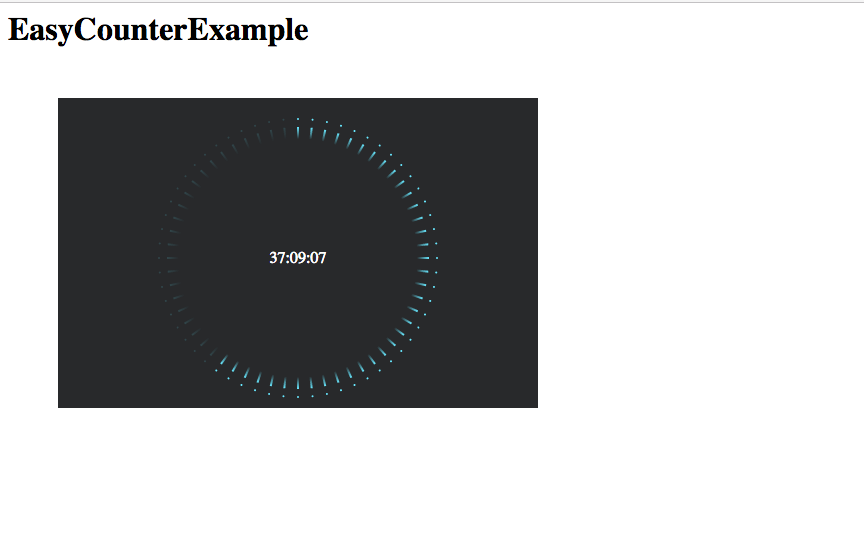
Screenshots
Tests
npm test
Contributing
In lieu of a formal style guide, take care to maintain the existing coding style. Add unit tests for any new or changed functionality. Lint and test your code.