
ESLint Plugin Perfectionist





An ESLint plugin that sets rules to format your code and make it consistent.
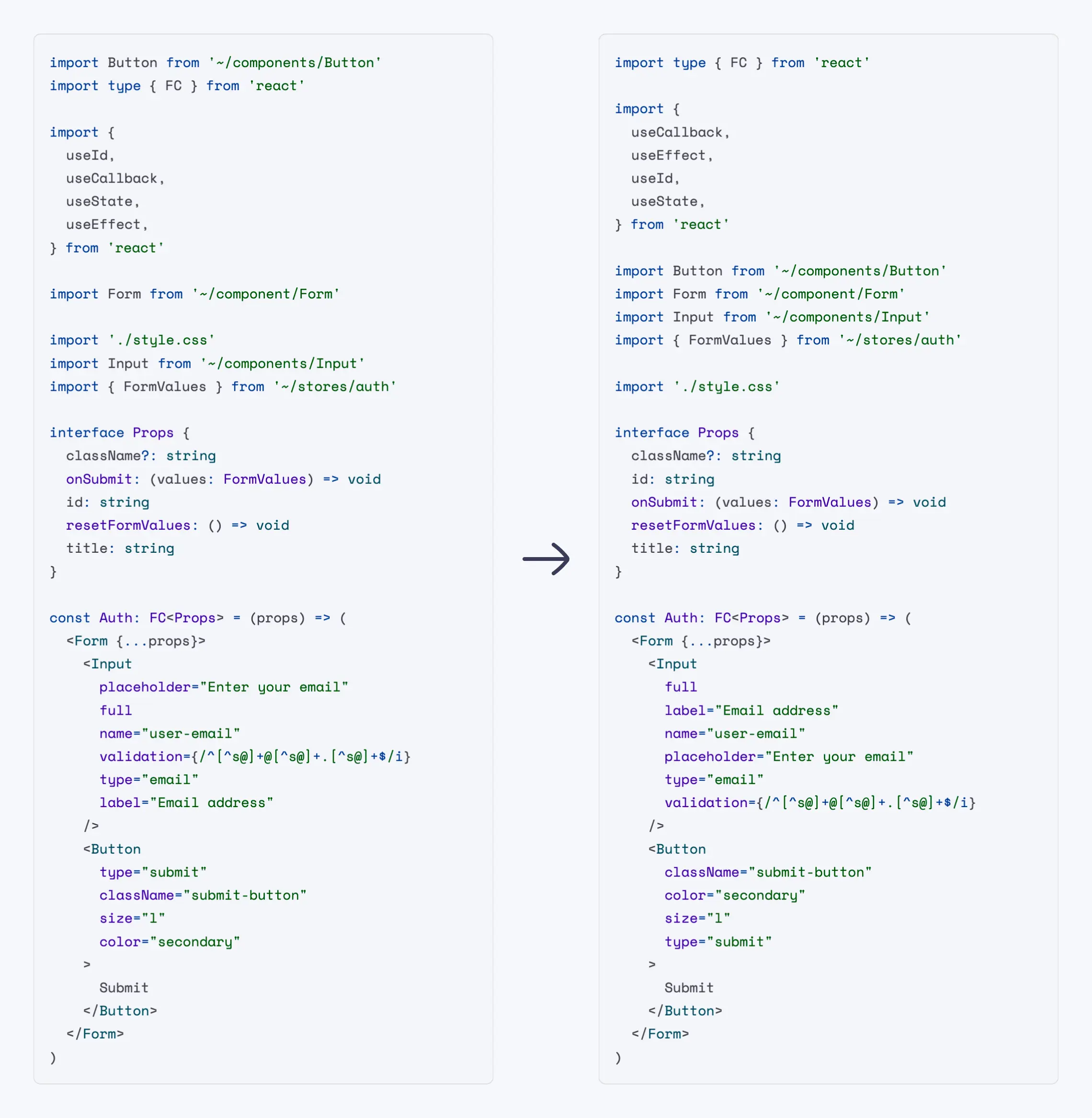
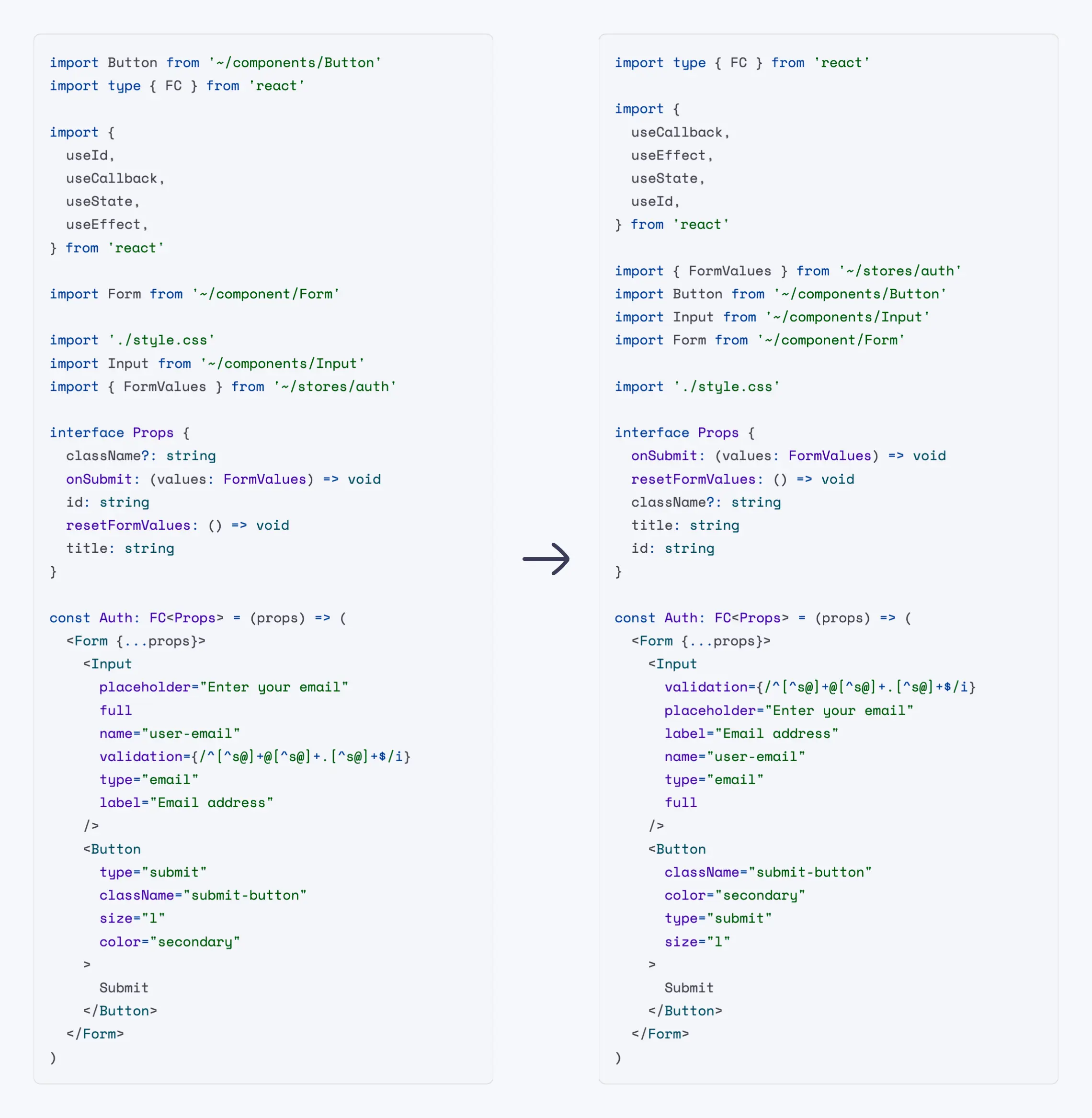
This plugin defines rules for sorting various data, such as objects, imports, TypeScript types, enums, JSX props, Svelte attributes, etc. alphabetically, naturally, or by line length.
All rules are automatically fixable. It's safe!
Why
Sorting imports and properties in software development offers numerous benefits:
Readability: Finding declarations in a sorted, large list is a little faster. Remember that you read the code much more often than you write it.
Maintainability: Sorting imports and properties is considered a good practice in software development, contributing to code quality and consistency across the codebase.
Code Review and Collaboration: If you set rules that say you can only do things one way, no one will have to spend time thinking about how to do it.
Code Uniformity: When all code looks exactly the same, it is very hard to see who wrote it, which makes achieving the lofty goal of collective code ownership easier.
Aesthetics: This not only provides functional benefits, but also gives the code an aesthetic appeal, visually pleasing and harmonious structure. Take your code to a beauty salon!
Documentation
See docs.
Try it on your own code in the Playground.
Alphabetical Sorting
Sorting by Line Length
Installation
You'll first need to install ESLint v8.45.0 or greater:
npm install --save-dev eslintNext, install eslint-plugin-perfectionist:
npm install --save-dev eslint-plugin-perfectionistUsage
Add eslint-plugin-perfectionist to the plugins section of the ESLint
configuration file and define the list of rules you will use.
Flat Config (eslint.config.js)
import perfectionist from 'eslint-plugin-perfectionist'

export default [
  {
    plugins: {
      perfectionist,
    },
    rules: {
      'perfectionist/sort-imports': [
        'error',
        {
          type: 'natural',
          order: 'asc',
        },
      ],
    },
  },
]
Legacy Config (.eslintrc.js)
module.exports = {
  plugins: [
    'perfectionist',
  ],
  rules: {
    'perfectionist/sort-imports': [
      'error',
      {
        type: 'natural',
        order: 'asc',
      }
    ]
  }
}
Configs
The easiest way to use eslint-plugin-perfectionist is to use ready-made
configs. Config files use all the rules of the current plugin, but you can
override them.
Flat Config (eslint.config.js)
import perfectionist from 'eslint-plugin-perfectionist'

export default [
  perfectionist.configs['recommended-natural'],
]
Legacy Config (.eslintrc.js)
module.exports = {
  extends: [
    'plugin:perfectionist/recommended-natural-legacy',
  ],
}
List of Configs
| Name | Description |
|---|---|
| recommended-alphabetical | All recommended plugin rules with alphabetical sorting in ascending order |
| recommended-natural | All recommended plugin rules with natural sorting in ascending order |
| recommended-line-length | All recommended plugin rules with sorting by line length in descending order |
| recommended-custom | All recommended plugin rules with sorting by your own custom order |
Rules
Automatically fixable by the
--fix CLI option.
Included in all recommended configs.
| Name | Description | ||
|---|---|---|---|
| sort-arrays | Enforce sorted arrays based on custom conditions | ||
| sort-array-includes | Enforce sorted arrays before include method | ||
| sort-classes | Enforce sorted classes | ||
| sort-constructor-parameters | Enforce sorted class constructor parameters based on custom conditions | ||
| sort-decorators | Enforce sorted decorators | ||
| sort-enums | Enforce sorted TypeScript enums | ||
| sort-export-attributes | Enforce sorted export attributes | ||
| sort-exports | Enforce sorted exports | ||
| sort-heritage-clauses | Enforce sorted implements/extends clauses |
||
| sort-import-attributes | Enforce sorted import attributes | ||
| sort-imports | Enforce sorted imports | ||
| sort-interfaces | Enforce sorted interface properties | ||
| sort-intersection-types | Enforce sorted intersection types | ||
| sort-jsx-props | Enforce sorted JSX props | ||
| sort-maps | Enforce sorted Map elements | ||
| sort-modules | Enforce sorted modules | ||
| sort-named-exports | Enforce sorted named exports | ||
| sort-named-imports | Enforce sorted named imports | ||
| sort-object-types | Enforce sorted object types | ||
| sort-objects | Enforce sorted objects | ||
| sort-sets | Enforce sorted Set elements | ||
| sort-switch-case | Enforce sorted switch case statements | ||
| sort-union-types | Enforce sorted union types | ||
| sort-variable-declarations | Enforce sorted variable declarations |
FAQ
Can I automatically fix problems in the editor?
Yes. To do this, you need to enable autofix in ESLint when you save the file in your editor. You may find instructions for your editor here.
Is it safe?
Overall, yes. We want to make sure that the work of the plugin does not negatively affect the behavior of the code. For example, the plugin takes into account spread operators in JSX and objects, comments to the code. Safety is our priority. If you encounter any problem, you can create an issue.
Why not use Prettier?
I love Prettier. However, this is not its area of responsibility. Prettier is used for formatting, and ESLint for styling. For example, changing the order of imports can affect how the code works (console.log calls, fetch, style loading). Prettier should not change the AST. There is a cool article about this: "The Blurry Line Between Formatting and Style" by @joshuakgoldberg.
Versioning Policy
This plugin is following Semantic Versioning and ESLint's Semantic Versioning Policy.
Contributing
See Contributing Guide.
License
MIT Azat S.