fsdh v0.2.1
FSDH
Package for Frontend developers who use FSD architecture.
Usage
fsdh init
You can create folders and example files for your project.
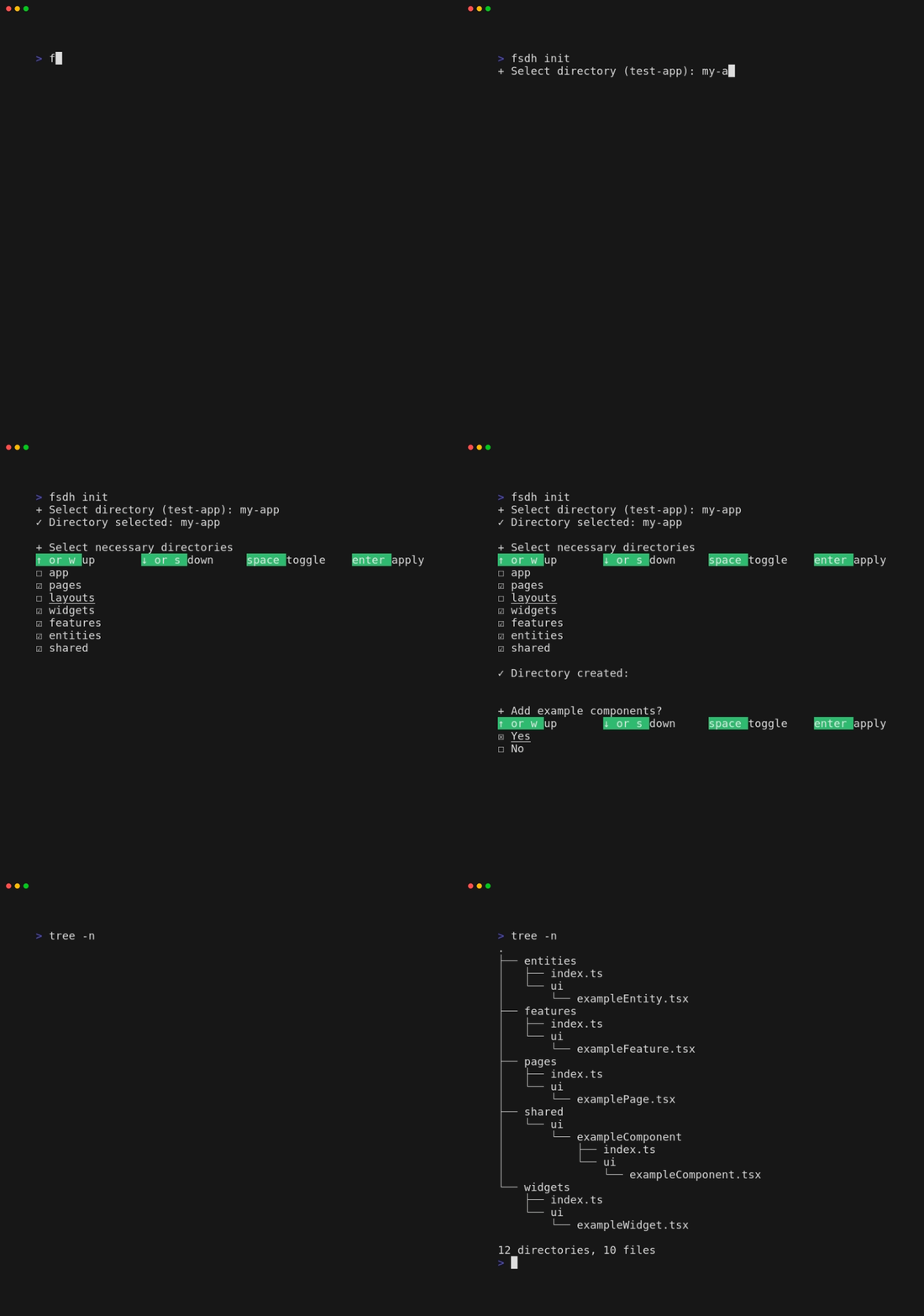
fsdh can create this structure:
.
├── app
│   └── hocs
│       └── exampleHoc
│           ├── index.ts
│           └── model
│               └── exampleHoc.tsx
├── entities
│   ├── index.ts
│   └── ui
│       └── exampleEntity.tsx
├── features
│   ├── index.ts
│   └── ui
│       └── exampleFeature.tsx
├── layouts
│   ├── index.ts
│   └── ui
│       └── exampleLayout.tsx
├── pages
│   ├── index.ts
│   └── ui
│       └── examplePage.tsx
├── shared
│   └── ui
│       └── exampleComponent
│           ├── index.ts
│           └── ui
│               └── exampleComponent.tsx
└── widgets
    ├── index.ts
    └── ui
        └── exampleWidget.tsx
fsdh create
You can create slices with this command.

This command will create this architecture of slice:
index.ts- has import and export statementui/{name}.tsx- has empty interface for props, emptystyledconst ifstyled-componentsspecifiedmodel/{name}.ts- has empty model functionstyles/{name}.module.[s]css- has empty root class for your component
If you select css/scss/styled-components option, fsdh generate slice only with one of them. Priority of these options:
1. styled-components
2. scss
3. css
For example, if you select styled-components and scss, fsdh will generate slice with styled-components.
Params
You can create slice in non-interactive mode:
fsdh create {path} {options}Options:
m: addmodelsc: addstyled-componentss: addscsscaddcss
csoption create slice withscssbecause of priority of styling options.
For example, this command create slice myWidget in path widgets/ with model and styled-components:
fsdh create widgets/myWidget mscInstallation
NPM
Use a npm package manager:
npm i --global fsdhSource
You can build fsdh from sources:
git clone https://github.com/gaskeo/fsdh
cd fsdh
npm install
npm build
After this commands you can run fsdh:
npm start [init | create]