generator-karma-esri v0.0.1
generator-karma-esri 
A Yeoman generator to configure Karma to run unit tests to your ArcGIS API for JavaScript application
See my tutorial for more on running unit tests with Karma in ArcGIS API for JavaScript apps.
Getting Started
Install Yeoman (if you haven't already)
npm install -g yoTo install generator-karma-esri from npm, run:
npm install -g generator-karma-esriFinally, initiate the generator:
yo karma-esriAnswer the man's questions. When in doubt, you'll probably be safe with the defaults.
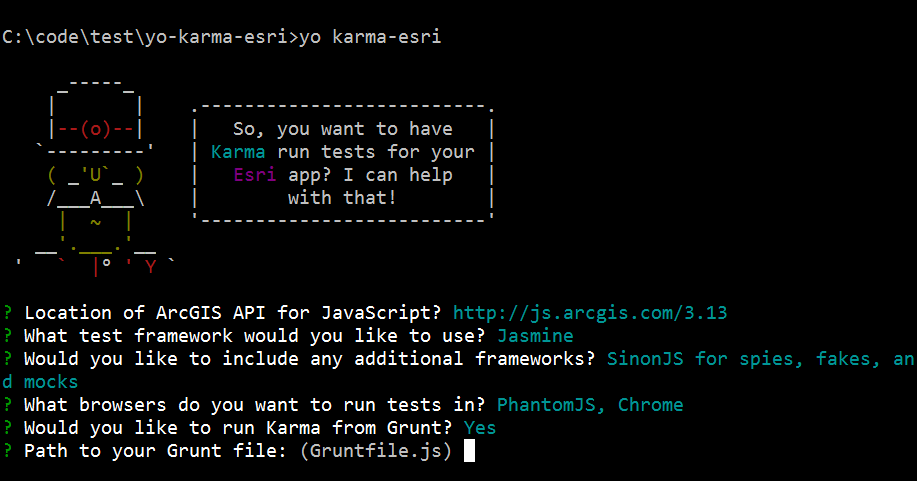
Running Tests with Karma
After running the generator you'll want to tell Karma where your source code and test spec files can be found. Open karma.config.js and update the files section with the paths where those files can be found. Be sure to set included:false since these will be loaded by Dojo's AMD loader. For example:
    // list of files / patterns to load in the browser
    files: [
      // karma and dojo config
      'test/config.js',
      // source code
      { pattern: 'app/**/*.js', included:false },
      // test specs
      { pattern: 'test/spec/**/*.js', included:false }
    ],
After that you can run Karma with:
karma startSee my tutorial for more on running unit tests with Karma in ArcGIS API for JavaScript apps.
License
Apache
11 years ago