1.0.5 • Published 4 years ago
heatmap-pkg v1.0.5
Heatmap
Heatmaps for node.js and the browser!
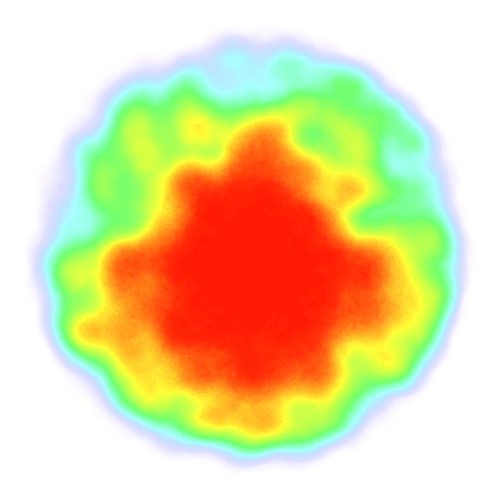
Example
blob.js
const Heatmap = require("heatmap");
const fs = require("fs");
const heat = new Heatmap(500, 500, { radius: 30 });

for (let i = 0; i < 5000; i += 1) {
  let rho = Math.random() * 2 * Math.PI;
  let z = Math.pow(Math.random(), 2) * 200;

  let x = 250 + Math.cos(rho) * z;
  let y = 250 + Math.sin(rho) * z;

  heat.addPoint(x, y);
}

heat.draw();

fs.writeFileSync("blob.png", heat.canvas.toBuffer());
Methods
var heat = new Heatmap(...)
There are two ways of creating a new heatmap:
- With the id of the target canvas element
- With the height and width values for the canvas element to be created
Optionally, you can set the opts.radius and opts.threshold to control the
rendering a little.
heat.addPoint(x, y, params)
Add a point to the heatmap with a radius.
params must be an object and can have:
- radius, defaults to heat.radius || 20
- weight, defaults to 0.1
heat.scale(x, y)
Scale the canvas by the coefficients x and y.
If y is undefined, scale both x and y by the first parameter, x.
heat.draw()
Render all the points onto the canvas element.
heat.canvas
The HTML Canvas element.
Protip: with the canvas module for
node you can heat.canvas.buffer() to get a Buffer with a PNG file all up in it.
Install
With npm, just do:
npm install heatmap-pkgOr with yarn:
yarn add heatmap-pkg