
jshint-stylish 
Stylish reporter for JSHint
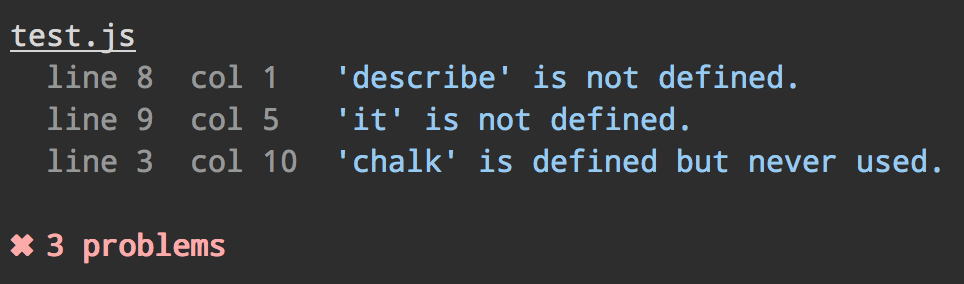
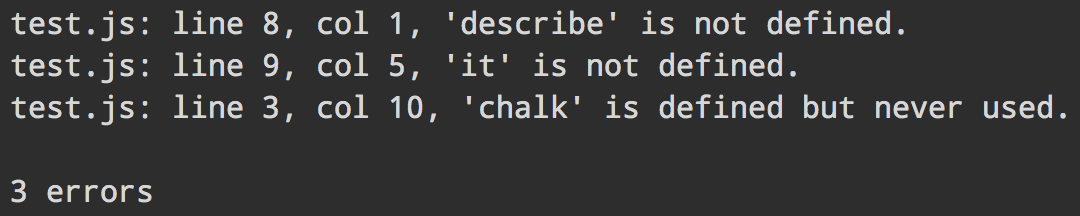
Compared to the default reporter:
Install
Install with npm: npm install --save-dev jshint-stylish-ex
Getting started
Use it with:
JSHint CLI
jshint --reporter node_modules/jshint-stylish-ex/stylish.js file.jsgrunt-contrib-jshint
grunt.initConfig({
	jshint: {
		options: {
			reporter: require('jshint-stylish-ex')
		},
		target: ['file.js']
	}
});

grunt.loadNpmTasks('grunt-contrib-jshint');
grunt.registerTask('default', ['jshint']);
Configuring colors
In this ex edition you can put an optional .stylishcolors-file in the root of your project to modify the output colors of the reporter.
{
    "meta": "gray",
    "reason": "blue",
    "verbose": "gray",
    "error": "red",
    "noproblem": "green"
}
The colors available are those from chalk, specificly black, red, green, yellow, blue, magenta, cyan, white and gray. There is no support for backgroundcolors or chaning underlines etc.
License
MIT Sindre Sorhus, ex-edition by Karl-Johan Sjögren