

Add the context of a json parse error to the error message with syntax highlighting if possible.


Table of Contents
Features
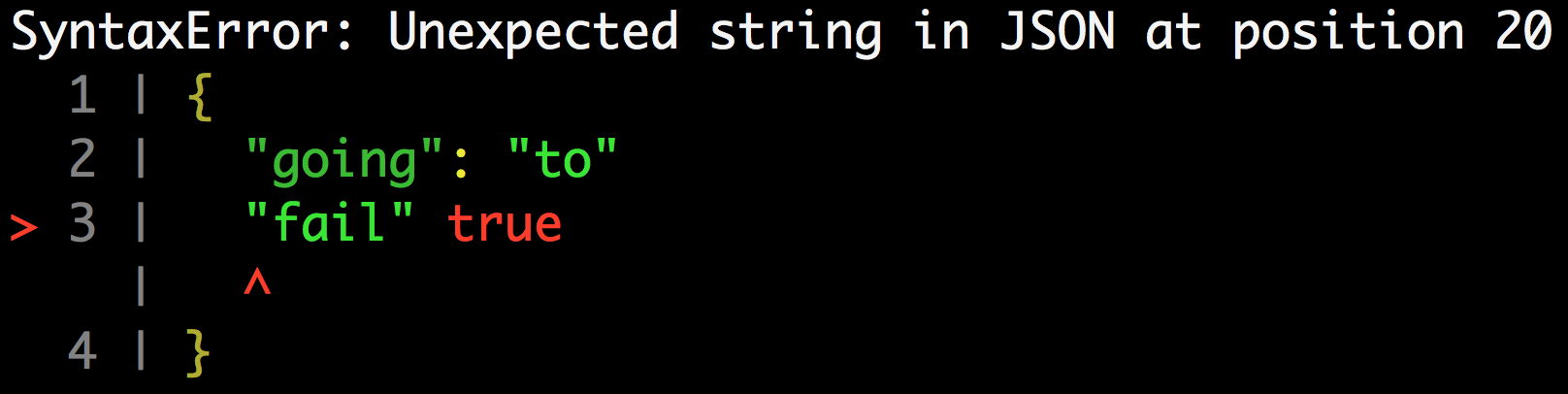
Example:
const jsonParseContext = require('json-parse-context');

jsonParseContext(`{
  "going": "to"
  "fail" true
}`);
API
jsonParseContext(serialized [, reviver [, options]])
serialized(String): serialized JSONreviver(Function): prescribes how the value originally produced by parsing is transformedoptions(Object)lineCount(Number) [default:2]: lines of context to add above and below the line with a syntax error
Available Scripts
In the project directory, you can run:
npm run test:git-history
Validates commit messages using commitlint
npm run test:lint
Verifies that your code matches the American Express code style defined in eslint-config-amex.
npm run test:lockfile
Validates package-lock.json with [`lockfile-lint](https://www.npmjs.com/package/lockfile-lint)
npm run test:unit
Runs the unit tests using jest with the presets defined in
amex-jest-preset.
npm test
Runs all of the above test:* commands
Git Hooks
These commands will be automatically run during normal git operations like committing code.
pre-commit
This hook runs npm test before allowing a commit to be checked in.
commit-msg
This hook verifies that your commit message matches the One Amex conventions. See the commit message section in the contribution guidelines.
Contributing
License
Any contributions made under this project will be governed by the Apache License 2.0.
Code of Conduct
This project adheres to the American Express Community Guidelines. By participating, you are expected to honor these guidelines.