1.1.0 • Published 7 years ago
login-express-session v1.1.0
Express login with express-session
Clone this repo or follow the steps below to learn about setting up a Node/express app that enables login, logout and secure routes.
| step | instruction |
|---|---|
| 0. boilerplating | These steps will set up an initial project. |
| 0.1 | Install express-generator globally npm install -g express-generator |
| 0.2 | Create a new project named login in a new folder login and add pug support (instead of Jade). express -css=less --view=pug --git login |
| 0.3 | Install dependencies by executing npm i after moving into the directory using cd login |
| 0.4 | You will see warnings, depending on how many vulnerabilities are found. npm notice created a lockfile as package-lock.json. You should commit this file.added 118 packages from 174 contributors and audited 247 packages in 10.793sfound 1 low severity vulnerability run npm audit fix to fix them, or npm audit for details after running npm audit you will see recommendations to fix, you might want to run npm ls to see the dependency tree.In this case you can fix it by running npm i pug@latestAfter running this no vulnerabilities are reported and we can go ahead and start the app |
| 0.5 | start the app by one of the following commands: 1. npm start - to start app on default port 30002. PORT=8080 npm start - to start on port 80803. DEBUG=login:* npm start - start with debug information |
| 0.6 | Point your browser to localhost:3000 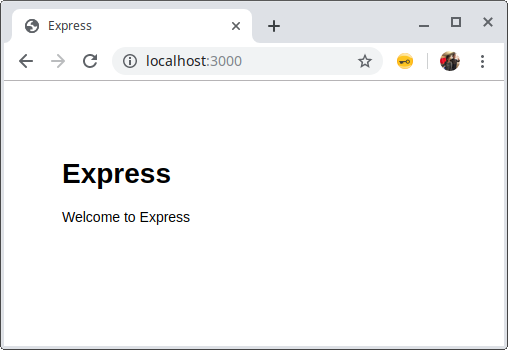 In our console we see: In our console we see:~/login$ DEBUG=login:* npm start> login@0.0.0 start /home/gius/login> node ./bin/wwwlogin:server Listening on port 3000 +0msGET / 304 719.979 ms - -GET /stylesheets/style.css 304 7.148 ms - - |
| 1. create login form | After completing these steps we have a new page and route. |
| 1.1 | run npm i --save express-session bootstrap to add the dependencyNote that bootstrap has 2 peer dependencies: jquery and popper.js. We don't need these, because we are just going to use the css. This is a list of ways to handle the npm WARN:1. Ignore the warnings; not desired because the team will ignore all npm output2. Install peer deps: npm i --save jquery popper.js; not desired; packers will include jquery and popper.js and let the codebase grow significantly3. Install as dev deps: npm i -D jquery popper.js; Unsure yet if it solves 2, but it shuts up the WARN4. Use ignore-warings: Unclear how to use yet, but it seems like a legit way of avoiding 2 and still keep npm output clean5. use bootstrap cdn; Preferred to install locally to allow offline dev6. manual install bootstrap; deps should be in package.json for keeping all updatable and visable for npm audit |
| 1.2 | create /views/login.pug see change |
| 1.3 | add the route to app.js for reroute to login, bootstrap and include session see change |
| 1.4 | update styles public/style.css see change |
| 1.5 | update layout.pug to include bootstrap views/layout.pug see change |
| 1.6 | current result routes default route to login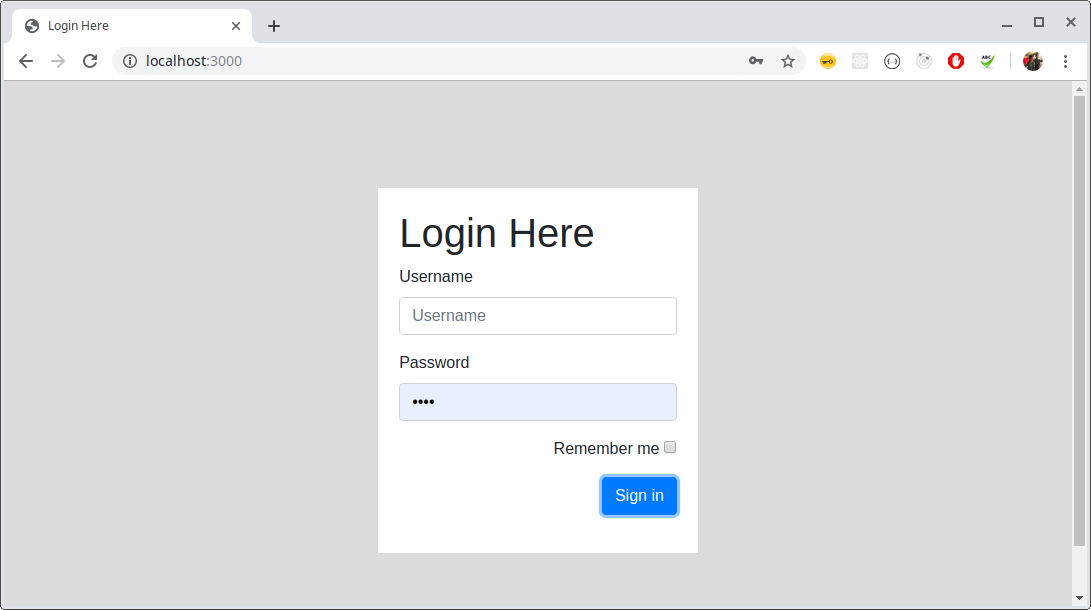 ~/login $ DEBUG=login:* npm start -slogin:server Listening on port 3000 +0msGET / 304 737.652 ms - -GET /css/bootstrap.min.css 304.766 ms - -GET /stylesheets/style.css 304 1.070 ms - - |
| 2. add about-page and header | Follow below steps to add about page and header |
| 2.1 | Before we continue, I like to clean up some logging. morgan is creating too much noise. Remove the following lines from app.js:var logger = require("morgan");app.use(logger("dev"));You can remove morgan from package.json by: npm rm --save morgan.While we are at it; debug is a direct dependency for express and express-session so we can remove it from our package.json by: npm rm --save debug.To see if debug still works, we can use:DEBUG=app.js,login:server,express-session npm start -s. Note that we can use DEBUG=* for all output.Now we can add debug info like so (in app.js): var debug = require('debug')('app.js'); debug('hello world');Our output:login:server Listening on port 3001 +0msexpress-session no SID sent, generating session +26sapp.js checkLoggedIn(), req.session.loggedIn: undefined rendering login +5msexpress-session saving PybLKV4TpsaSMx_PzZx_Mj5Is4X_0U9g +748msexpress-session set-cookie app=s%3APybLKV4TpsaSMx_PzZx_Mj5Is4X_0U9g.Bd1dSB8w4kfcL9DPonfLBXFRLtZBdqHThCNMTsv0Ixo; Path=/; HttpOnly +4msexpress-session fetching PybLKV4TpsaSMx_PzZx_Mj5Is4X_0U9g +736msexpress-session session found +1msapp.js checkLoggedIn(), req.session.loggedIn: undefined rendering login +1msexpress-session saving PybLKV4TpsaSMx_PzZx_Mj5Is4X_0U9g +93msexpress-session split response +1ms |
| 2.2 | add routes/about.js and views/about.pug with this content and update app.js; add: app.use("/about", aboutRouter);var aboutRouter = require("./routes/about"); |
| 2.3 | add views/header.pug with this content and include it in index.pug and users.pug and conditionally in views/about.pug:if loggedIn include header |
| 2.4 | then there are some bits and pieces to fix in views/login.pug:- add error placeholder- add link to about page- change button to input, so the enter key works |
| 2.5 | add views/users.pug with contents from here and pass a list of users like so |
| 3. finalize login | There still stuff left to do. The examples just support login and logout, and the session is killed after 6000 ms (6sec) |
| 3.1 | We can remove the line cookie: {maxAge: 6000} so the session isn't just 6sec from app.js |
| 3.2 | In app.js we create a login()- and a logout() function that only care about logging in and logging out.Logout removes the session.loggedIn flag, Login sets it and calls checking the credentials. A separate function is created to check the credentials called checkUser() |
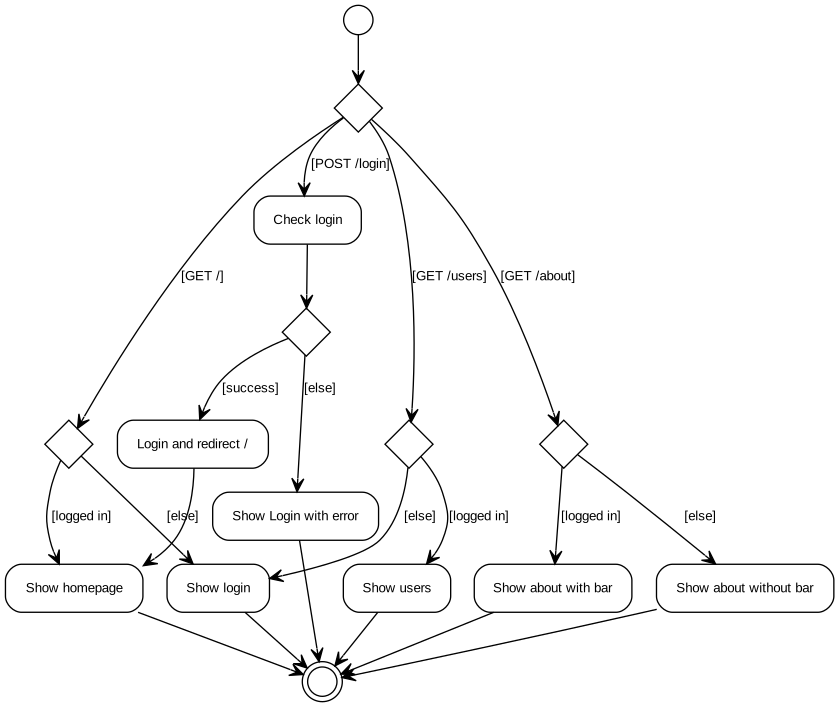
Final design
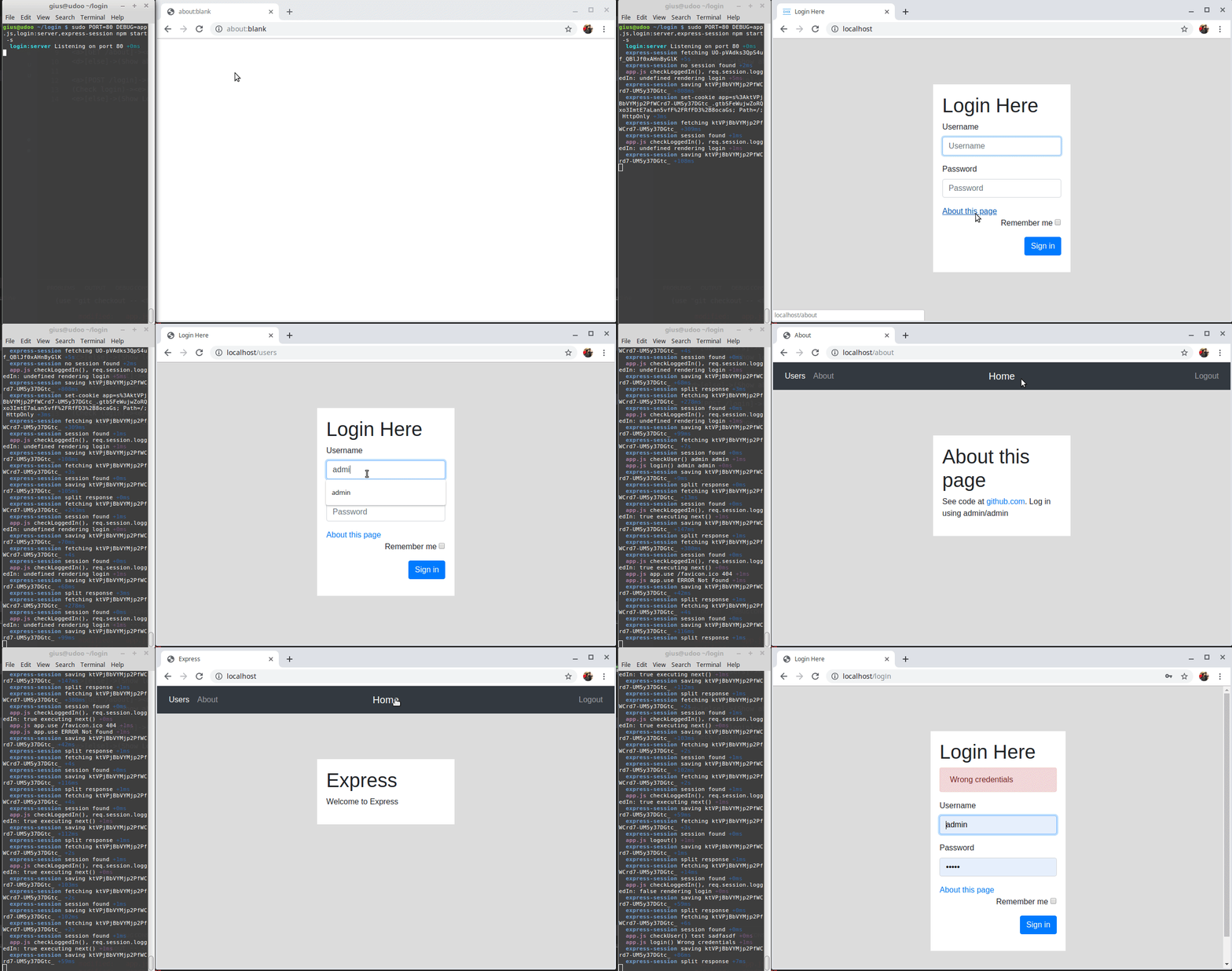
Final Demo
- clean start
/ - get
/about - get
/users - login
- homepage
- get
/users - get
/about - logout
- wrong login
Questions / evaluation
These are answers that I seek answer to before starting this document, raised during creation and reviewing the code.
| Question | Answer |
|---|---|
| Do I need passport and passport local for logging in? | no. Minimum is express, express-session and maybe cookie-parse |
| What is the simplest way of creating login/logout? Cookies? Server-side session? | This solution creates a cookie even when the user isn't logged in. This is a session cookie.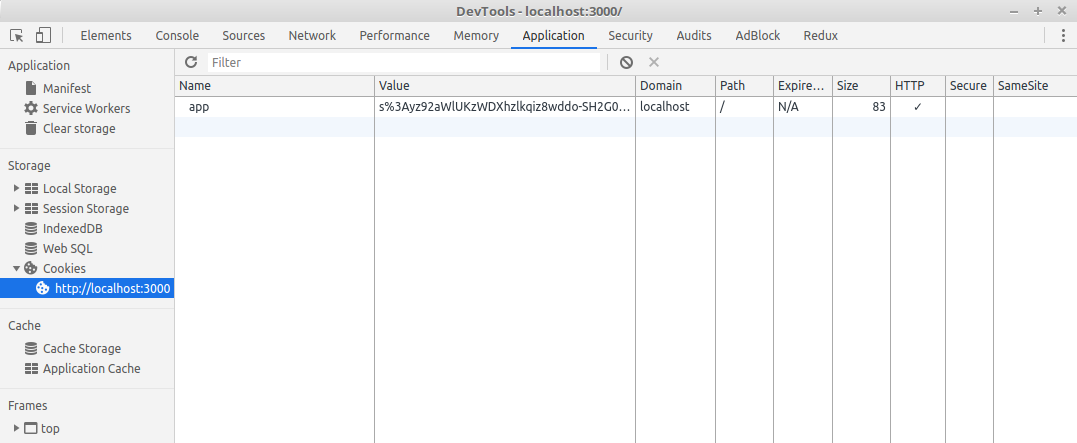 The value is The value iss%3Ayz92aWlUKzWDXhzlkqiz8wddo-SH2G0I.N6dzg2O0liagsejyMKLehW1aRGL6fEY1mkMrTFKOG1E that seems to be the same value as the session on the server in the console of DEBUG=express-session npm start -s. More on cookie security |
| Can I identify the user, so I can create access groups and allow different routes per user? | No. In this case only a boolean is stored:Session { cookie: { path: '/', _expires: null, originalMaxAge: null, httpOnly: true }, loggedIn: true} |
| Is this the simplest example? | For testing the session, you need at least 1 or 2 'secure' routes, login- and logout route and some kind of views. With a SPA the backend can be smaller. |
is creating req.session.loggedIn a legit way to manage the session? | For now it seems ok. |
| What are generic security recommendations? | On the express-session page it says: Warning The default server-side session storage, MemoryStore, is purposely not designed for a production environment. It will leak memory under most conditions, does not scale past a single process, and is meant for debugging and developing. It seems MongoDB can store the session. |