1.0.1 • Published 9 years ago
lp-live-reload v1.0.1
lp-live-reload
Live reload module for LayoutPreview
Installation
npm install -g lp-live-reload (may require sudo).
Usage
Go to your local git clone of the publication repository and run the command lp-live-reload.
It starts a HTTPS webserver, with a supplied self signed certificate, that serves your local files to LayoutPreview.
NB! Chrome will complain about trying to connect to a self signed certificate, so you'll need to add an exception. When you start lp-live-reload you'll get instructions on how to do that.
The message you will get looks something like this:
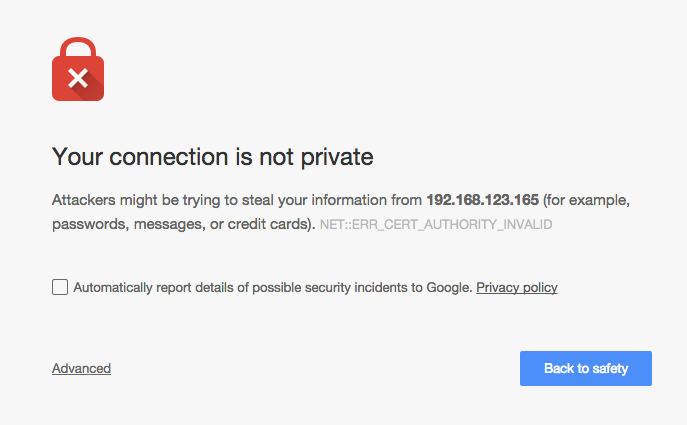
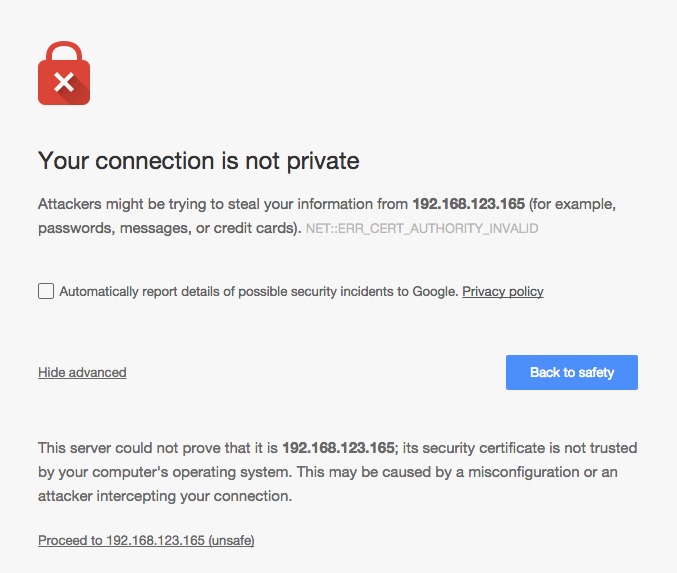
You need to click the Proceed to xxx.xxx.xxx.xxx (unsafe) text to allow connections. After doing this, you're ready to go!