1.4.0 • Published 3 years ago
mocv v1.4.0
Motoko Compiler(moc) version manager
Quick Start
One-time initialization
npx mocv initSelect moc version
npx mocv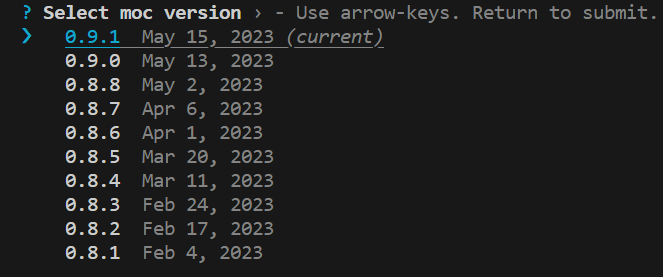
Use in GitHub workflows
Simply add this step
- name: Select moc version
  run: npx mocv use 0.9.2
Instead of 0.9.2 you can specify any other moc version or latest
Setup
Install mocv
npm i mocv -gSet env var DFX_MOC_PATH
This command adds a line to .bashrc to set DFX_MOC_PATH to the current moc version
mocv initOr you can add by yourself:
Run mocv bin current, copy result and add the line below to your .bashrc
export DFX_MOC_PATH=<result>/mocUsage
Select moc version
You will be prompted to select one of the available moc versions
mocvor
mocv use 0.8.4or
mocv use latestDone!
Now dfx will use current moc version when you build canisters with dfx build or dfx deploy
Other use cases
If you want to use specific version of moc to deploy a canister:
DFX_MOC_PATH=$(mocv bin 0.8.3)/moc dfx deploy my_canisterReset
Revert changes made by mocv init
mocv reset