mongo-monitor-cli v0.3.0
mongo-monitor



Simple CLI to monitor the status of a MongoDB cluster.
mongo-monitor mongodb://address:27017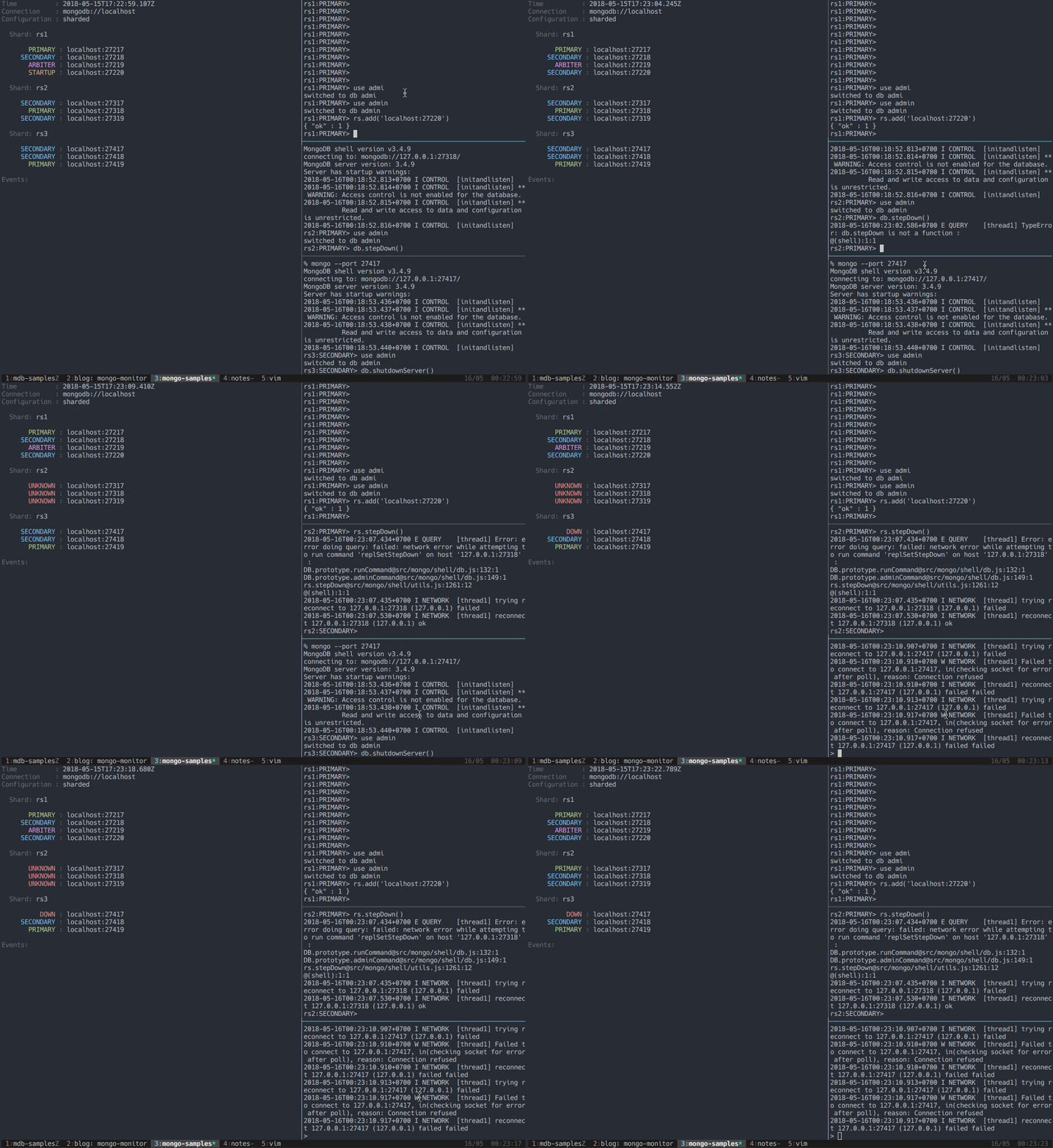
The connection string is handled with mongo-connection-string, which means it'll handle input which is not URI encoded.
Install with:
npm install mongo-monitor-cliUsage
The monitor is primary designed to show the status of a MongoDB cluster, updated real-time. This is useful when performing administrative operations such as replicaset or shard configuration.
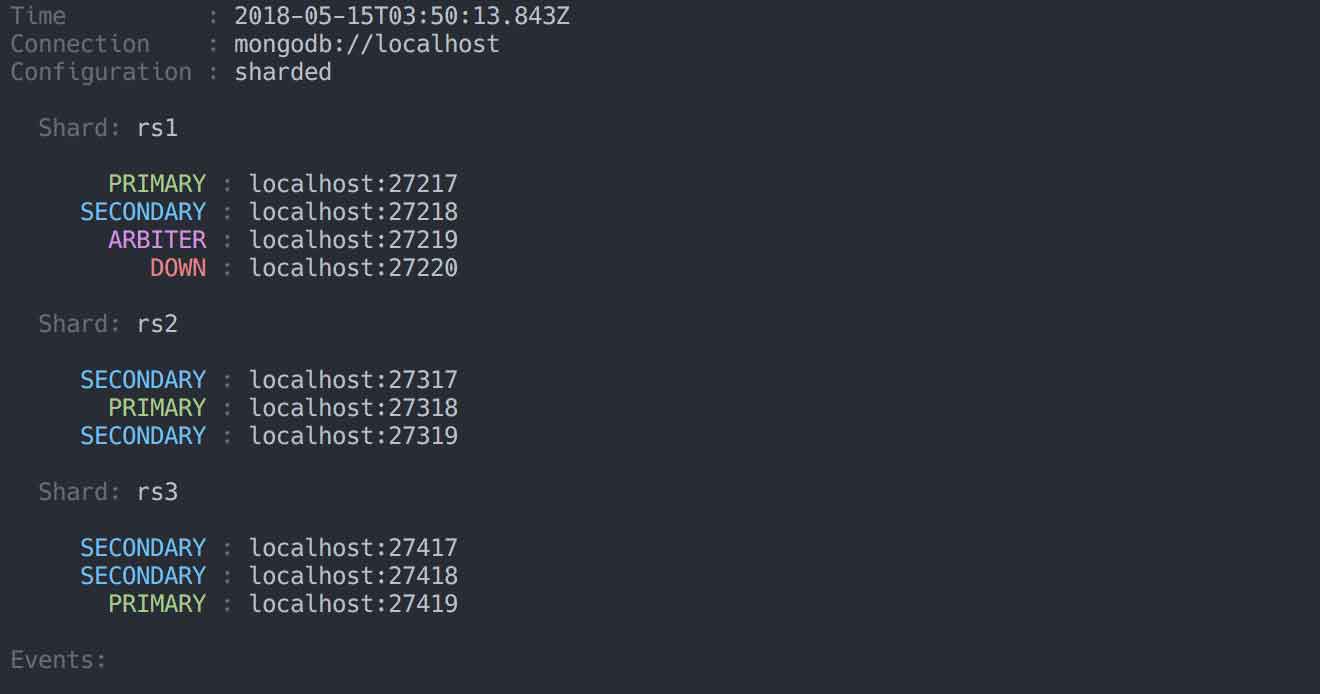
On a sharded cluster, if you provide a connection string with admin priviledges to any mongos host, you will see the sharding configuration.
On a replicaset, if you provide a connection string with admin priviledges to any host, or to the entire set, you will see the replicaset configuration:
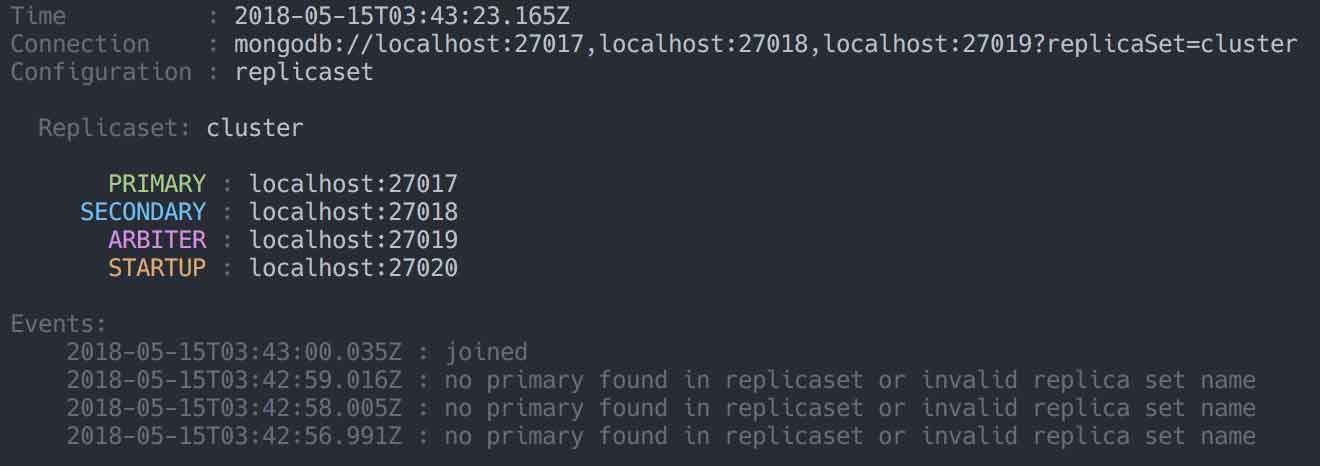
For a standalone, basic info is reported. Sharded clusters show details of the shards, as welll as the replicasets which make up each shard:
Samples
To try the monitor out, there are a few samples you can try.
Monitor a standalone instance:
make sample-standalone
mongo-monitor localhost:271017
Monitor a replicaset:
make sample-replicaset
mongo-monitor localhost:27017,localhost:27018,localhost:27019?replicaSet=cluster
Monitor a sharded cluster:
make sample-shard
mongo-monitor localhost
Cleanup sample processes:
make sample-shutdownDeveloping
Lint with npm run lint, test with npm test, release with npm run release.
Tests
The following files are useful for testing:
| File | Notes |
|---|---|
shard.isMaster.json | The output of isMaster for a mongos member of a sharded cluster. |
shard.listShards.json | The output of listShards for a mongos member of a sharded cluster. |
shard.node.isMaster.json | The output of isMaster for a mongod member of a sharded cluster. |