mvp-contributions v0.1.5
mvp-contributions



CLI tool to review and submit your Microsoft MVP contributions
Status: Beta quality (manually tested, bugs are expected)
🤨 Rationale
The MVP website is quite slow (yup, indeed Microsoft... 🤷) so it's tedious to submit a lot of stuff by hand. This tool should be able to automate most of the hard work.
It also provide convenience commands to delete entries and deduplicate them.
🛠️ Requirements
This tool requires a modern version of Node.js (18+)
🔑 Authentication
Go to your browser of choice and head to mvp.microsoft.com. Do a login. Inspect your cookies and copy the value for the cookie .AspNet.Cookies.
👩🏫 Usage
You can use this tool with npx or install it locally.
npx usage
Just run:
npx mvp-contributions --helpLocal installation
Install the tool locally with
npm i -g mvp-contributionsThen you can just run:
mvp-contributions --helpAvailable commands
These are the commands currently supported by the tool
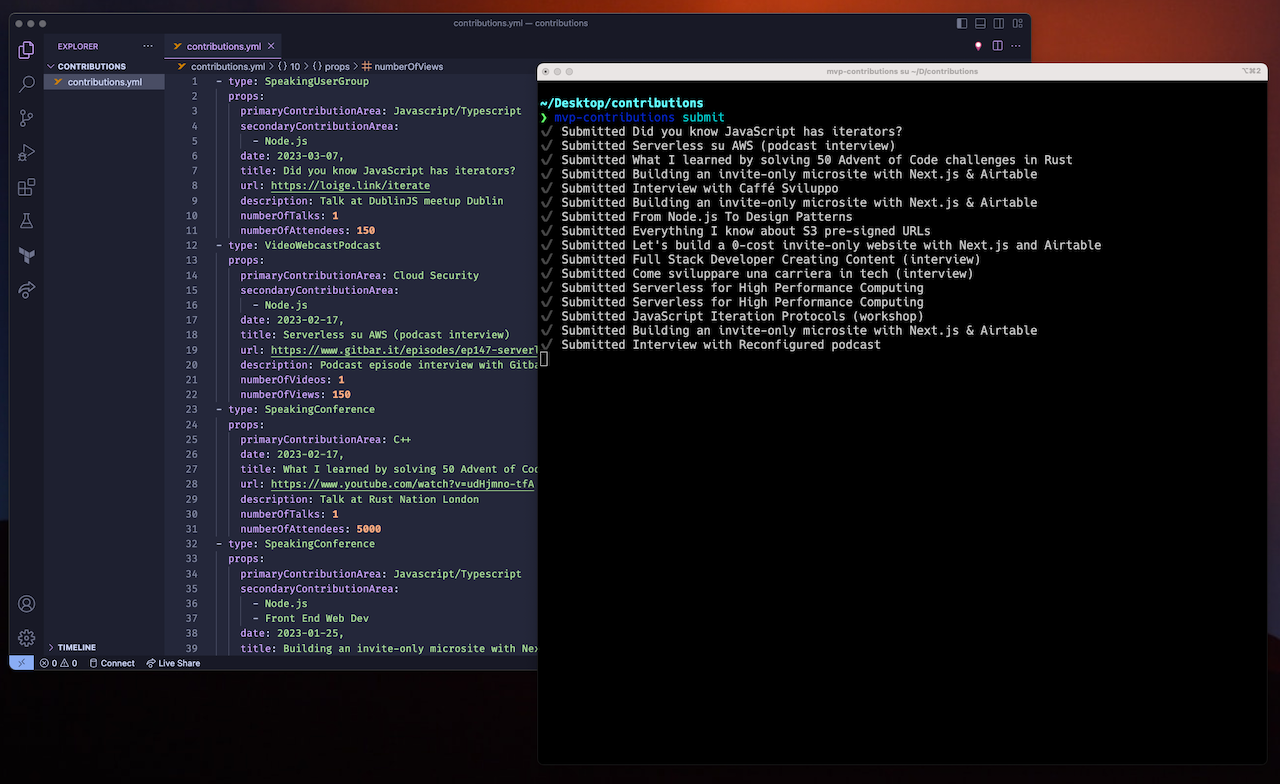
list [options]: List submitted contributions (default command)delete [options] <contributionId...>: Deletes one or more contributions by contribution by IDdedup [options]: Deletes duplicated contributionssubmit [options] [filepath]: Submit new contributions from contributions YAML filehelp [command]: display help for command
All commands (except help) requires you to have a valid session token. This token can be passed either through the -c flag or by setting the environment variable MVP_COOKIE (recommended).
To get a valid session token, go to https://mvp.microsoft.com/. Perform a login and then inspect the page with your browser developer tools. Check out the cookies (Application tab in Chrome) and copy the value for the .AspNet.Cookies cookie.
Example
If your .AspNet.Cookies value is etzEL73OjWhpwayx... (in reality it will be much longer than this), then you can do:
export MVP_COOKIE="etzEL73OjWhpwayx..."
mvp-contributions list
or
mvp-contributions -c "etzEL73OjWhpwayx..." list🥹 Generating YAML files from existing content
The goal of this project is to be able to come up with ways of fetching all the content activities from one or more sources and convert them to the expected YAML contribution format.
Some examples are available on how you might be able to fetch and convert data from various sources:
Feel free to submit your examples here.
📦 Schema
Your content.yml file needs to follow a very specific schema.
The list of entries should be an array and every entry must have 2 fields: type (string) and props (object).
The props object will have a different schema depending on the selected type.
Here you can find the list of all the available types (pointing to their schema file in Zod):
ArticleBlogWebsitePostBookAuthorBookCoauthorConferenceStaffingDocsMicrosoftComContributionForumModeratorForumParticipationForumParticipationMicrosoftMentorshipMicrosoftOpenSourceNonMicrosoftOpenSourceOrganizerConferenceOrganizerUserGroupOtherProductGroupFeedbackSampleCodeSiteOwnerSpeakingConferenceSpeakingUserGroupTechnicalSocialMediaTranslationReviewVideoWebcastPodcastWorkshopVolunteerProctor
Note tha the contributions.yml committed in this repository contains some commented examples that you can use as a reference.
The list of all available Contribution Areas is available in src/ContributionAreas.ts
💡 Future improvement ideas
- Better testing (no testing right now... confused_john_travolta.gif)
- Support content files in JS/TS (to have a better authoring experience with autocompletion and type checking)
- Detection of expired sessions (it generally lasts 1 hour)
- Avoid submit duplicated content (fetch all contente first and deduplicate on insertion)
Contributing
Everyone is very welcome to contribute to this project. You can contribute just by submitting bugs or suggesting improvements by opening an issue on GitHub.
License
Licensed under MIT License. © Luciano Mammino.