2.3.0 • Published 7 years ago
nativescript-pulltorefresh v2.3.0




NativeScript-PullToRefresh :recycle:
NativeScript plugin to use Pull to Refresh on any view.
Android - SwipeRefreshLayout
iOS - UIRefreshControl
Sample Screen
| Android | iOS |
|---|---|
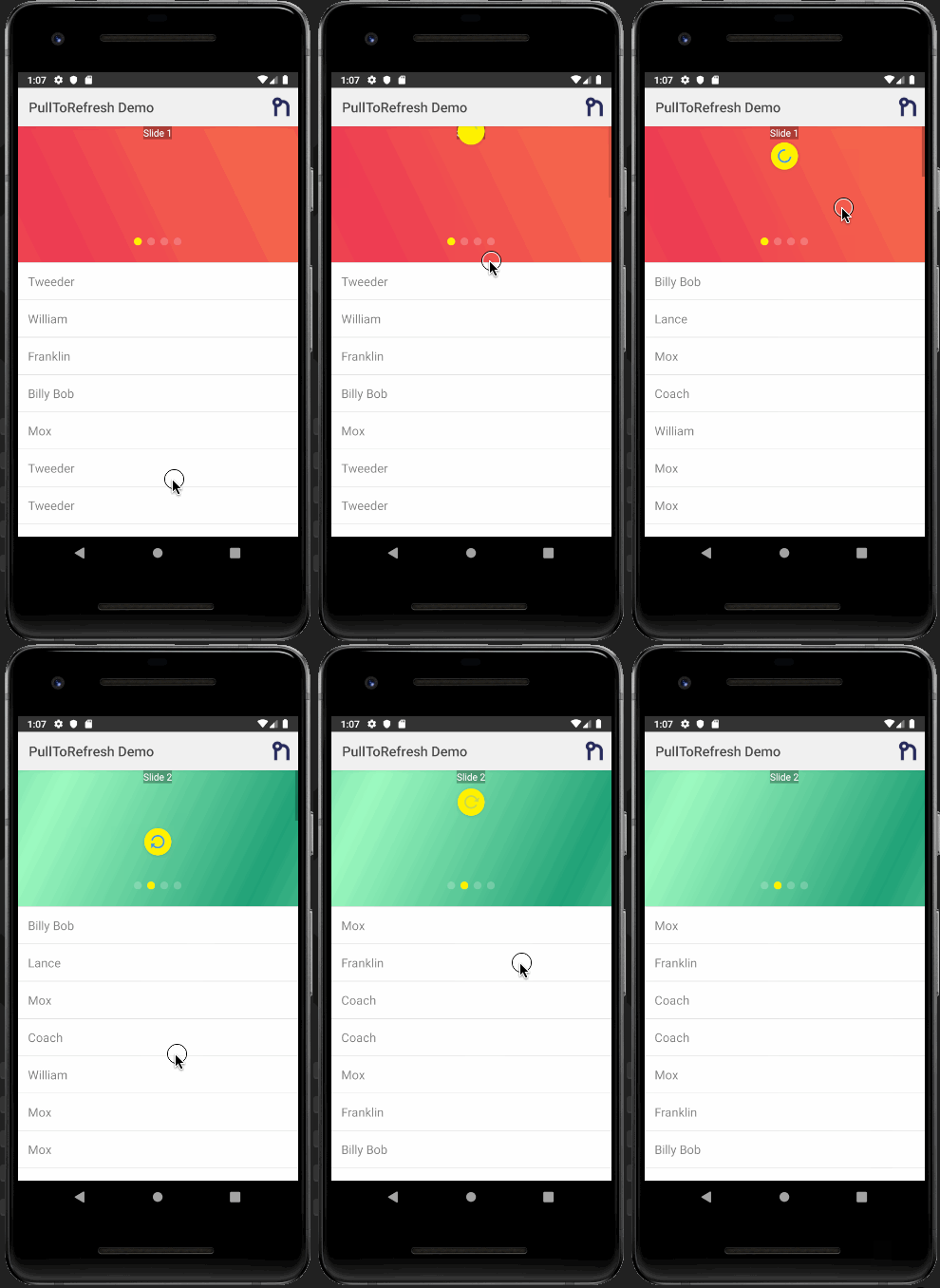 | 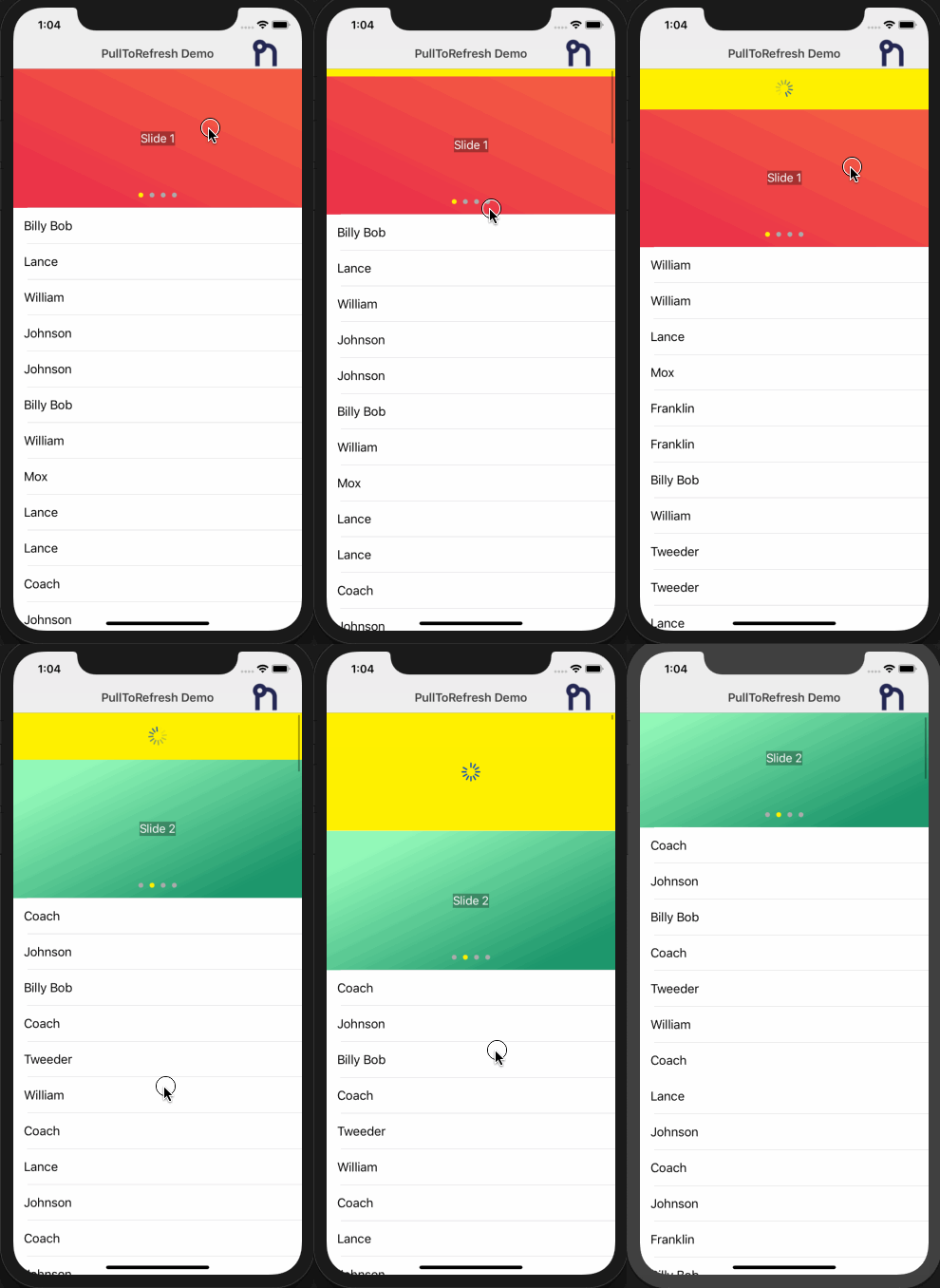 |
Installation
tns plugin add nativescript-pulltorefresh
Usage
Vanilla NativeScript
XML
<page xmlns="http://schemas.nativescript.org/tns.xsd"
      xmlns:PullRefresh="nativescript-pulltorefresh"
      loaded="pageLoaded">
    <PullRefresh:PullToRefresh refresh="refreshList">
        <list-view items="{{ users }}">
            <list-view.itemTemplate>
                <label text="{{ name }}" row="0" col="1"textWrap="true" class="message" />
            </list-view.itemTemplate>
        </list-view>
    </PullRefresh:PullToRefresh>
</page>
JS
function refreshList(args) {

    // Get reference to the PullToRefresh component;
    var pullRefresh = args.object;

    // Do work here... and when done call set refreshing property to false to stop the refreshing
    loadItems().then((resp) => {
        // ONLY USING A TIMEOUT TO SIMULATE/SHOW OFF THE REFRESHING
        setTimeout(() => {
            pullRefresh.refreshing = false;
        }, 1000);
    }, (err) => {
        pullRefresh.refreshing = false;
    });
}
exports.refreshList = refreshList;
Angular NativeScript
import { registerElement } from "nativescript-angular/element-registry";
registerElement("PullToRefresh", () => require("nativescript-pulltorefresh").PullToRefresh);

refreshList(args) {
         var pullRefresh = args.object;
         setTimeout(function () {
            pullRefresh.refreshing = false;
         }, 1000);
    }
HTML
<PullToRefresh (refresh)="refreshList($event)">
    <ListView [items]="itemList" >
        <template let-item="item">
            <Label [text]="item.id"></Label>
        </template>
    </ListView>
</PullToRefresh>
NativeScript Vue
import Vue from 'nativescript-vue';

Vue.registerElement(
  'PullToRefresh',
  () => require('nativescript-pulltorefresh').PullToRefresh
);
Component
<template>
  <Page>
    <PullToRefresh @refresh="refreshList">
      <ListView for="item in listOfItems" @itemTap="onItemTap">
        <v-template>
          <!-- Shows the list item label in the default color and style. -->
          <label :text="item.text" />
        </v-template>
      </ListView>
    </PullToRefresh>
  </Page>
</template>

<script>
export default {
  methods: {
    refreshList(args) {
      var pullRefresh = args.object;
      setTimeout(function() {
        pullRefresh.refreshing = false;
      }, 1000);
    }
  }
};
</script>
Webpack
If you are using webpack with uglify for Android, you must add TNS_SwipeRefreshListener to the mangle exception list.
webpack.config.js
if (uglify) {
    config.plugins.push(new webpack.LoaderOptionsPlugin({ minimize: true }));

    // Work around an Android issue by setting compress = false
    const compress = platform !== "android";
    config.plugins.push(new UglifyJsPlugin({
        uglifyOptions: {
            mangle: { reserved: [ ...nsWebpack.uglifyMangleExcludes, "TNS_SwipeRefreshListener" ] },
            compress,
        }
    }));
}
Properties
- refresh : function required
- refreshing: boolean - Notifies the widget that the refresh state has changed.
Changelog
2.3.0
7 years ago
2.2.2
7 years ago
2.2.1
7 years ago
2.2.0
8 years ago
2.1.1
8 years ago
2.1.0
8 years ago
2.0.3
9 years ago
2.0.2
9 years ago
2.0.1
9 years ago
2.0.0-rc.1
9 years ago
1.1.10
9 years ago
1.1.9
10 years ago
1.1.8
10 years ago
1.1.7
10 years ago
1.1.6
10 years ago
1.1.5
10 years ago
1.1.4
10 years ago
1.1.3
10 years ago
1.1.2
10 years ago
1.1.1
10 years ago
1.1.0
10 years ago
0.1.2
10 years ago
0.1.1
10 years ago
0.1.0
10 years ago