
ng-openlayers
Build maps. The Angular way.
Declarative OpenLayers components for Angular. Compose maps, layers, sources, styles and interactions in your templates.



Explore the examples · npm package · Changelog · Sponsor
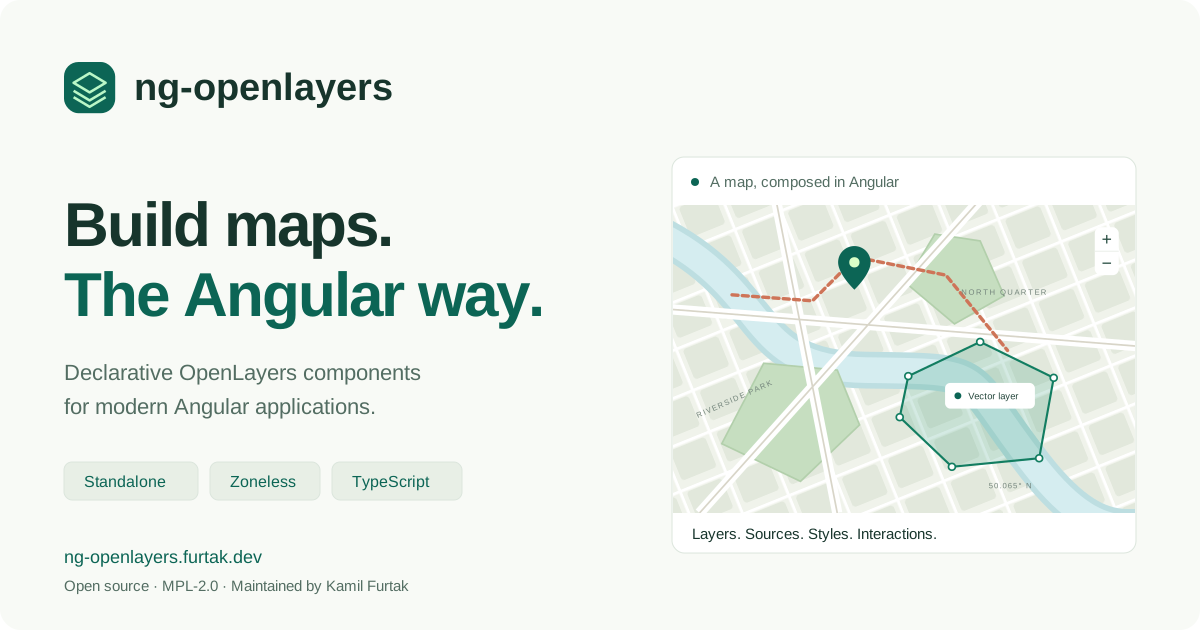
What you can build
- Tile, image and vector maps with OSM, XYZ, WMS, WMTS, ArcGIS, TileJSON and GeoJSON sources.
- Features, geometries, markers, overlays and composed styles.
- Drawing, editing, selection, snapping, measurement and custom controls.
- Maps with dynamic view projections and declarative coordinate transformation.
Use standalone components or AngularOpenlayersModule. Each component owns its OpenLayers lifecycle and exposes its public instance for advanced integration. The 27 interactive examples include links to their TypeScript source.
Compatibility
ng-openlayers 22 requires Angular 22. The npm badge above shows the latest published release.
| Package | Supported range | Development version |
|---|---|---|
| Angular | ^22.0.0 |
22.1.7 |
| OpenLayers | ^10.10.0 |
10.10.0 |
| Proj4 | ^2.22.0 |
2.22.0 |
Angular 21 applications should stay on ng-openlayers 21.2.x until they upgrade. For development, use Node.js 24.15+ or 22.22.3+ and TypeScript 6.0.x. Angular 22 does not yet support TypeScript 7. See the migration guide.
Quick start
Install the library and its peers in an Angular 22 application:
npm install ng-openlayers ol proj4Add the OpenLayers stylesheet to your global styles:
@import 'ol/ol.css';Minimal standalone example
import { Component } from '@angular/core';
import {
  CoordinateComponent,
  DefaultControlComponent,
  DefaultInteractionComponent,
  LayerTileComponent,
  MapComponent,
  SourceOsmComponent,
  ViewComponent,
} from 'ng-openlayers';

@Component({
  selector: 'app-map-example',
  imports: [
    MapComponent,
    ViewComponent,
    CoordinateComponent,
    LayerTileComponent,
    SourceOsmComponent,
    DefaultInteractionComponent,
    DefaultControlComponent,
  ],
  template: `
    <aol-map width="100%" height="420px">
      <aol-view [zoom]="12">
        <aol-coordinate [x]="19.94498" [y]="50.06465" srid="EPSG:4326" />
      </aol-view>
      <aol-layer-tile><aol-source-osm /></aol-layer-tile>
      <aol-interaction-default />
      <aol-control-defaults />
    </aol-map>
  `,
})
export class MapExampleComponent {}
Give the map a nonzero height and include a view. Default controls and interactions are explicit components, so a map only includes the behavior requested by its template.
Module-based applications can import AngularOpenlayersModule instead of individual components.
Angular state and lifecycle
The demo runs with zoneless change detection. Library components use OnPush; use template input bindings, signals or ComponentRef.setInput() to notify Angular about changes. Setting a field on a component obtained through ViewChild does not invoke ngOnChanges.
Map creation, pointer handling and rendering run outside Angular's zone. Observed map outputs re-enter the zone for applications that still use Zone.js. Template event bindings also notify zoneless change detection.
The library disposes resources it creates. Consumer-supplied OpenLayers objects remain the application's responsibility. Use .instance after the component has initialized and do not retain it after component destruction. See validation and boundaries for tested behavior.
Server rendering
OpenLayers needs browser DOM and canvas APIs. Render map components on the client. For example, place the map in a separate component and defer it while prerendering the surrounding description and navigation:
@defer (on immediate) {
<app-map-example />
} @placeholder {
<p>The interactive map loads in your browser.</p>
}
The demo prerenders the home page and all example descriptions, then creates maps in the browser. This does not make OpenLayers itself server-renderable. The demo explicitly disables incremental hydration for its deferred map outlet.
APIs added or improved in version 22
| Component | Capability |
|---|---|
aol-map |
maxTilesLoading, moveTolerance, (renderComplete); both (propertyChange) and (olPropertyChange) work |
aol-layer-* |
minZoom / maxZoom; render callbacks can be replaced and removed |
aol-layer-vector |
OpenLayers flat style objects through [style]; updates apply in place |
aol-source-xyz / aol-source-osm |
URL changes retain the source instance and its listeners |
aol-source-cluster |
[minDistance] and proper detachment on destruction |
aol-interaction-draw |
[trace], [traceSource], (drawAbort) alongside (olDrawAbort) |
aol-styles |
Style composition follows children added or removed with @if / @for |
View constraints and projected vector-tile/WMTS format or grid changes replace the owned OpenLayers object automatically. Other inputs that OpenLayers only accepts in a constructor still require recreating the component; not every OpenLayers option is dynamically mutable. The map's legacy logo, renderer and loadTilesWhile* inputs and style snapToPixel inputs are retained for source compatibility but are not supported options in current OpenLayers.
Reusable wrapper components can provide sources, styles and attribution through ancestor injection. The upstream comparison explains the changes adopted from Quentin Lampin's ngx-openlayers.
API reference and examples
The public API lists exported components. Their TypeScript inputs and outputs are the reference for the wrapper; consult the OpenLayers API for underlying classes and options.
Start with a basic map, drawing, GeoJSON, measurement or composed styles.
Development
npm ci
npm start                 # Local demo at http://localhost:4200
npm run lint
npm run test-ci           # Library and zoneless demo unit tests with coverage
npm run build             # npm package + prerendered production site
npm run e2e               # Cypress production-site browser regressions in Chrome
npm run test:consumer     # Install and test the actual npm tarball on Angular 22
npm run test:all runs lint, unit tests, Cypress and the packaged-consumer checks. Install Chrome for the unit and Cypress suites. test:consumer does not publish a package. The CI workflow runs these checks before deploying the site; npm publishing uses the separate release job.
| Directory | Purpose |
|---|---|
libs/ng-openlayers |
Publishable library |
apps/demo-ng-openlayers |
Standalone, zoneless example site |
apps/demo-ng-openlayers-cypress |
Cypress browser, keyboard and prerendering regressions |
compatibility/angular22 |
Independent consumer of the built npm package |
tools |
Static-site validation and packaged-consumer verification |
Maintenance and license
Maintained by Kamil Furtak. Report reproducible problems through GitHub issues, or sponsor ongoing maintenance.
MPL-2.0. See LICENSE.md. The project builds on the Angular/OpenLayers wrapper work in quentinlampin/ngx-openlayers.