1.0.1 • Published 4 years ago
ngx-bulma-alert v1.0.1
ngx-bulma-alert
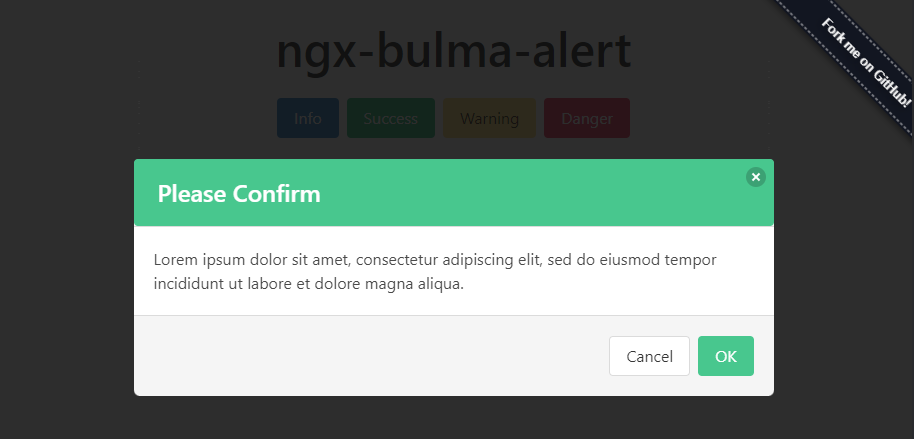
Demo
DEMO : https://ngx-bulma-alert.stackblitz.io
Install
npm i ngx-bulma-alert --savebulma package is a required dependency for the default alert styles
npm i bulma --saveSetup
Step 1: Add NgxBulmaAlertModule to app NgModule
import { NgModule } from "@angular/core";
import { AppComponent } from "./app.component";
import { NgxBulmaAlertModule } from "ngx-bulma-alert";

@NgModule({
  imports: [NgxBulmaAlertModule], // add a module
  declarations: [AppComponent],
  bootstrap: [AppComponent],
})
export class AppModule {}
Step 2: Add default bulma styles
- If you are using sass you can directly import it to your
styles.scss.
@import 'bulma/css/bulma.min.css';- If you are using angular-cli you can add it to your
angular.json
"styles": [
  "node_modules/bulma/css/bulma.min.css" // add here
  "styles.scss",
]
Use
import { Component } from "@angular/core";
import { NgxBulmaAlertService } from "ngx-bulma-alert";

@Component({
  selector: "my-app",
  // IMPORTANT : Add a selector to the root component
  template: `<ngx-bulma-alert></ngx-bulma-alert>`,
})
export class AppComponent {
  // Inject NgxBulmaAlertService
  constructor(private alertService: NgxBulmaAlertService) {}

  openAlert() {
    this.alertService
      .createAlert({
        title: "Deleted?",
        content: "This operation will delete the Item permanantly.",
        confirmText: "Delete",
        cancelText: "Cancel",
        type: "danger",
      })
      .onAlertDismiss.subscribe((confirmed: boolean) => {
        if (confirmed) {
          // Proceed with an operation after User confirmation
        }
      });
  }
}
Options
| Options | Type | Default | Description |
|---|---|---|---|
| type | string 'success'|'info'|'warning'|'danger' | 'info' | Type of the alert to show |
| title | string | '' | Title of the alert box |
| content | string | '' | Body of the alert box |
| confirmText | string | Confirm button will be hidden if not passed | Text of Confirm button |
| cancelText | string | Cancel button will be hidden if not passed | Text of Cancel button |
License
MIT
GitHub @ParthModi9494 · Twitter @Parth_R_Modi · Website @parthmodi.in
1.0.1
4 years ago
1.0.0
4 years ago
0.0.19
4 years ago
0.0.18
4 years ago
0.0.17
4 years ago
0.0.16
4 years ago
0.0.15
4 years ago
0.0.14
4 years ago
0.0.13
4 years ago
0.0.12
4 years ago
0.0.11
4 years ago
0.0.10
4 years ago
0.0.9
4 years ago
0.0.8
4 years ago
0.0.7
4 years ago
0.0.6
4 years ago
0.0.5
4 years ago
0.0.4
4 years ago
0.0.3
4 years ago
0.0.2
4 years ago
0.0.1
4 years ago