node-red-contrib-barcode v0.1.3
node-red-contrib-barcode
Node-RED node for reading barcode and QR code.
Install and Run Node RED
Windows
npm install -g --unsafe-perm node-red

node-red
Linux
npm install -g --unsafe-perm node-red

# Or
sudo snap install node-red

node-red
The first time running node-red, it will create a folder named .node-red in your home directory.
Windows
%userprofile%\.node-redLinux
~/.node-redIf the default port 1880 is in use, change it to 18800 in .node-red/settings.js.
Usage
Install node-red-contrib-barcode and start Node RED:
Windows
cd %userprofile%\.node-red
npm install node-red-contrib-barcode
node-red
Linux
cd ~/.node-red
npm install node-red-contrib-barcode
node-red
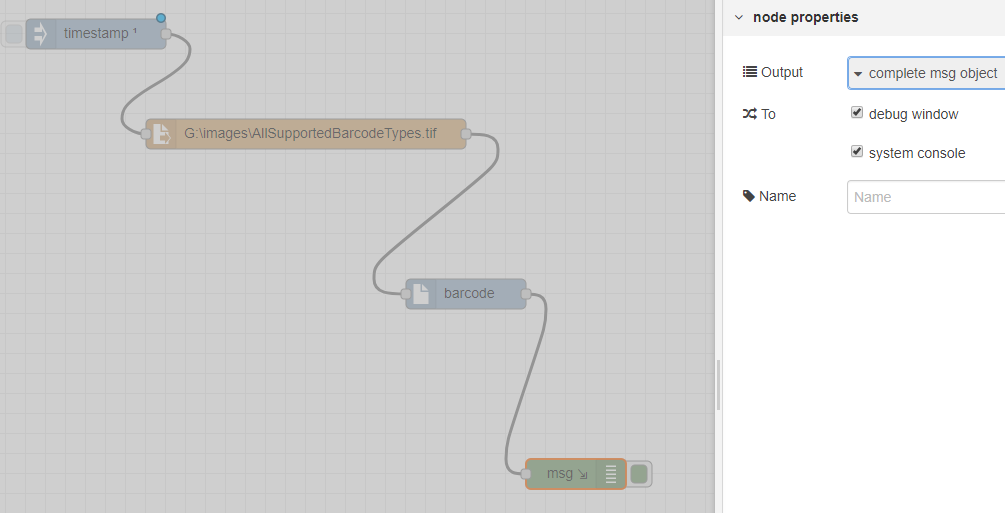
In web editor, add inject node, file node, barcode node and debug node. You can set the file path in file node. The file could be an image file (png, jpg, bmp, gif, tiff, pdf) or a file containing a base64 string. To output the results in the console, check the system console option in debug node.
Click barcode node to set a valid license of Dynamsoft Barcode Reader and barcode parameter template:
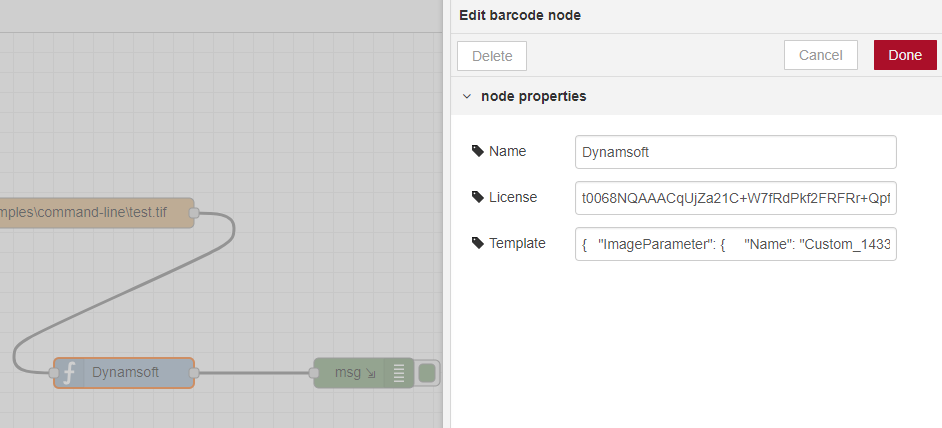
If the template is empty, the default template will be used.
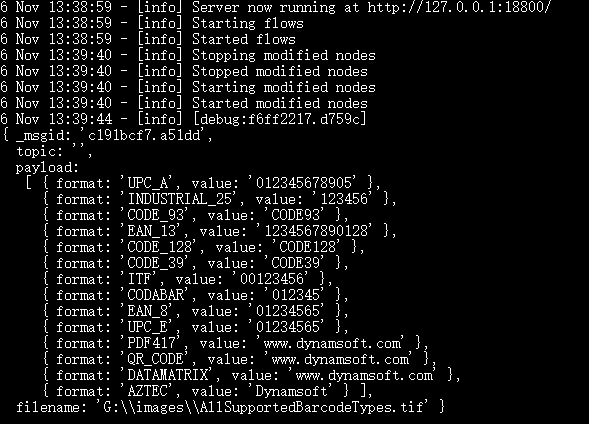
Run the NODE RED flow and you will see the barcode results in the console: