npm2dot v2.0.0
npm2dot


Convert npm dependency list to dot file which can be visualized using graphviz

Install
npm install npm2dot -gUsage
1. In a Node.js package folder, type in console:
npm ls --json | npm2dot2. By default npm2dot will write following content to stdout:
digraph{
 root="debug@2.2.0"
 "debug@2.2.0" -> "N_1"
 "N_1"[label="ms@0.7.1",style="filled",fillcolor="0.06666666666666667 1 1"]
}3. This output can be piped to Graphviz to generate a picture:
npm ls --json | npm2dot | dot -Tpng -o debug.png -Grankdir=LRPicture debug.png is very simple because debug has only one dependency:
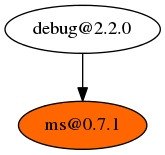
That's how npm2dot interacts with npm ls and Graphviz. More complicated use cases are:
Use Case 1 : Comparison of folder structure installed separately using NPM2 and NPM3
NPM3 is currently in beta, one of the most expected feature is flatten structure :
Dependencies will now be installed maximally flat. Insofar as is possible, all of your dependencies, and their dependencies, and THEIR dependencies will be installed in your project's node_modules folder with no nesting. You'll only see modules nested underneath one another when two (or more) modules have conflicting dependencies.
Using npm2dot and Graphviz will help you clearly understand this change:
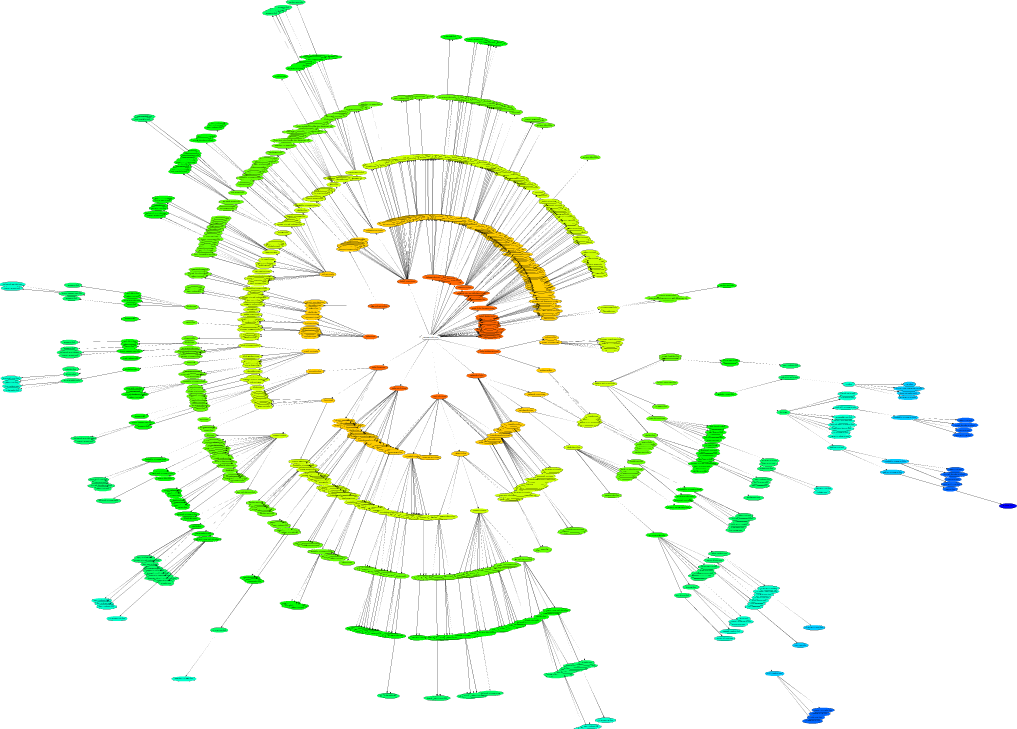
npm ls --json | npm2dot | twopi -Tsvg -o /tmp/twopi.svg -Granksep=4Result:
Before, the dependencies is install with npm@2.x
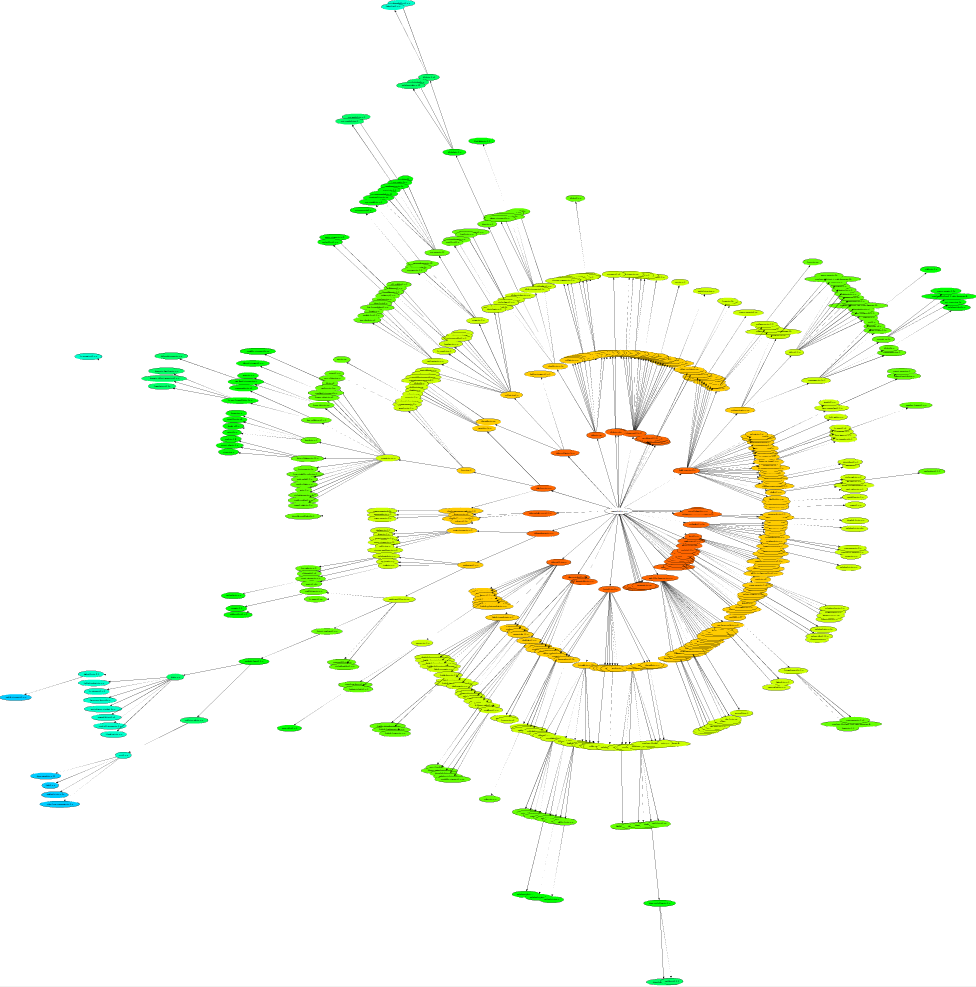
If we use npm@3.x (npm install npm@3.x-next -g) to install dependencies, there are less nodes in the structure
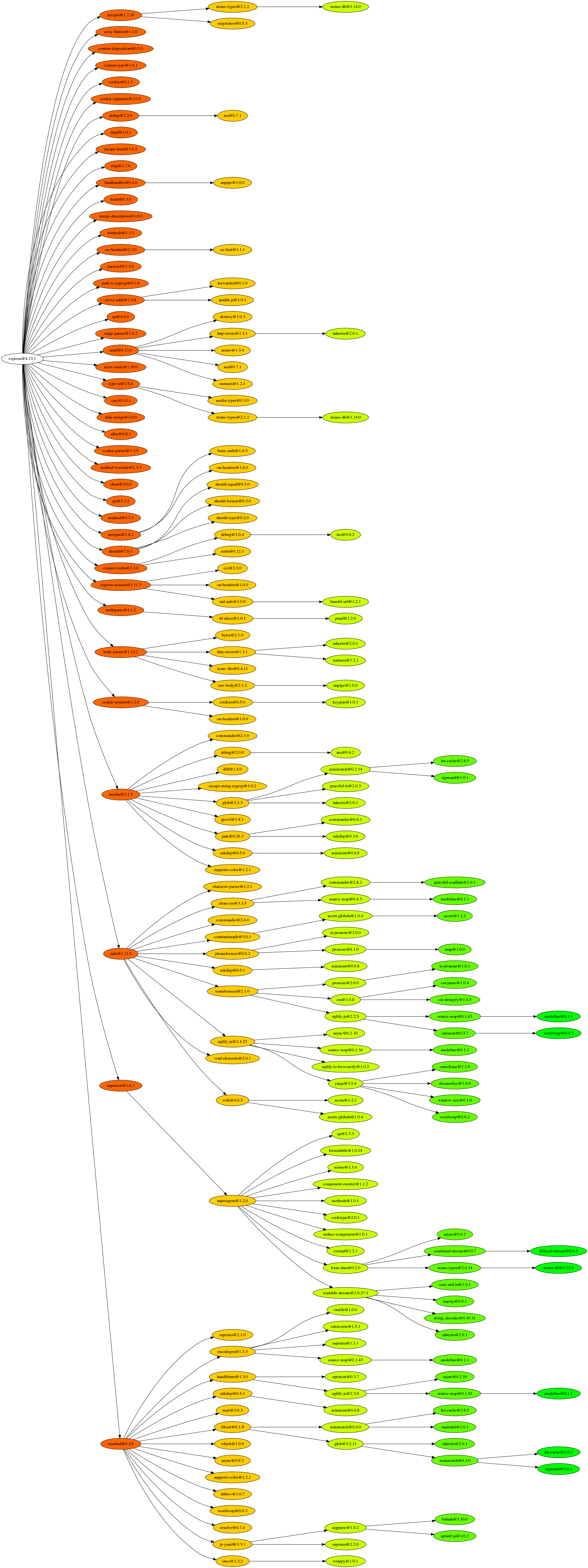
Use Case 2 : Comparison of Express Production and Development environment
In express folder, execute
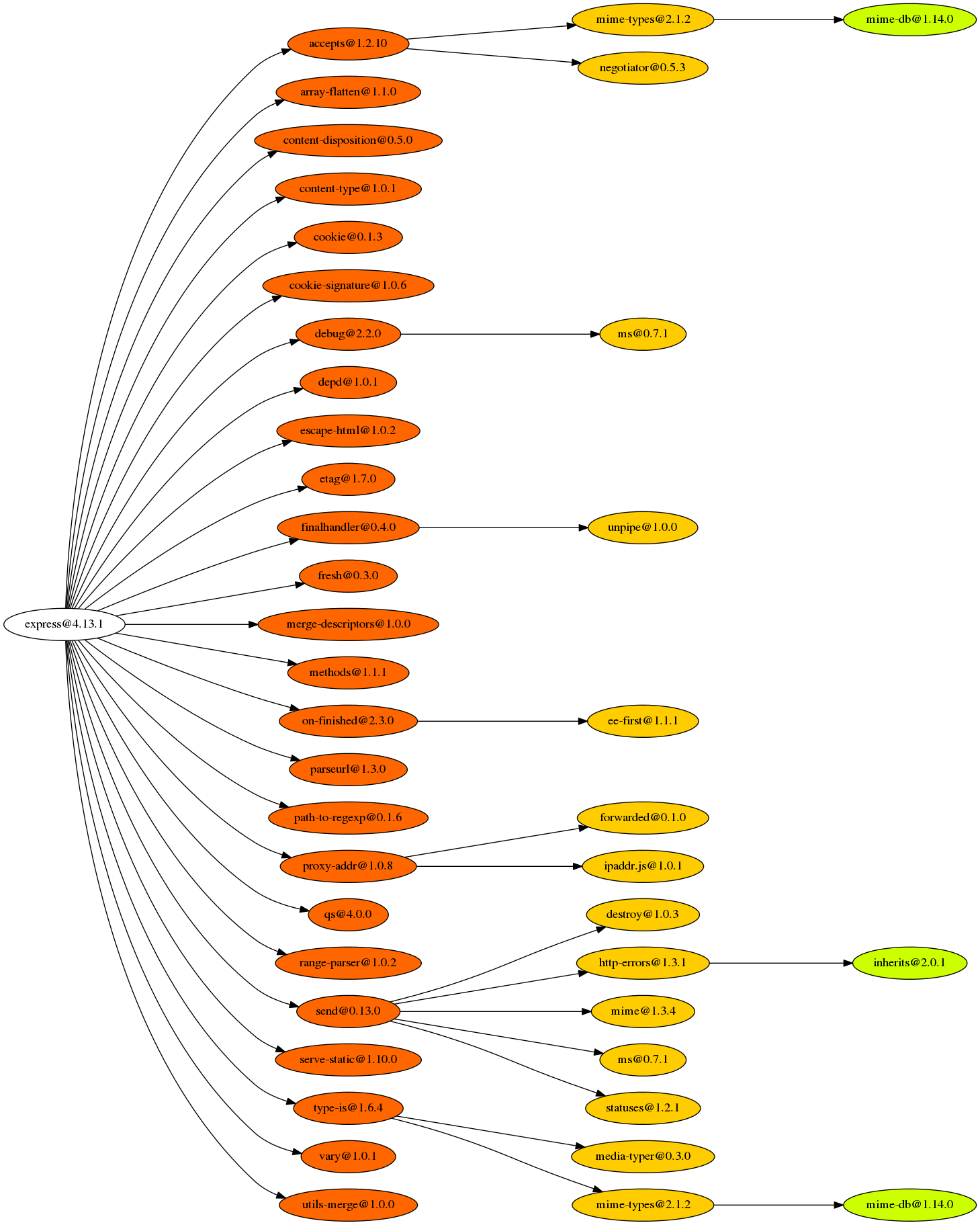
npm ls --json | npm2dot | dot -Grankdir=LR -Tpng -OResult:
Express Production Environment
Express Development Environment
About
1. Graphviz can be downloaded at http://www.graphviz.org/Download.php.
2. Anyone can fork this repo to provide more interesting use cases.
3. Please include a link to original github repo, if you want to use any pictures on this page.