





Open Sesame
Open Sesame is a CLI tool for adding your public IP address to AWS security group's inbound rules.
This is handy when you're sitting behind a dynamic IP (e.g. you're using a Wi-Fi dongle) and would like to allow access from that IP to some AWS resources through a security group.
Installation
npm install -g open-sesameUsage
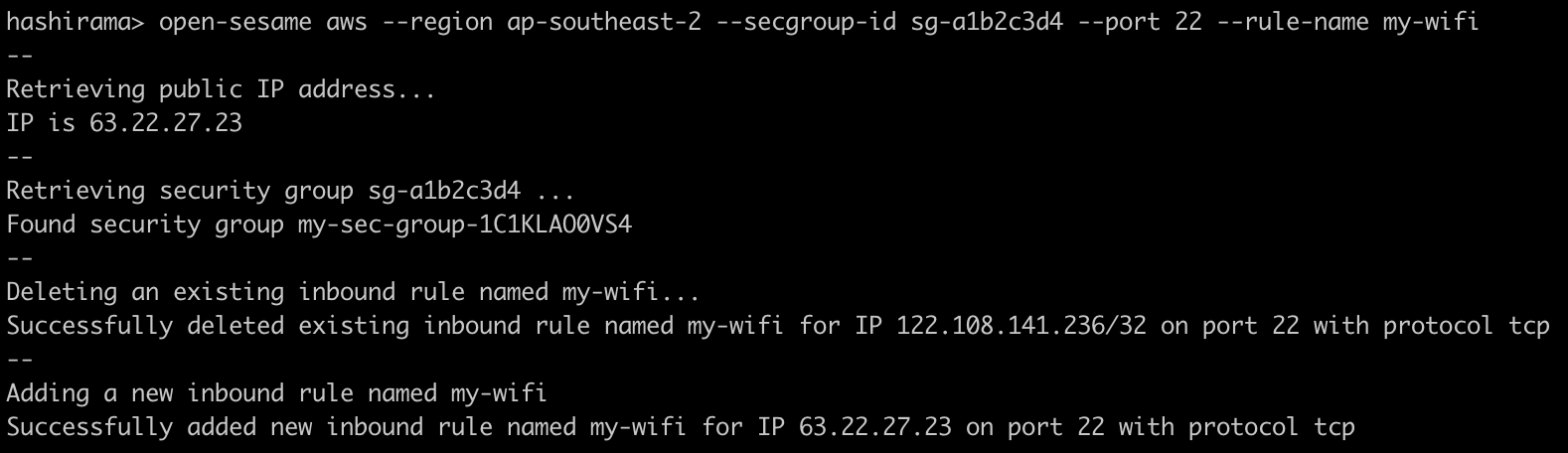
Add inbound rule to specified security group, rule will be named 'open-sesame':
open-sesame aws --region ap-southeast-2 --secgroup-id sg-12345678Add inbound rule with specified port and name:
open-sesame aws --region ap-southeast-2 --secgroup-id sg-12345678 --port 22 --rule-name some-wi-fiNote: open-sesame 1.x.x uses --name arg instead of --rule-name .
Add inbound rules to multiple security groups:
open-sesame aws --region ap-southeast-2 --secgroup-id sg-12345678,sg-87654321Permission
You can use the example below to provision an IAM policy for Open Sesame to use:
{
    "Version": "2012-10-17",
    "Statement": [
        {
            "Sid": "OpenSesame0",
            "Effect": "Allow",
            "Action": [
                "ec2:DescribeSecurityGroups"
            ],
            "Resource": [
                "*"
            ]
        },
        {
            "Sid": "OpenSesame1",
            "Effect": "Allow",
            "Action": [
                "ec2:RevokeSecurityGroupIngress",
                "ec2:AuthorizeSecurityGroupIngress"
            ],
            "Resource": [
                "arn:aws:ec2:<region>:<account_id>:security-group/sg-12345678",
                "arn:aws:ec2:<region>:<account_id>:security-group/sg-87654321"
            ]
        }
    ]
}
Colophon
Build reports: