pebble-owm-weather v1.0.0
owm-weather
Library for easy fetching of weather data from OpenWeatherMap.org.
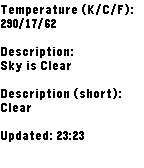
Includes a simple test app as a proof of concept usage of a weather C API.
How to use
Obtain an API key from OpenWeatherMap.org.
Ensure
'enableMultiJS': trueis set in your appinfo.json.Run
pebble package install pebble-owm-weather.Require
pebble-owm-weatherin your yourapp.jsfile, and then instantiate an OWMWeather object.
var OWMWeather = require('lib/owm_weather.js');
var owmWeather = new OWMWeather();- Call
owmWeather.appMessageHandler()in anappmessagehandler so that it can message the C side.
Pebble.addEventListener('appmessage', function(e) {
  owmWeather.appMessageHandler(e);
});- Include the library in any C files that will use it:
#include <pebble-owm-weather/owm-weather.h>- Include the pebble-events library in your main file so you can initialise it:
#include <pebble-events/pebble-events.h>Call
owm_weather_init(api_key)to initialize the library when your app starts, supplying your API key.Call
events_app_message_open()afterowm_weather_initand any other libraries you need to init.Call
owm_weather_fetch()after PebbleKit JS is ready, and supply a suitable callback for events.
That's it! When the fetch returns (successful or not), the callback will be called with a OWMWeatherInfo object for you to extract data from.
Documentation
Read include/owm-weather.h for function and enum documentation.
Data returned
Available now
- Description, short description, temperature in K/C/F, location name.
Not implemented, but possible
Anything else detailed in the JSON response.
10 years ago