presetter-preset-hybrid v7.1.0

🏄🏻 A collection of opinionated configurations for a typescript project for presetter
• Quick Start • Project Structure • Customization • Scripts •







presetter-preset-hybrid is an opinionated extension of presetter-preset-essentials but aims to help you to create a dual CommonJS/ESM package without all the pains. As the same as presetter-preset-essentials, it's designed to help you get started with a typescript project in a fraction of time you usually take via presetter.
With presetter-preset-hybrid, it provides everything bundled from presetter-preset-essentials, plus the ease of writing a hybrid CommonJS/ESM package.
Features
🤩 Hybrid CommonJS
.jsand ESM.mjsexports🔍 Searches and replaces
__dirnameand__filenamerefs with theimport.metaequivalent🥹 Forget about writing the
.js/.tsextension pain for each importWith this preset, estensions are automatically added post tsc. i.e.
import {foo} from './foo'→import {foo} from './foo.js'
Quick Start
To kickstart a hybrid CommonJS/ESM package, set the following in your package.json and follow the guide below.
{
  "main": "lib/index.js",
  "module": "lib/index.mjs",
  "types": "lib/index.d.ts",
  "exports": {
    ".": {
      "require": "./lib/index.js",
      "import": "./lib/index.mjs"
    },
    "./package.json": "./package.json"
  }
}
FULL DOCUMENTATION IS AVAILABLE HERE
1. Bootstrap your project with presetter-preset-hybrid
On your project root, create a presetter.config.ts file with the following content:
// presetter.config.ts
export { default } from 'presetter-preset-hybrid';
or if customization is needed. For example, you can extend the configuration with more presets:
// presetter.config.ts

import { preset } from 'presetter';
import hybrid from 'presetter-preset-hybrid';
import other from 'other-preset';

export default preset('project name', {
  extends: [hybrid, other],
  override: {
    // override the configuration here
  },
});
Then, install your project as usual with npm install or any package manager you prefer.
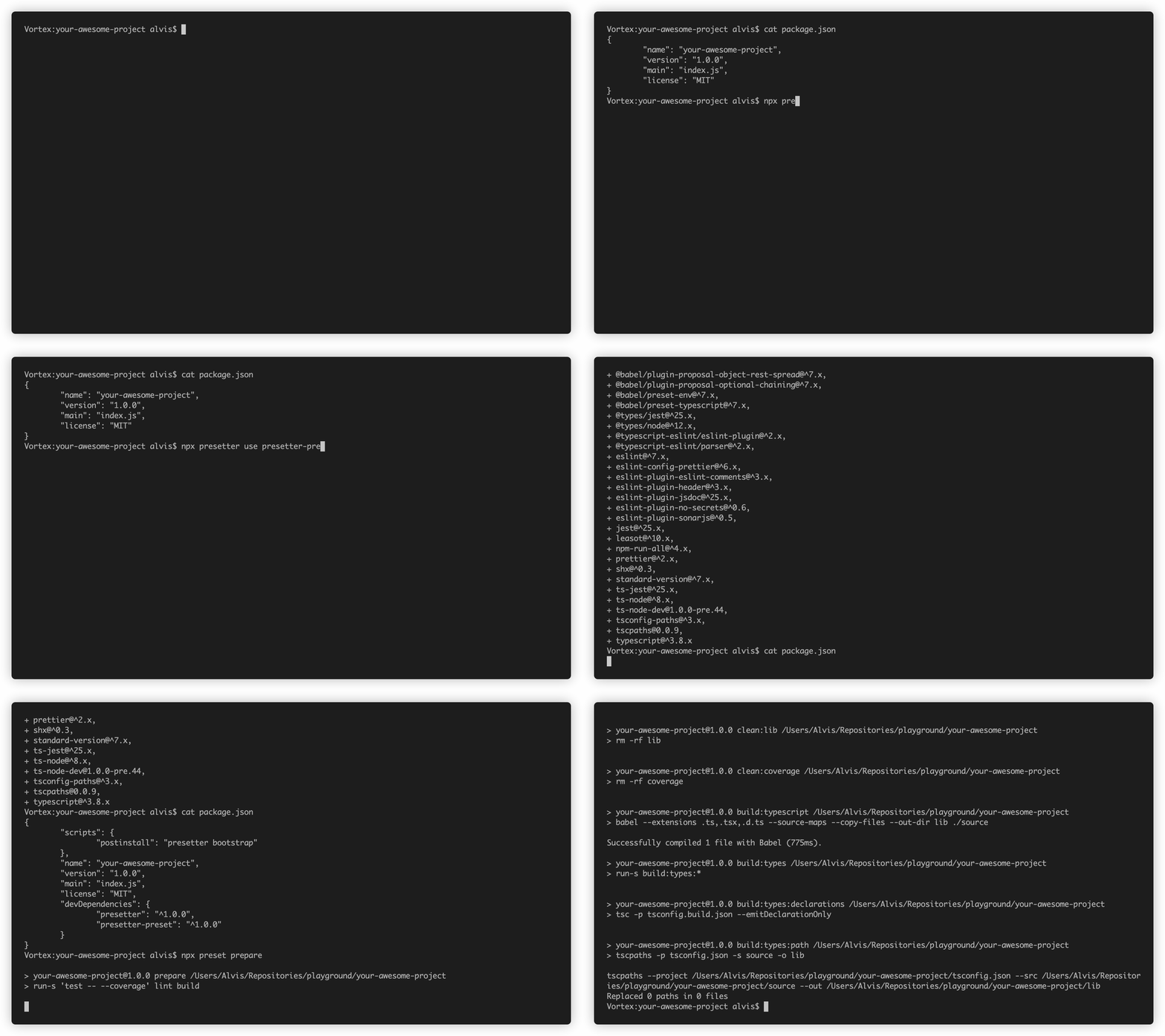
2. Develop and run life cycle scripts provided by the preset
At this point, all development packages specified in the preset are installed, and now you can try to run some example life cycle scripts (e.g. run prepare).
Project Structure
After installation, your project file structure should resemble the following, or include more configuration files if you also installed other presets.
Implement your business logic under source and prepare tests under spec.
TIPS You can always change the source directory to other (e.g. src) by setting the source variable in presetter.config.ts. See the customization section below for more details.
(root)
 ├─ .git
 ├─ .husky
 ├─ .lintstagedrc.json
 ├─ .npmignore
 ├─ .prettierrc.json
 ├─ presetter.config.ts
 ├─ node_modules
 ├─ source
 │   ├─ <folders>
 │   ├─ index.ts
 │   ├─ (auxiliary).ts
 ├─ spec
 │   ├─ *.spec.ts
 ├─ package.json
 ├─ eslint.config.ts
 ├─ tsconfig.json
 ├─ tsconfig.build.json
 ├─ tsconfig.cjs.json
 ├─ tsconfig.mjs.json
 └─ vitest.config.ts
Customization
By default, this preset exports a handy configuration for a typescript project.
You can further customize (either extending or replacing) the configuration by specifying the changes in the config file presetter.config.ts.
Script Template Summary
run build: Transpile source code from typescript and replace any mapped pathsrun clean: Clean up any previously transpiled coderun develop -- <file path>: Create a service that run the specified file whenever the source has changedrun test: Run all testsrun watch: Rerun all tests whenever the source has changerun coverage: Run all test with coverage reportrun release: Bump the version and automatically generate a change logrun release -- --prerelease <tag>: Release with a prerelease tag
1 year ago
2 years ago
1 year ago
1 year ago
1 year ago
1 year ago
1 year ago
2 years ago
2 years ago
2 years ago
2 years ago
2 years ago
2 years ago
3 years ago
3 years ago
3 years ago
3 years ago
3 years ago
3 years ago
3 years ago
3 years ago
3 years ago
3 years ago
3 years ago
3 years ago
3 years ago
3 years ago
3 years ago
3 years ago
4 years ago
4 years ago
4 years ago
4 years ago