0.1.4 • Published 7 years ago
react-custom-toast v0.1.4
react-custom-toast
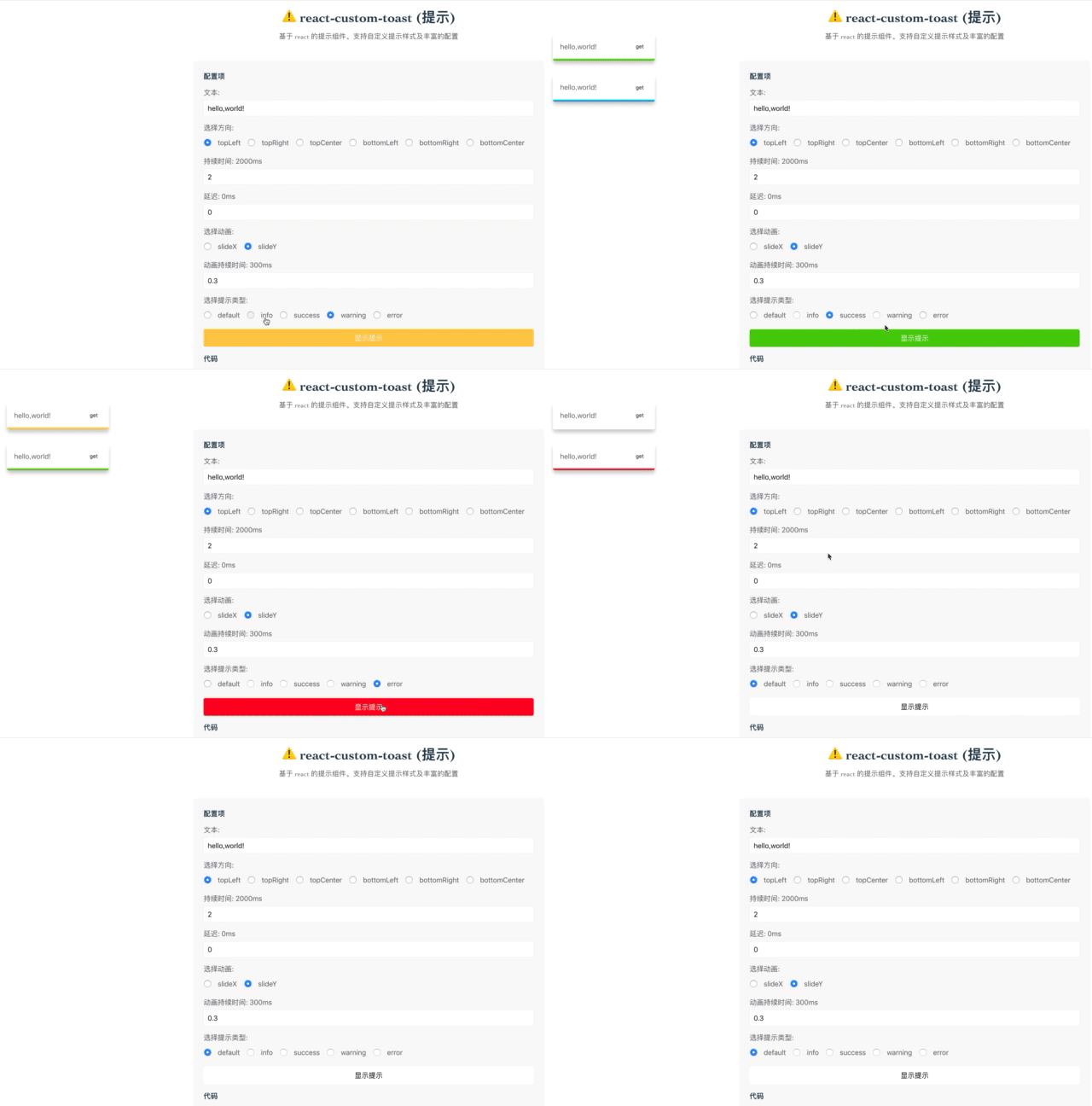
基于 react 的 toast 组件。可以完全的自定义样式。并提供了内置动画与控制方法demo
Feature
- 添加测试
- 上线 demo 网站
- 更多的内置动画效果
安装
使用 npm 安装
npm install react-custom-toast --save使用 yarn 安装
yarn add react-custom-toast使用
添加 ToastContainer 组件至
render中
import { ToastContainer } from 'react-custom-toast'

ReactDom.render(<ToastContainer />, document.body)
然后,开始使用 toast
import { Toast } from 'react-custom-toast'

Toast.open('hello,world')
参数
ToastContainer
| 参数 | 类型 | 默认值 | 描述 |
|---|---|---|---|
| component | JSX.FunctionComponent | undefinded | 自定义组件 |
| clickClose | boolean | false | 点击 toast 即关闭 |
Toast
方法
Toast(msg: string, opt: ToastOption) // 打开默认提示
Toast.open(msg: string, opt: ToastOption) // 打开无状态提示
Toast.info(msg: string, opt: ToastOption) // 打开提示
Toast.info(msg: string, opt: ToastOption) // 打开成功提示
Toast.error(msg: string, opt: ToastOption) // 打开错误提示
Toast.warning(msg: string, opt: ToastOption) // 打开警告提示
Toast.remove(id: ToastId) // 移除某个 toast
ToastOption
| 参数 | 类型 | 默认值 | 描述 |
|---|---|---|---|
| id | string|number | 随机 | 设置 toast id |
| type | string | '' | 提示类型('info' | 'success' | 'error' | 'warning') |
| placement | string | topLeft | toast 方位('topLeft' | 'topRight' | 'topCenter' | 'bottomLeft' | 'bottomRight' | 'bottomCenter') |
| duration | number | 2000 | 提示持续时间 |
| delay | number | 0 | 提示出现延时 |
| animateDuration | number | 300 | 提示动画时间 |
| animateName | string | slideX | 提示动画效果('slideX' | 'slideY') |
License
MIT