1.1.0 • Published 2 years ago
react-google-signin-button v1.1.0
react-google-signin-button
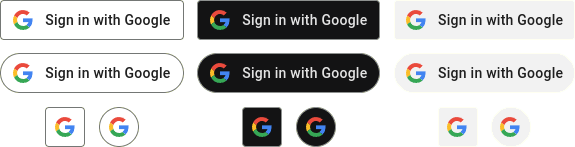
"Sign in with Google" button for React. Follows the official guidelines. Note that this module does not provide authentication itself; it only offers a button.
Installation
$ npm install react-google-signin-buttonUsage
Import GoogleButton component and required CSS file.
import GoogleButton from 'react-google-signin-button';
import 'react-google-signin-button/dist/button.css';

function App() {
  return (
    <div>
      <GoogleButton
        onClick={() => { console.log('Google button clicked'); }}
      />
    </div>
  );
}
Why are the styles in external CSS file and not as inline styles?
Using an external CSS file allows you to make small adjustments by
adding your own CSS. Pseudo-classes :active and :focus cannot
be used with inline styles without adding NPM dependencies.
Props
| Name | Type | Default Value | Description |
|---|---|---|---|
label | string | Sign in with Google | Text in the button. See Google documentation. |
theme | string | light | light, dark or neutral |
shape | string | rectangular | rectangular, pill, square or circle. Use square or circle when you want the logo only. |
size | string | md | lg, md, or sm |
logoAlign | string | left | When using custom width, the logo can be aligned with this. left or center |
Other props are passed to the button element, such as:
onClickdisabledclassNamestyle
Development
$ npm run rollupThis builds files under dist/ directory.