react-listview-sticky-header v0.7.1

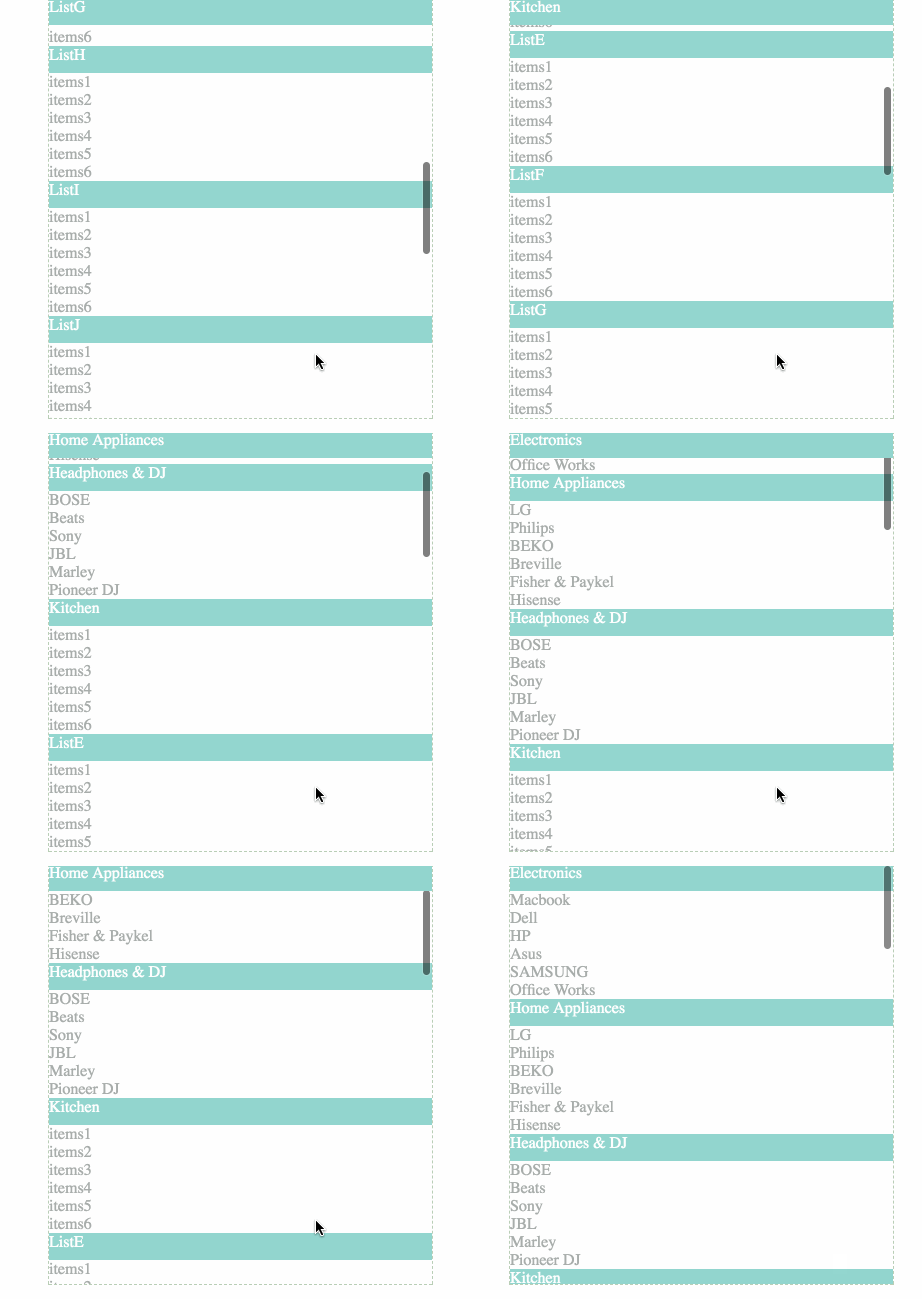
React listview with sticky header
Installation
npm
$ npm install --save react-listview-sticky-headerSince React is peer dependency, you need to install it manually if you haven't.
Demo
http://cht8687.github.io/react-listview-sticky-header/example/
Usage
<ReactListView
    data={data}
    headerAttName="headerName"
    itemsAttName="items"
    styles={styles}
/>
Options
data: PropTypes.array.isRequired
const DATALIST = [
{
  headerName : "ListA",
    items : [{
      title : "items1"
    }, {
      title : "items2"
    }]
},
{
  headerName : "ListB",
    items : [{
      title : "items1"
    }, {
      title : "items2"
    }]
}
];headerAttName: PropTypes.string.isRequired
variable name of header in your data object.
In above example, it's headerName.
itemsAttName: PropTypes.string.isRequired
variable name which hold items data in your data object.
In above example, it's items.
styles: PropTypes.object.isRequired
let styles = {
  outerDiv: {
    height: '420px',
    overflowY: 'auto',
    outline: '#b9ceb6 dashed 1px',
    width: '383px'
  },

  ul: {
    margin: '0px',
    listStyleType: 'none',
    padding: '0px'
  },

  fixedPosition: {
    position: 'fixed',
    width: '383px',
    top: '0px'
  },

  listHeader: {
    width: '383px',
    height: '27px',
    background: '#94D6CF',
    color: 'white'
  },

  listItems: {
    color: '#a9adab'
  }
}outerDiv, ul, fixedPosition, listHeader, listItems are required, you can modify the CSS to meet your needs.
Development
$ git clone git@github.com:cht8687/react-listview-sticky-header.git
$ cd react-listview-sticky-header
$ npm install
$ webpack-dev-server
Then
open http://localhost:8080/webpack-dev-server/License
MIT

4 years ago
5 years ago
7 years ago
8 years ago
9 years ago
9 years ago
9 years ago
10 years ago
10 years ago
10 years ago
10 years ago
10 years ago
10 years ago
10 years ago
10 years ago
10 years ago
10 years ago
10 years ago
10 years ago
10 years ago
10 years ago
10 years ago
10 years ago
10 years ago
10 years ago
10 years ago
10 years ago
10 years ago
11 years ago
11 years ago
11 years ago
11 years ago
11 years ago
11 years ago
11 years ago
11 years ago
11 years ago