1.2.3 • Published 6 years ago
react-native-draggable-panel v1.2.3
react-native-draggable-panel
A react native draggable panel for Android and iOS
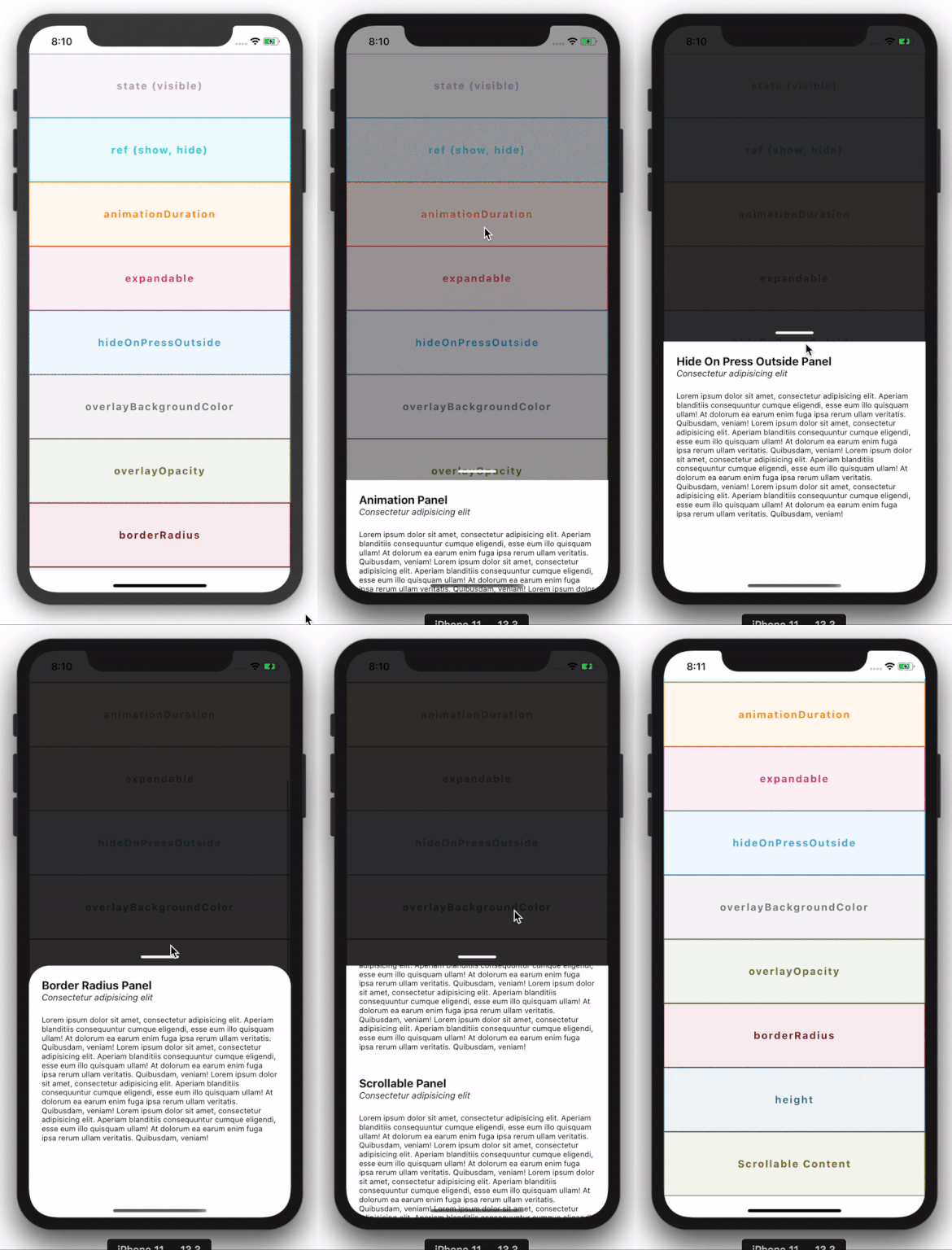
Installation
This library is available on npm, install it with: npm i react-native-draggable-panel or yarn add react-native-draggable-panel.
Usage
Import react-native-draggable-panel:
import DraggablePanel from 'react-native-draggable-panel';Reactive way
- Then simply show it or hide it by setting the
visibleprop to true or false:
render () {
  return (
    <DraggablePanel
      visible={this.state.panelVisible}
    >
      <Text>I am a content</Text>
    </DraggablePanel>
  )
}
Declarative way
panelRef = React.createRef();

showPanel() {
  this.panelRef.current.show();
}

hidePanel() {
  this.panelRef.current.hide();
}

render () {
  return (
    <DraggablePanel
      ref={this.panelRef}
    >
      <Text>I am a content</Text>
    </DraggablePanel>
  )
}
Available props
| Name | Type | Default | Description |
|---|---|---|---|
| visible | boolean | false | Controls the panel's visibility |
| animationDuration | number | 500 | Controls the duration in ms to show or hide the panel |
| expandable | boolean | false | Controls if the panel can be expanded or not |
| hideable | boolean | true | Controls if the panel can be hidden when press outside or on the android physical back button |
| hideOnPressOutside | boolean | true | Controls neither to hide the panel when user presses on the overlay or not |
| overlayBackgroundColor | Color | black | Controls the backgroundColor of the overlay |
| overlayOpacity | number | 0.8 | Is a value between 0 and 1 that controls the overlay opacity |
| borderRadius | number | 0 | Controls the panel top border radius |
| initialHeight | number | SCREEN_HEIGHT / 2 | Controls the panel initial height |
| hideOnBackButtonPressed | boolean | true | Controls either the panel get dismissed on android physical button pressed or not Android ONLY |
| onDismiss | callback | A callback function when the panel is dismissed |