
react-native-easy-loading-view

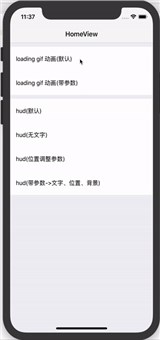
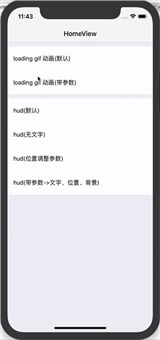
Preview
Getting started
$ npm install react-native-easy-loading-view --save
Example
Check example in the folder.
Usage
edit your project root view,like this(detail please see example):
import Loading from 'react-native-easy-loading-view';
render() {
return (
<View style={[{flex:1}]}>
<App/>
<Loading
ref={(view)=>{Loading.loadingDidCreate(view)}} // 必须调用

top={86} // 如果需要在loading或者hud的时候可以点击导航上面的按钮,建议根据自己导航栏具体高度来设置。如果不需要点击可以不设置
offsetY={-150} // 默认loading 和 hud 会在 去掉top之后高度的中间,如果觉得位置不太合适,可以通着offsetY来调整

// loadingDefaultText={''} // loading动画的文字
// loadingTextStyle={{ fontSize : 16, color: 'red' }} // loading动画文字的样式
// loadingImage={require('./screen/loading_2.gif')} // loading动画是显示的gif
// loadingImageStyle={{ width : 100, height : 100 }} // gif 图片样式

// hudStyle={{ width : 150, height : 150 }} // hud的全局样式
// hudBackgroundColor={'red'} // hud全局背景色
// hudDefaultText={'努力加载中...'} // hud默认全局文字
// hudTextStyle={{ fontSize : 16, color: 'red' }} // 文字样式
// activityIndicatorSize={'small'} // hud上面的圈圈 small or large
// activityIndicatorColor={'red'} // hud上面圈圈的颜色
// hudCustomImage={require('./screen/loading_2.gif')} // 自定义hud上面的圈圈显示,可以把转的圈圈替换为gif
// hudImageStyle={{ width : 50, height : 50 }} // 自定义hud图片的样式
/>
</View>
);
}
use loading(show or dismiss)
import Loading from 'react-native-easy-loading-view';

Loading.showHud(); //显示hud
Loading.showLoading(); //显示loading

Loading.dismiss(); // 消失
Properties
| Prop | Default | Type | Description |
|---|---|---|---|
| top | 0 | number |
Distance from top of container. |
| bottom | 0 | number |
Distance from bottom of container. |
| offsetY | 0 | number |
loading or hud y offset. |
| loadingDefaultText | string |
loading view default display text. | |
| loadingTextStyle | {...} | style |
loading view display text style. |
| loadingImage | image |
loading view display gif image. | |
| loadingImageStyle | {...} | style |
loading view display image style |
| hudDefaultText | string |
hud view default display text. | |
| hudTextStyle | {...} | style |
hud view display text style. |
| hudStyle | {...} | style |
hud view style. |
| hudBackgroundColor | 'transparent' | color |
loading view display image style |
| hudCustomImage | image |
hud view custom image. | |
| hudImageStyle | {...} | style |
hud custom image style |
| activityIndicatorSize | 'small' | string |
hud view default ActivityIndicator size. |
| activityIndicatorColor | style |
hud view default ActivityIndicator color |
Methods
showHud(text, extraTop, bkColor)
Parameters:
| Name | Type | default | Description | optional |
|---|---|---|---|---|
| text | string |
hudDefaultText | hud view display text | YES |
| extraTop | number |
0 | hud view extra offset y | YES |
| bkColor | string |
'' | hud view backgroundColor | YES |
showLoading(text, extraTop, bkColor)
Parameters:
| Name | Type | default | Description | optional |
|---|---|---|---|---|
| text | string |
loadingDefaultText | loading view display text | YES |
| extraTop | number |
0 | loading view extra offset y | YES |
| bkColor | string |
'' | loading view backgroundColor | YES |