0.4.0 • Published 10 years ago
react-native-effects-view v0.4.0
ReactNativeEffectsView
Component to make easy use of iOS8
UIVisualEffectViewswithUIBlurEffectandUIVibrancyEffectin ReactNative.
Install
npm install react-native-effects-view --save- In XCode right click on project's name and choose
Add Files to.. - Go to
node_modules/react-native-effects-viewand selectDVEffectsfolder - Now you're ready to
require('react-native-effects-view')inside your app!
Props
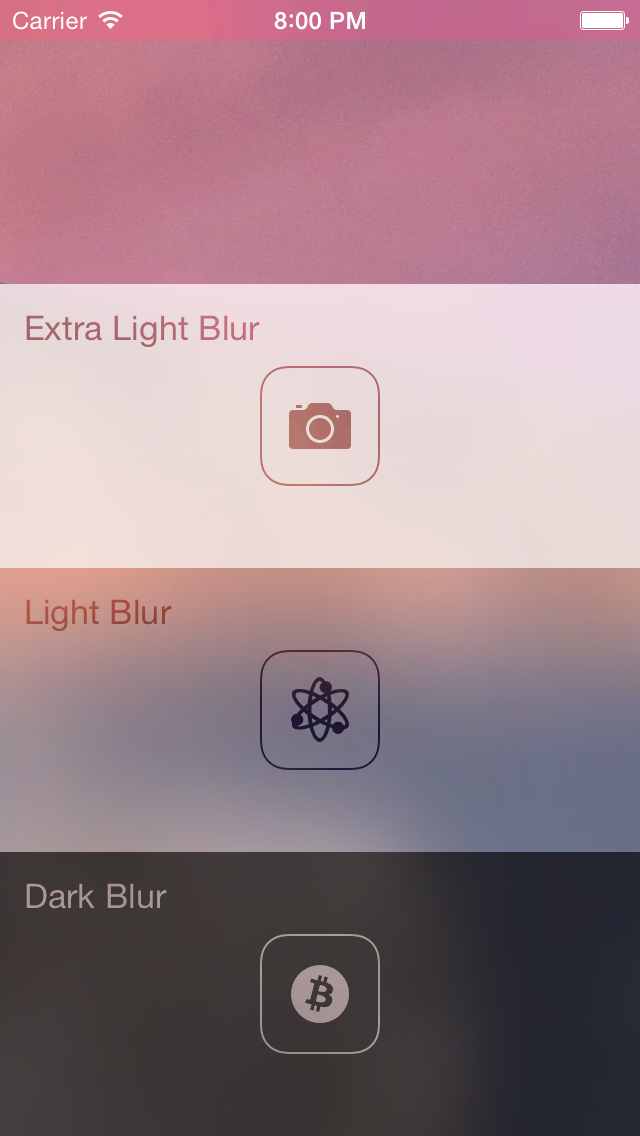
blurStyle(String) - choose one of the following:"light"(default)"extraLight""dark"
vibrantContent(ReactElement) - render vibrant content inside blurred view.
Children
All children of <EffectsView /> will be blurred, however you can use it without children and position element on top of background images and other views.
Example
In order to see usage example check example/EffectsApp folder in XCode (don't forget to run npm install inside). It contains the app presented by screenshot.
var React = require('react-native');
var EffectsView = require('react-native-effects-view');
var { AppRegistry, StyleSheet, View } = React;

var App = React.createClass({
    renderVibrant() {
        return (
            <View>
                <Text style={styles.text}>Do you feel blurry??</Text>
            </View>
        );
    },

    render() {
        return (
            <EffectsView
                style={styles.view}
                blurStyle="dark"
                vibrantContent={this.renderVibrant()}
            >
                <Image style={styles.bg} source={require('image!bg')} />
            </EffectsView>
        );
    }
});

var styles = StyleSheet.create({
    bg: {
        flex: 1,
        position: 'absolute',
        bottom: 0,
        left: 0,
        right: 0,
        top: 0,
        justifyContent: 'center',
        alignItems: 'center',
    },
    view: {
        flex: 1
    },
    text: {
        fontSize: 20,
        color: 'white',
        textAlign: 'center',
    },
});

AppRegistry.registerComponent('App', () => App);
References
Demo app is inspired by UIVisualEffects repo.
MIT Licensed