react-native-mapbox v0.1.5
react-native-mapbox
Unofficial MapBox wrapper for React Native around Android and IOS SDKs. There's no official MapBox library. This one covers some basic functionalities like adding markers etc.
Getting started
$ yarn add react-native-mapbox
React Native now automatically links dependencies so you don't need to do anything else other than adding your mapbox key. Grab your key from https://account.mapbox.com/ and follow instrunctions below:
Then in MainApplication.java file need to replace api key with API_KEY below.
import com.mapbox.mapboxsdk.Mapbox;
....

  @Override
  public void onCreate() {
    super.onCreate();
    SoLoader.init(this, /* native exopackage */ false);
    Mapbox.getInstance(getApplicationContext(), "YOUR_API_KEY"); // Add this line
  }
Add your API key to MGLMapboxAccessToken in info.plist file.
MGLMapboxAccessToken YOUR_API_KEY
And you're done with installation.
PROPS
| Prop Name | Description |
|---|---|
| camera | Camera Props |
| options | Option Props |
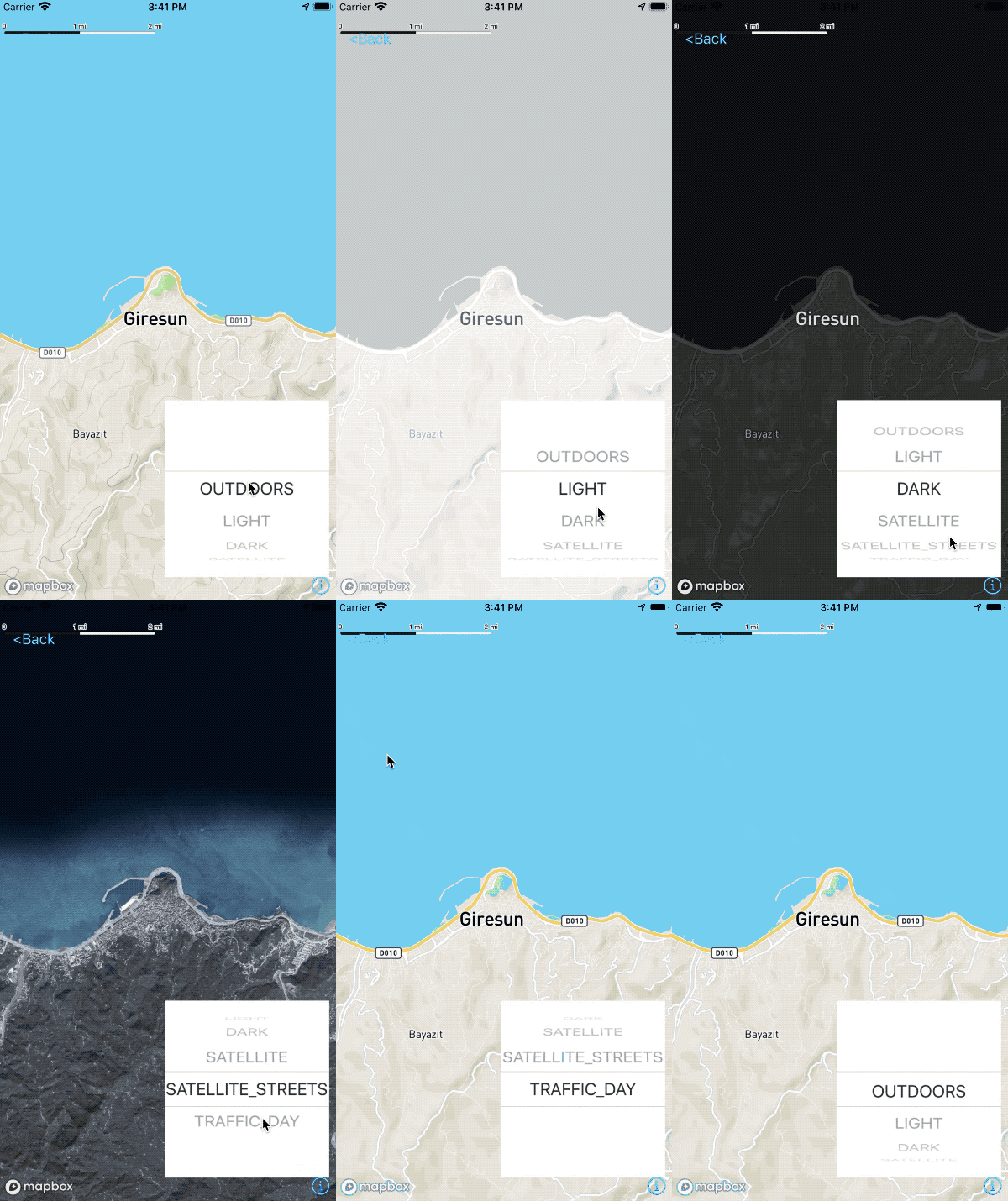
| mapStyle | MapStyle Props |
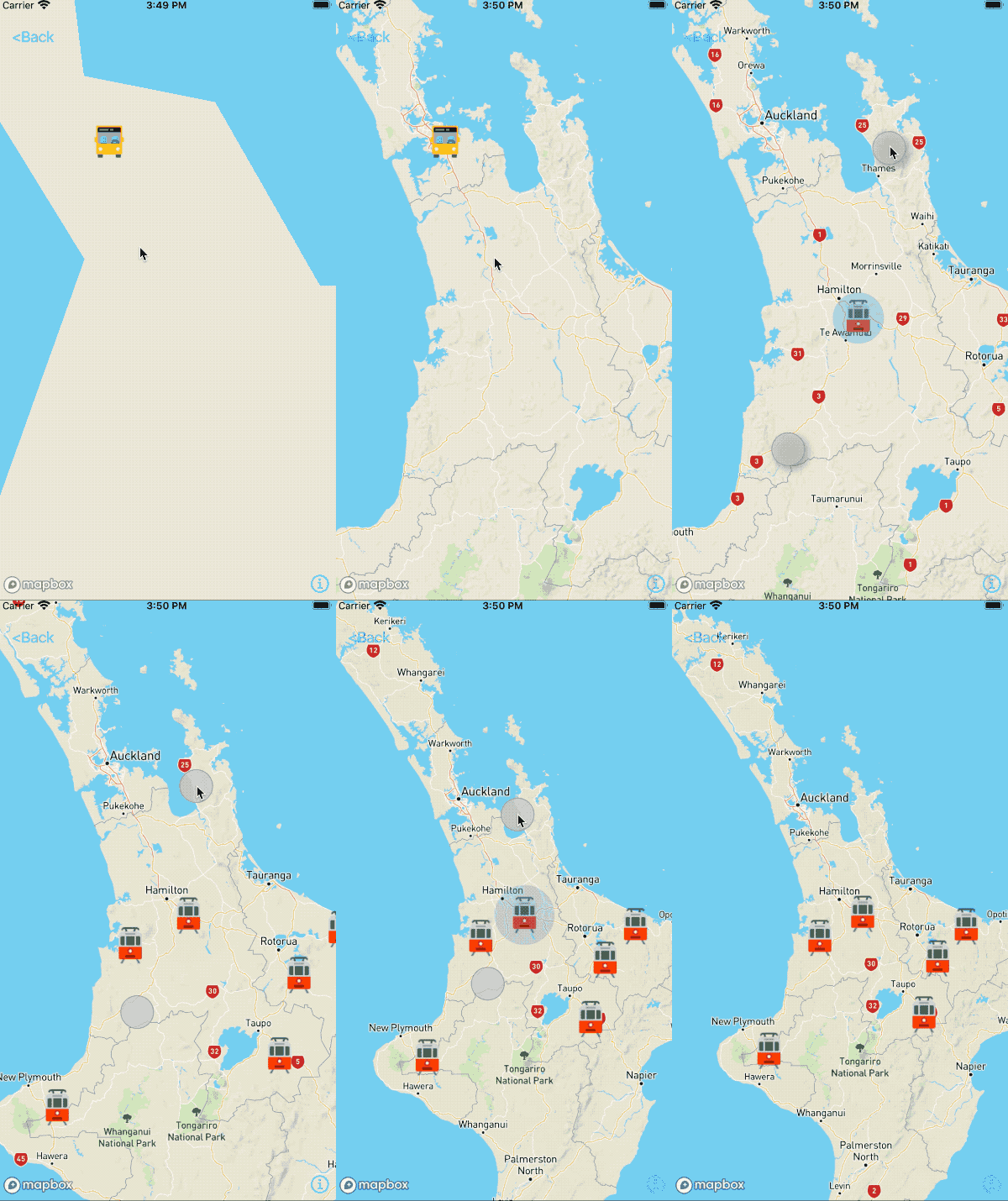
| markers | Array of Marker Props |
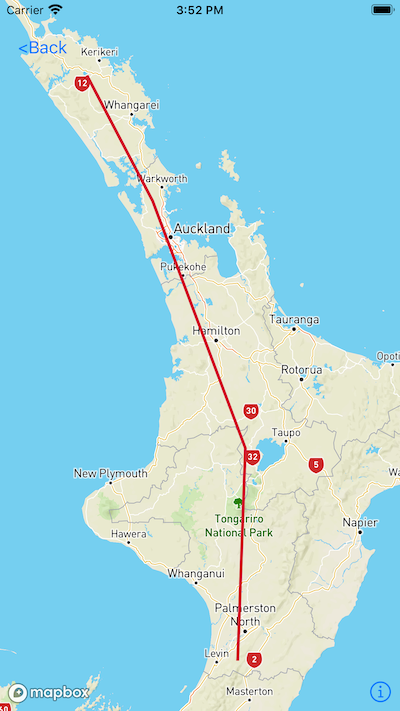
| polylines | Array of Polyline Props |
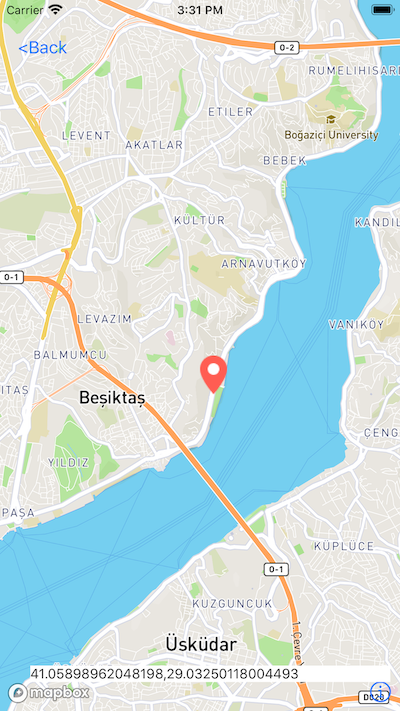
| locationPicker | Boolean - Whether to show the location picker in the centre of map |
| onMapReady | Callback when MapBox is ready |
| onCameraMove | Callback when camera is moving |
| onCameraMoveEnd | Callback when camera move action is ended |
Camera Props
| Prop Name | Description |
|---|---|
| target | {lat, lng} for latitude and longitude |
| zoom | Zoom value in numbers |
| bearing | Bearing value in numbers |
| tilt | Tilt value in numbers |
Option Props
| Prop Name | Description |
|---|---|
| showsUserHeadingIndicator | Boolean |
| showsScale | Boolean |
| showsHeading | Boolean |
| showsUserLocation | Boolean |
MapStyle Props
| Prop Name | Description |
|---|---|
| styleName | String - OOne of "OUTDOORS", "LIGHT", "DARK", "SATELLITE", "SATELLITE_STREETS", "TRAFFIC_DAY" |
| buildings | Boolean |
Marker Props
| Prop Name | Description |
|---|---|
| id | String - Identifier for marker. Has to be unique |
| lat | Number - Latitude for marker |
| lng | Number - Longitude for marker |
| title | String - Title for marker |
| Subtitle | String - Subtitle for marker |
| icon | Object - Resolved image asset eg. Image.resolveAssetSource(require('img.png')) |
| pulsator | Boolean or Pulsator Props |
Pulsator Props
| Prop Name | Description |
|---|---|
| color | String - hex colour |
| radius | Number - radius of pulsator |
| duration | Number - how many milliseconds the pulsating effect will take |
Polyline Props
| Prop Name | Description |
|---|---|
| id | String - Identifier for polyline. Has to be unique |
| coordinates | Array of numbers in Longitude, Latitude format |
| properties | Object of Polyline Properties Prop |
Polyline Properties Props
| Prop Name | Description |
|---|---|
| name | String - Polyline name |
| lineWidth | Number |
| lineColor | String - Hex of colour |
| lineType | String - dash or don't include for solid |
Usage
import {Image,StyleSheet} from 'react-native'
import RNMapBox from 'react-native-mapbox';
import bus from '../images/bus.png'
....

<RNMapBox
  camera={{
    target: {
      lat: -36,
      lng: 174,
    },
    zoom: 6,
  }}
  style={StyleSheet.absoluteFillObject}
  onMapReady={() => console.log('onMapReady callback')}
  markers={[
    {
        id: 'Marker1',
        lat: -36,
        lng: 174,
        title: 'Custom',
        subtitle: 'Sub1',
        icon: Image.resolveAssetSource(bus),
        pulsator: {
          color: '#ff00ff',
          radius: 20,
          duration: 1500
        }
      }
  ]}
/>
Screenshots
| Options | LocationPicker |
|---|---|
 |  |
| Markers | Polylines |
| -- | -- |
 |  |
6 years ago
6 years ago
6 years ago
6 years ago
6 years ago
6 years ago
6 years ago
6 years ago
6 years ago
6 years ago
6 years ago
6 years ago
6 years ago
6 years ago
6 years ago
6 years ago
6 years ago
6 years ago
6 years ago
6 years ago
6 years ago
7 years ago
7 years ago