



react-native-rolling-text
marquee in react-native!

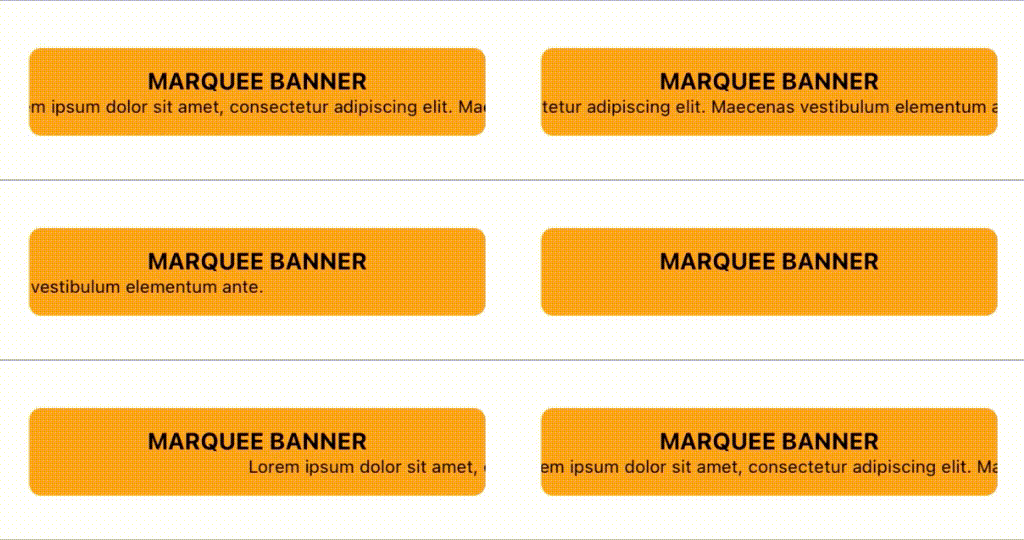
Installation
npm install react-native-rolling-textyarn add react-native-rolling-textUsage
- It is affected by the size of the container.
- Don't for get add overflow style to container.
import RollingText from "react-native-rolling-text";

<View style={{width:150, overflow:'hidden'}}>
    <RollingText>
        {"Enter your Loooooooooooooooooooong text"}
    </RollingText>
</View>
Change Logs
Support Props
| Prop | Type | Default | Description |
|---|---|---|---|
| debug? | boolean | false | debugging mode |
| force? | boolean | false | Makes the animation work even if the text is not longer than the container |
| containerStyle? | ViewStyle | - | component container style |
| style? | TextStyle | - | text style |
| startDelay? | number | 2000 | animation delay at trigger time |
| delay? | number | 0 | animation delay at end |
| durationMsPerWidth? | number | 25 | speed of animation, lower is faster |
Example
import * as React from 'react';
import { Text, View, StyleSheet } from 'react-native';
import RollingText from 'react-native-rolling-text';

function App() {
    return (
        <View style={styles.container}>
            <View style={styles.banner}>
                <Text style={styles.title}>{'MARQUEE BANNER'}</Text>
                <RollingText durationMsPerWidth={15} style={{ fontSize: 12 }}>
                    {
                        'Lorem ipsum dolor sit amet, consectetur adipiscing elit. Maecenas vestibulum elementum ante.'
                    }
                </RollingText>
            </View>
        </View>
    );
}

const styles = StyleSheet.create({
    container: {
        flex: 1,
        alignItems: 'center',
        justifyContent: 'center'
    },
    banner: {
        alignItems: 'center',
        justifyContent: 'center',
        backgroundColor: 'orange',
        height: 60,
        width: '80%',
        borderRadius: 8,
        overflow: 'hidden',
    },
    title: {
        fontWeight: 'bold',
        fontSize: 16,
    },
});

export default App;