react-native-view-transformer v0.0.28
react-native-view-transformer
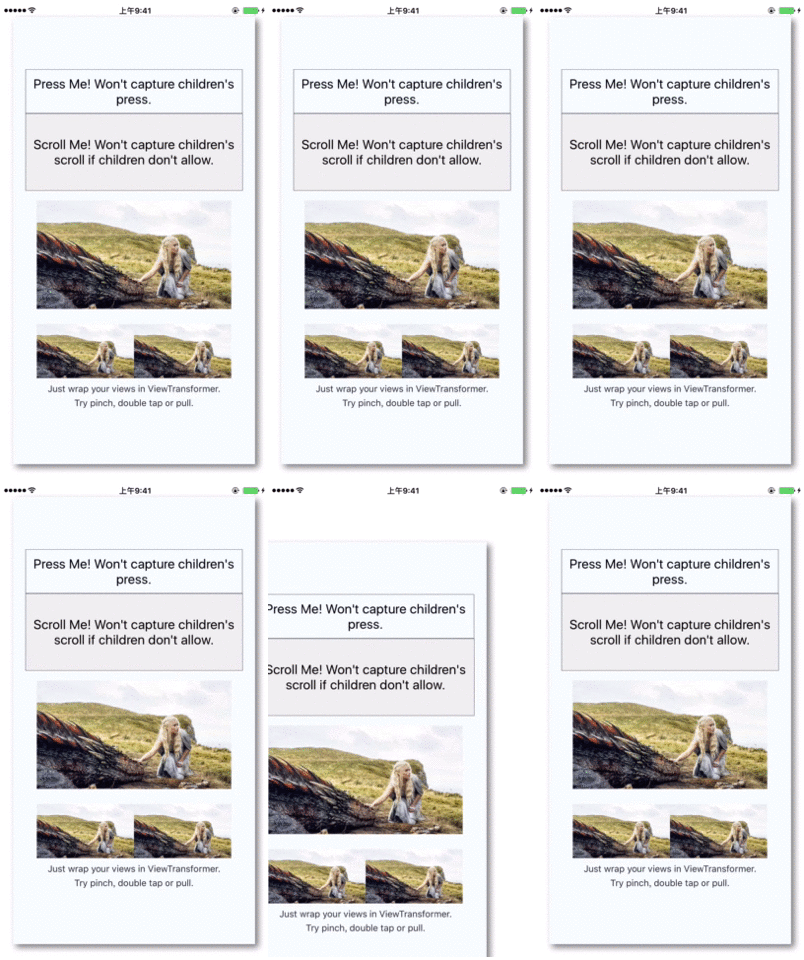
A pure JavaScript RN component that makes ANY views transformable using gestures like pinch, double tap or pull.
Install
npm install --save react-native-view-transformer@latest
Usage
import ViewTransformer from 'react-native-view-transformer';
...
render() {
  return (
  	<ViewTransformer>
	  //ANY views
	</ViewTransformer>
  );
}
Now, the wrapped views are transformable!
This component accepts following props:
enableTransform: false to disable transform gestures. Default is true.enableScale: false to disable scale. Default is true.enableTranslate: false to disable translateX/Y. Default is true.maxScale: a number. Default is 1.enableResistance: true to resist over pan. Defaul is false.maxOverScrollDistance: a number used to determine final scroll position triggered by fling. Default is 20.onViewTransformed: a callback called when transform changed, receiving current transform object, {scale: xxx, translateX: xxx, translateY: xxx}.onTransformGestureReleased: a callback called when the transform gesture is released, receiving current transform object, {scale: xxx, translateX: xxx, translateY: xxx}. Return true to abort further animations like bounce back.
methods
updateTransform(transform) : immediately transform this view.
Transformable Image
The most common case is to transform an image, or a photo, which is famous as a PhotoView, or ImageViewer, so I provide a dedicated component react-native-transformable-image
Application
Besides transforming an image, this component is helpful in implementing transition animations.
For example, you want to transform a normal size content into a right-bottom floating small window (like the android youtube app). Using this component, you can do as following:
- Calculate the normal rect and the final rect. A
ViewTransformer.Rect(left, top, right, bottom)object defines the boundary of a view - Use
ViewTransformer.getTransform(fromRect, toRect)to get the transform object - Use
updateTransform(transform)to make the tranform happen( This is immediate, but you can animate it by calculating the intermediate rects and then transform using your own animation loop)
10 years ago
10 years ago
10 years ago
10 years ago
10 years ago
10 years ago
10 years ago
10 years ago
10 years ago
10 years ago
10 years ago
10 years ago
10 years ago
10 years ago
10 years ago
10 years ago
10 years ago
10 years ago
10 years ago
10 years ago
10 years ago
10 years ago
10 years ago
10 years ago