
Prettify JSON
Minimalist package which makes possible for you to display your JSON as a element on your React App, personalizing the colors.


Install
npm install --save react-prettify-jsonUsage
import React from 'react';

import PrettyJSON from 'react-prettify-json';

const Example: React.FC = () =>  {
  const jsonObject = {
    "react": ">=16.0.0",
    "@unform/core": ">=5.0.0"
  }

  return (
    <PrettyJSON
      jsonObject={jsonObject}
    />
  )
}
You can use that above and you're done. But, if you want a little more customization, you can set your own colors
  <PrettyJSON
    jsonObject={jsonObject}
    colors={{
      punctuation: '#fff',
      key: '#a3fff3',
      value: '#49cabe',
      string: '#49caeb',
    }}
  />
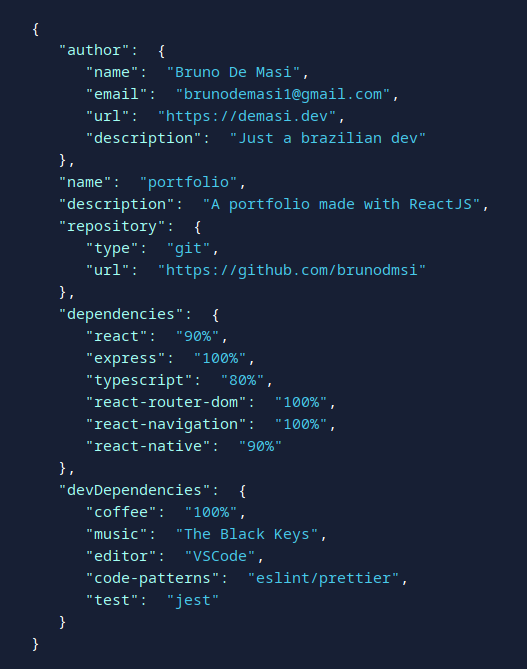
And achieve a result like this (photo took directly from my portfolio)
API
Props
If a prop is Required, the default field will appear empty.
| name | type | description | default |
|---|---|---|---|
| jsonObject | json object (pls) | The json object that you want styled | -- |
| colors | object: punctuation, key, value, string | Each color variable corresponds to each one of JSON data types | everything black |
License
MIT Bruno De Masi