react-tagging-input v2.1.2
react-tagging-input


Simple tagging component.
Demo
https://jfusco.github.io/react-tagging-input
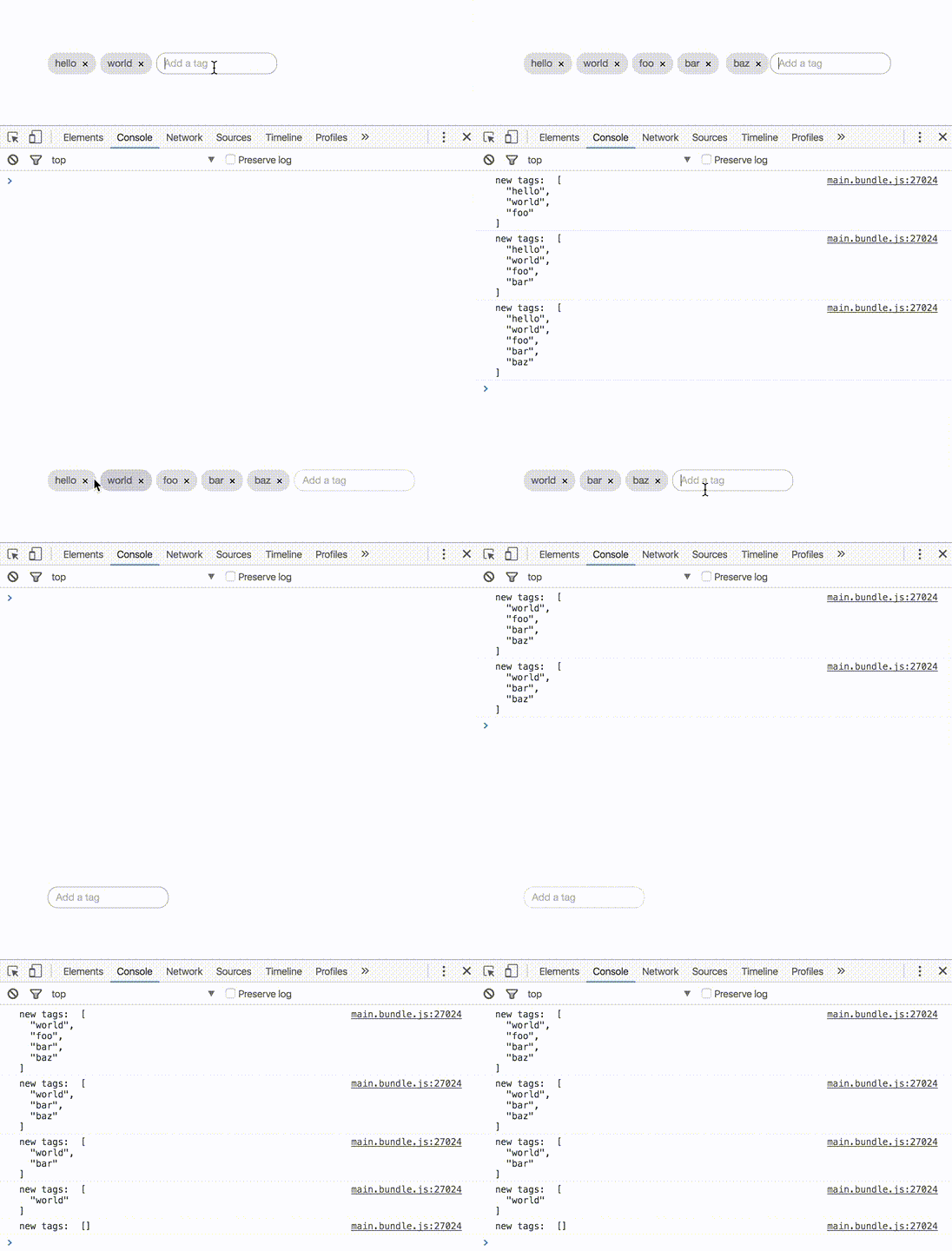
Getting Started
Installation
From the root of your project.
npm install react-tagging-input --saveUsage
Simple implementation of tags. See options available below.
import React, { Component } from 'react';
import { render } from 'react-dom';
import Tags from 'react-tagging-input';

class Application extends Component{
  state = {
    tags: ['foo', 'bar']
  };

  constructor(props){
    super(props);
  }

  onTagAdded(tag) {
    this.setState({
      tags: [...this.state.tags, tag]
    });
  }

  onTagRemoved(tag, index) {
    this.setState({
      tags: this.state.tags.filter((tag, i) => i !== index)
    });
  }

  render(){
    return (
      <div>
        <Tags
          tags={this.state.tags}
          placeholder="Add a tag"
          onAdded={this.onTagAdded.bind(this)}
          onRemoved={this.onTagRemoved.bind(this)} />
      </div>
    );
  }
}

render(<Application />, document.getElementById('application'));
Options
tags ~ required
An array of tags to be passed in and rendered right away in the component
state = {
  tags: ['foo', 'bar']
};

<Tags tags={this.state.tags} />
placeholder ~ optional ~ default null
A string used as placeholder text in the tags input field
<Tags placeholder="Add a tag" />addKeys ~ optional ~ default [13, 9, 32]
An array of keyCodes used to tell the tags component which delimiter to use to add a tag
Here is more info and a list of keyCodes
<Tags addKeys={[13, 9, 32, 188]} />onAdded ~ optional
A function fired when a new tag is added - returns a string of the new tag
onTagAdded(tag){
  console.log(`new tag: ${tags}`);
}

<Tags onAdded={this.onTagAdded} />
onRemoved ~ optional
A function fired when a new tag is deleted - returns a string of the tag that was deleted
onTagRemoved(tag, index){
  console.log(`deleted tag: ${tag} at index ${index}`);
}

<Tags onRemoved={this.onTagRemoved.bind(this)} />
maxTags ~ optional ~ default -1 (infinite)
An integer representing the maximum number of tags that are allowed to be added
<Tags maxTags={10} />readOnly ~ optional ~ default false
A boolean that sets the tag component to read only mode. No adding or removing tags and pointer events
<Tags readOnly={true} />removeTagIcon ~ optional ~ default "x"
The element to be used for the delete icon
const removeIcon = () => {
  return (
    <i class="my-custom-icon"></i>
  );
}

<Tags removeTagsIcon={removeIcon()} />
uniqueTags ~ optional ~ default false
A boolean that allows the same tag to be added more than once
//-- Only allow unique tags to be added
<Tags uniqueTags={true} />
id ~ optional ~ default null
The string to be used for the ID of the component
<Tags id="my-tags-component" />Styling
Installation
Import the main SCSS file in to your application SCSS files
@import "node_modules/react-tagging-input/src/component/scss/styles.scss";There are a few variables set to !default that can be overriden. If you need to change it more just override the actual styles.
Any overriden variables needs to go above the @import statement to take effect
//-- Global UI
$tag-base-height
$tag-base-font-size
$tag-base-border-radius
$tag-base-font-color
$tag-base-margin
$tag-base-font-family

//-- Tags
$tag-background-color
$tag-background-hover-color
$tag-remove-color
$tag-remove-font-size
$tag-remove-hover-color

//-- Input
$tag-input-bg-color
$tag-input-border
$tag-input-placeholder-color
If you don't care to override variables and just want to override actual styles you may choose to import the compiled version of the css instead
@import "node_modules/react-tagging-input/dist/styles.css";Tests
npm test9 years ago
9 years ago
9 years ago
9 years ago
9 years ago
9 years ago
9 years ago
9 years ago
10 years ago
10 years ago
10 years ago
10 years ago
10 years ago
10 years ago
10 years ago
10 years ago
10 years ago
10 years ago
10 years ago
10 years ago
10 years ago
10 years ago
10 years ago