
React Native Agora Voice Call
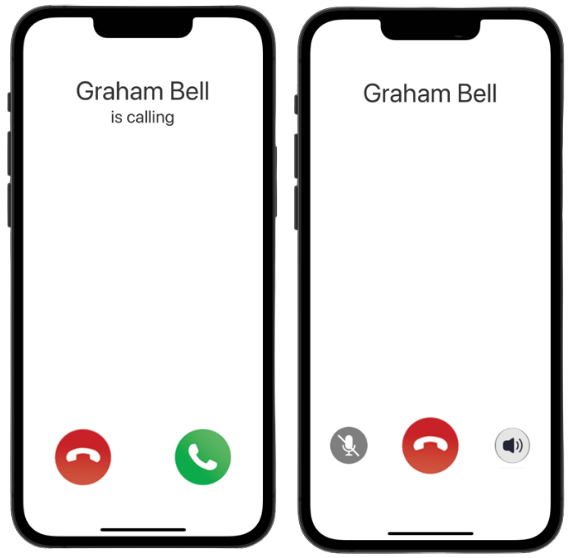
Package to receive voice calls in React Native using Agora React Native SDK.
Installation
Install rn-agora-voice-call:
npm install rn-agora-voice-callGo to your ios folder and run:
pod installAgora Integration
In your React Native project, install the Agora React Native SDK.
npm install react-native-agoraGo to your ios folder and run:
pod installThe Agora React Native SDK uses Swift in native modules, and therefore your project must support compiling Swift. Otherwise, you will get errors when building the iOS app.
1- Open the project with Xcode.
cd ios
open ProjectName.xcworkspace
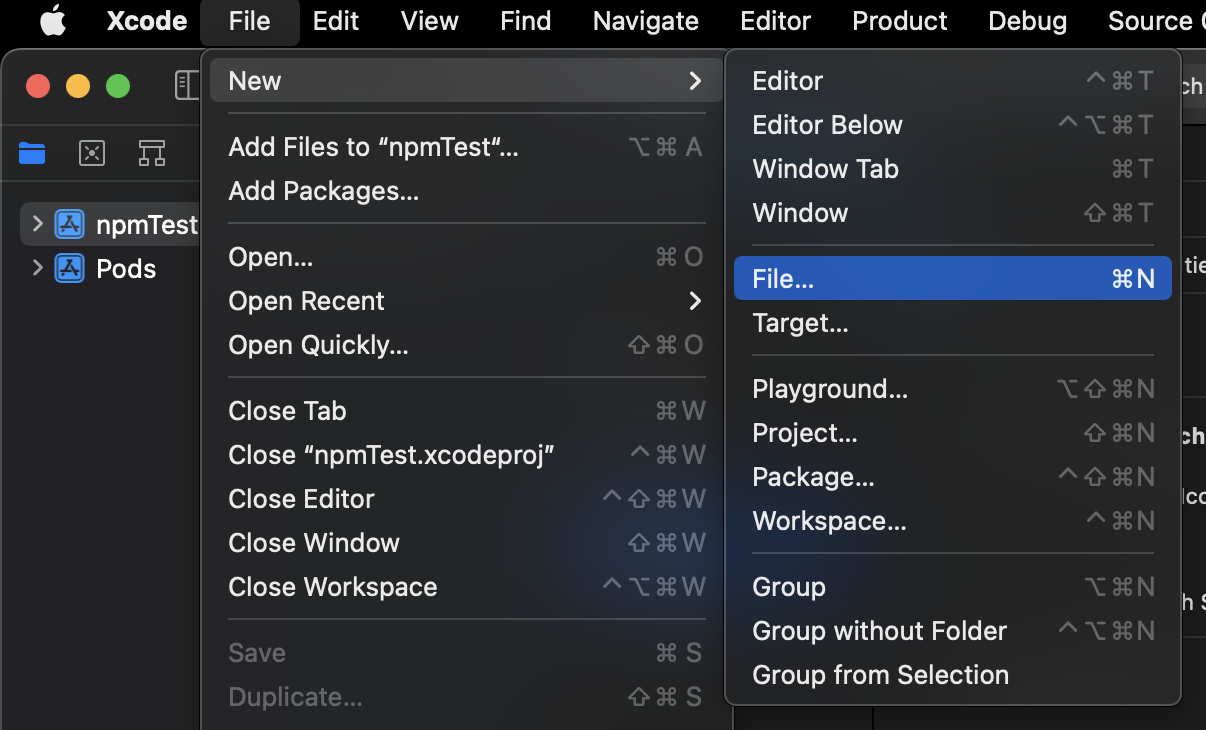
2- Click File > New > File.
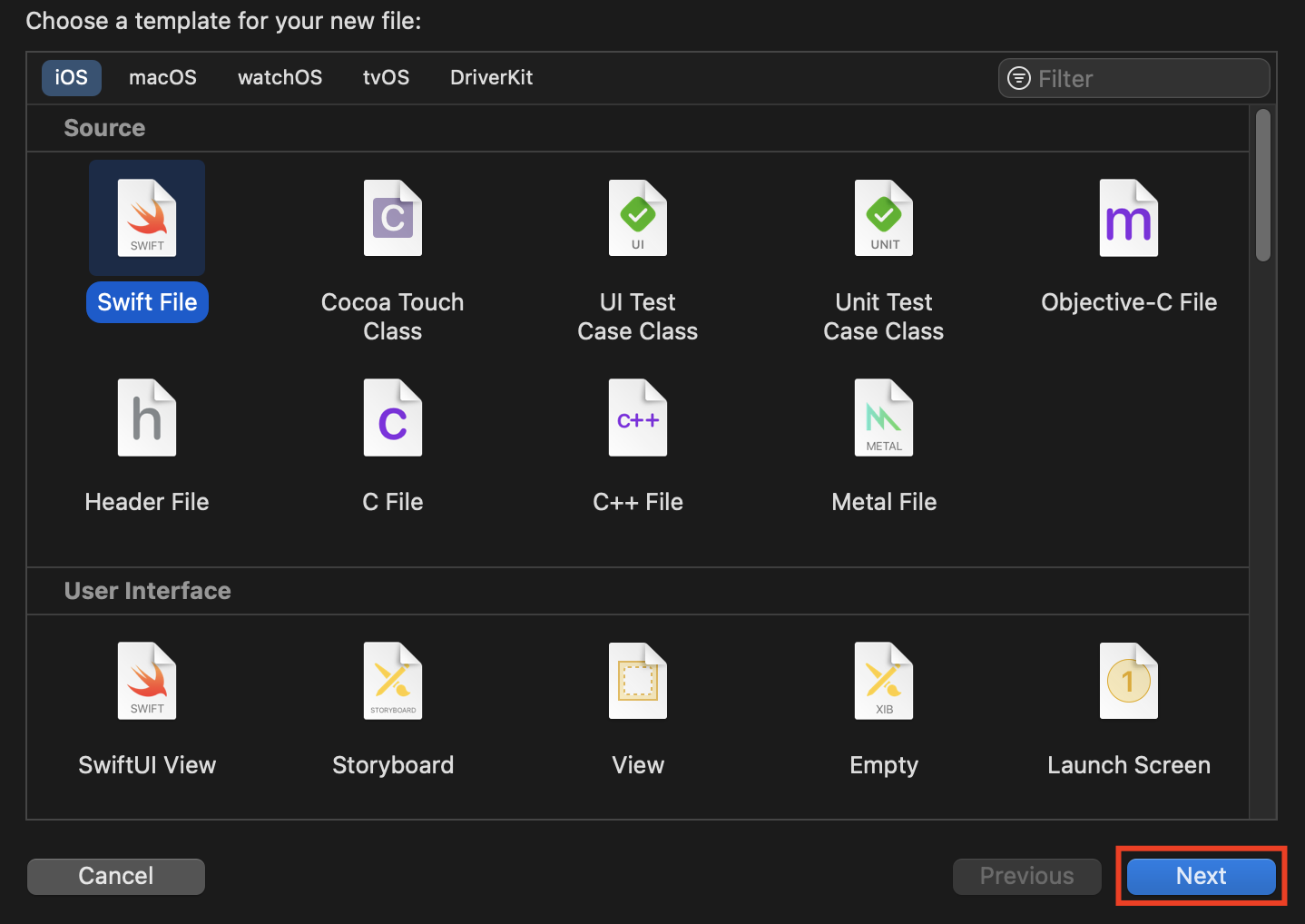
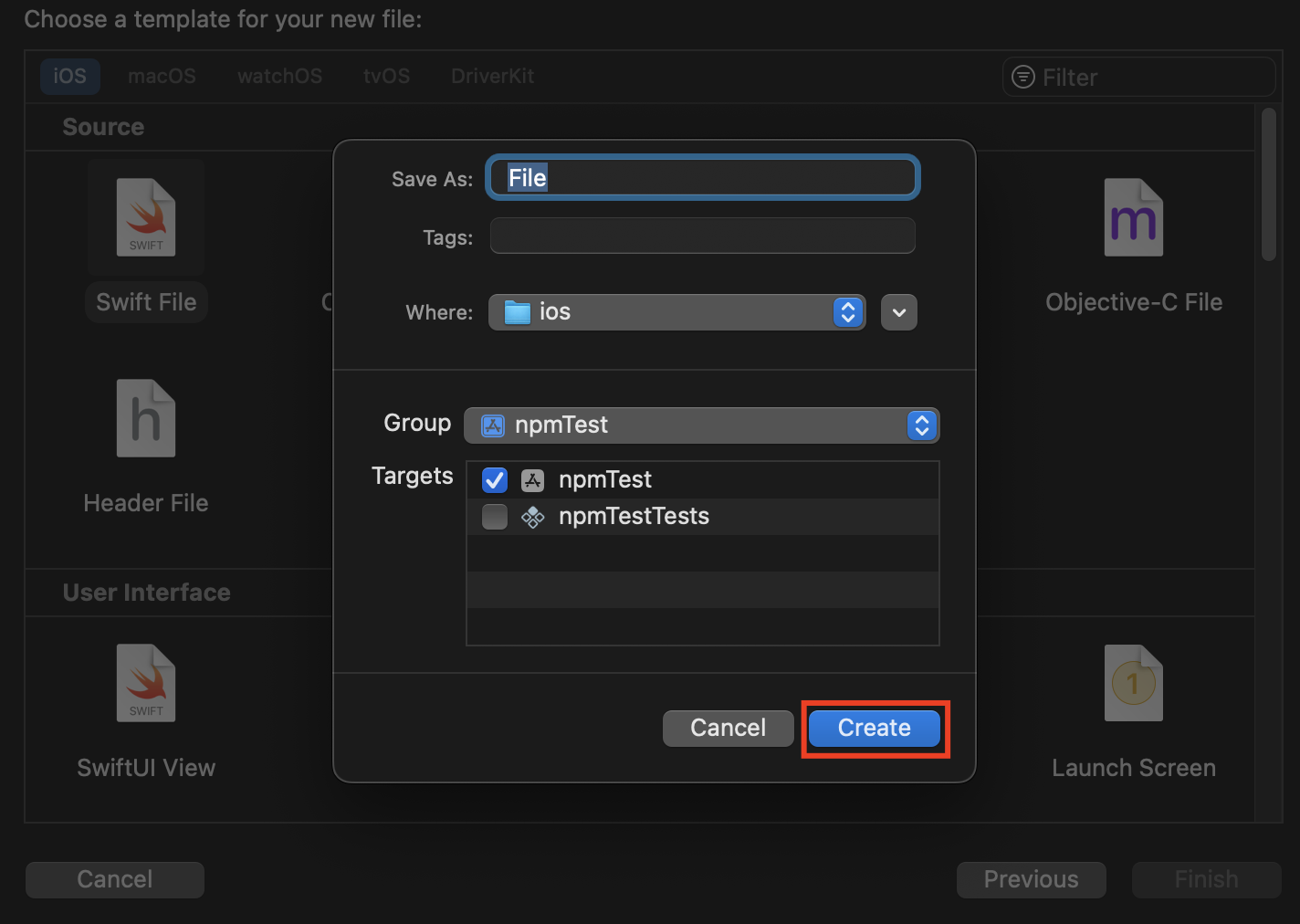
Select iOS > Swift File, and then click Next > Create to create a new File.swift file.
For more information: Agora.io
Usage
Note: Don't forget to ask for microphone permission at runtime before the call starts. You can use the react-native-permissions package for this. In addition, the application must have navigation installed.
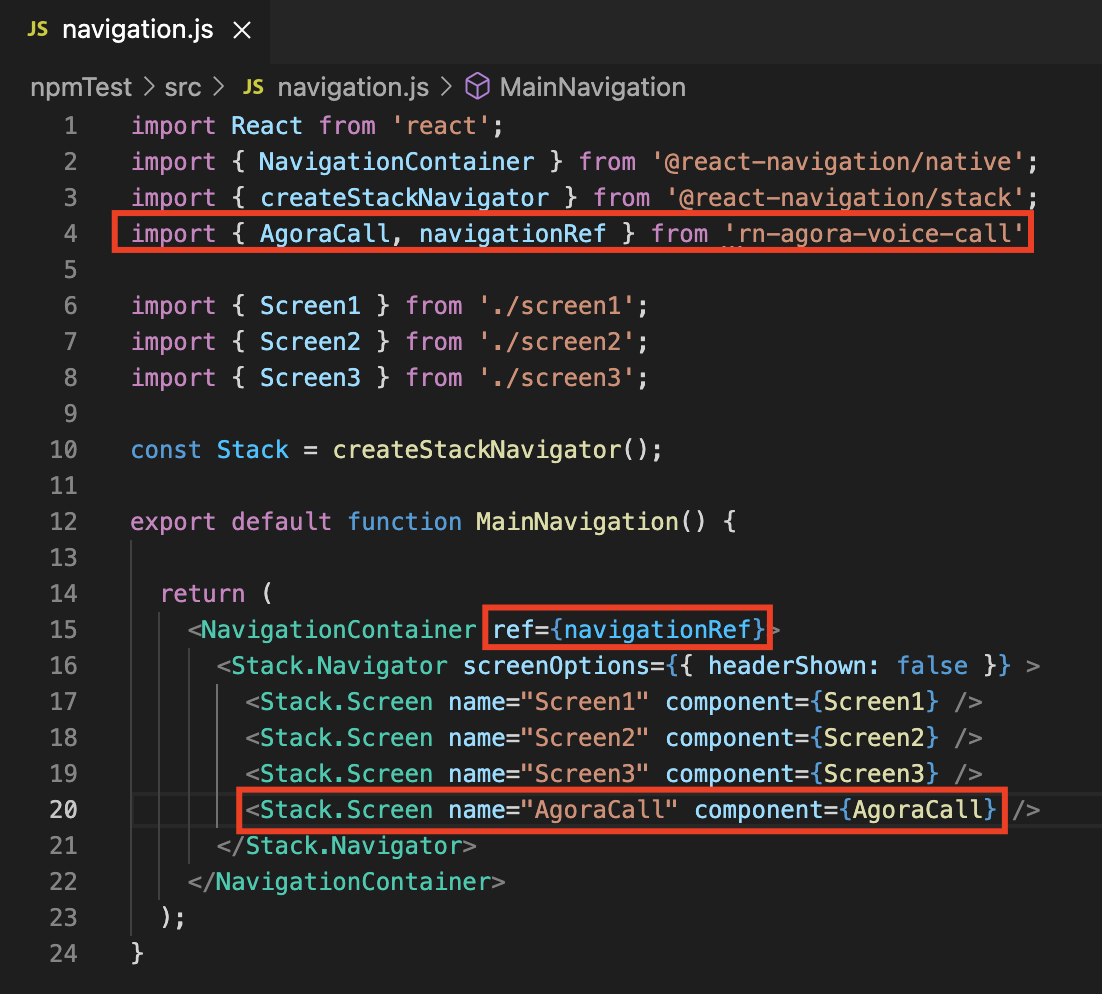
1- Import the AgoraCall and navigationRef from the package to the main navigation. Add AgoraCall as a component to the navigator and add navigationRef as a ref to the NavigationContainer.
2- You can receive Agora call from any screen. Specify a screen and import the navigate from the package and get the necessary parameters for Agora with a notification on that screen. Send the parameters to the AgoraCall component with the params key.
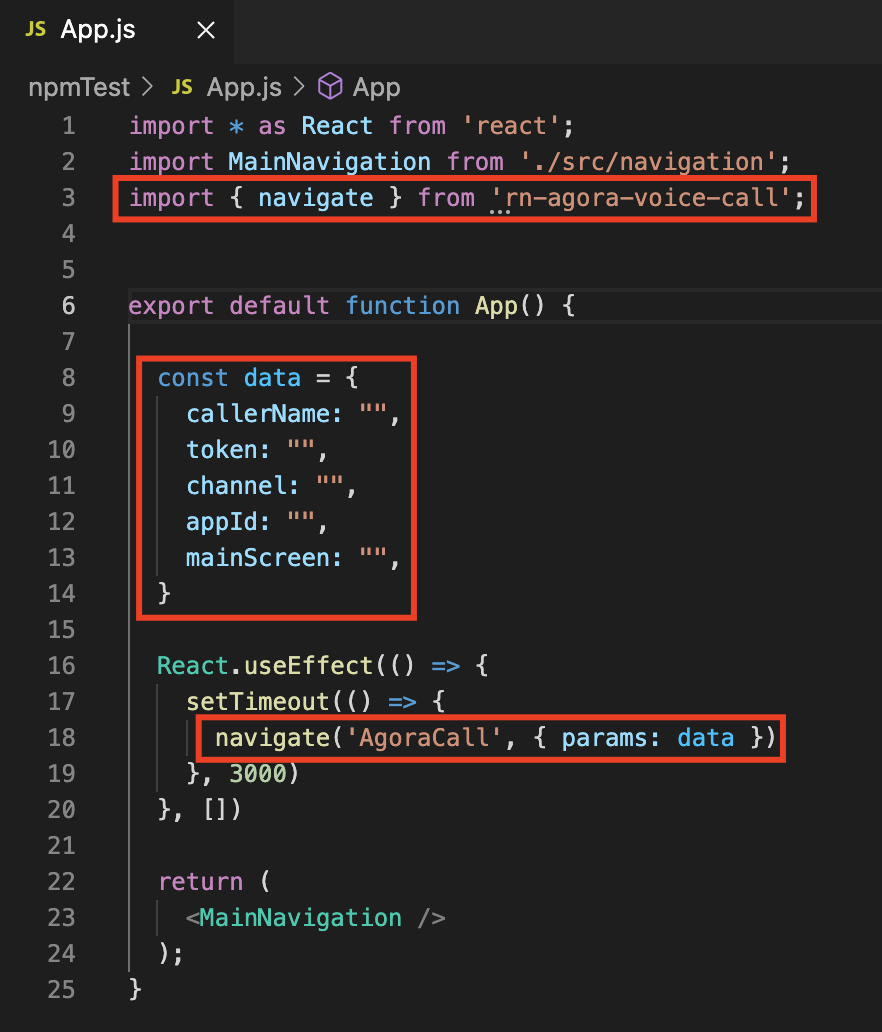
Send the following parameters to your application with a notification:
callerName: The name that will appear on the screen when the call starts.
token: Agora Token.
channel: Agora channel name specified when generating the Agora token.
appId: Agora App ID.
mainScreen: Any screen name in the navigation to return to after completing the call.
Testing the package
You can use the AgoraCall app to test your app. With this application, you can initiate a call and get the necessary parameters for the package.