
rollup-plugin-bundle-stats
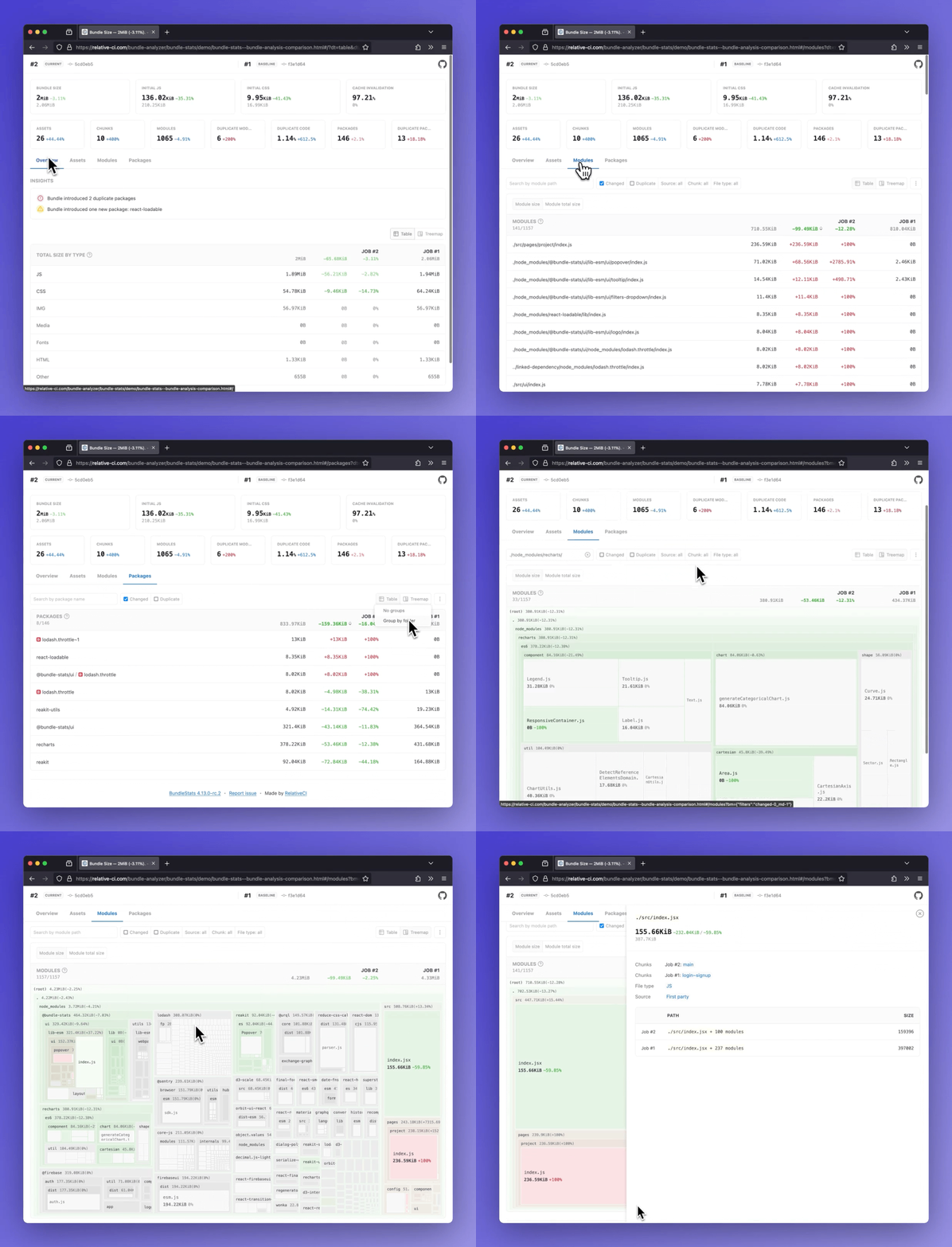
Demos: Bundle analysis comparison · Bundle analysis
BundleStats Rollup/Vite/Rolldown plugin
Analyze Rollup/Vite/Rolldown bundle stats(bundle size, assets, modules, packages) and compare the results between different builds.





- Bundle size and totals by file type(css, js, img, etc)
- Insights: duplicate packages, new packages
- Initial JS/CSS, Cache invalidation, and other bundle metrics
- Assets report (entrypoint, initial, types, changed, delta)
- Modules report (changed, delta, chunks, duplicate count and percentage)
- Packages report (count, duplicate, changed, delta)
Side by side comparison for multiple builds
Table of Contents
Install
npm install --dev rollup-plugin-bundle-statsor
yarn add --dev rollup-plugin-bundle-statsConfigure
Vite
// vite.config.js
const { bundleStats } = require('rollup-plugin-bundle-stats');

module.exports = {
  ...,
  build: {
    rollupOptions: {
      output: {
        assetFileNames: 'assets/[name].[hash][extname]',
        chunkFileNames: 'assets/[name].[hash].js',
        entryFileNames: 'assets/[name].[hash].js',
      },
    },
  },
  plugins: [
    bundleStats()
  ]
};
Rollup
// rollup.config.js
const { bundleStats } = require('rollup-plugin-bundle-stats');

module.exports = {
  ...,
  output: {
    assetFileNames: 'assets/[name].[hash][extname]',
    chunkFileNames: 'assets/[name].[hash].js',
    entryFileNames: 'assets/[name].[hash].js',
  },
  plugins: [
    bundleStats()
  ]
};
Rolldown
// rolldown.config.js
import { defineConfig } from 'rolldown';
import { bundleStats } from 'rollup-plugin-bundle-stats';

export default defineConfig({
  ...,
  output: {
    assetFileNames: 'assets/[name].[hash][extname]',
    chunkFileNames: 'assets/[name].[hash].js',
    entryFileNames: 'assets/[name].[hash].js',
  },
  plugins: [
    bundleStats()
  ]
});
How to configure Vite for better debugging and monitoring
Options
compare- use local saved stats for comparison (defaulttrue).baseline- save current webpack stats as baseline (defaultfalse).baselineFilepath- baseline absolute filepath or relative filepath tooutput.dir(default 'node_modules/.cache/bundle-stats/baseline.json')html- output html report (defaulttrue).json- output json report (defaultfalse).outDir- output directory inside rollup output directoroutput.dir(default'').silent- stop logging info and only log warning and error (defaultfalse).
Compare mode
In compare mode, the metrics are compared against an existing(node_modules/.cache/bundle-stats/baseline.json) rollup stats file(baseline). To generate the baseline webpack stats, set BUNDLE_STATS_BASELINE environmental variable to true or set the plugin baseline option to true:
# Checkout to the branch/tag/commit where you want to generate the baseline
$ git checkout master

# Build your application with BUNDLE_STATS_BASELINE environmental variable
$ BUNDLE_STATS_BASELINE=true npm run build

# Checkout to the working branch/tag/commit
$ git checkout MY_FEATURE_BRANCH

# Build your application
$ npm run build
The option can be disabled by setting the plugin compare option to false.
Other packages
bundle-stats


CLI to generate bundle stats report.
bundle-stats-webpack-plugin


Webpack plugin to generate bundle stats report for webpack/rspack.
gatsby-plugin-bundle-stats


Gatsby plugin for bundle-stats.
next-plugin-bundle-stats


Next.js plugin for bundle-stats.
Related projects
relative-ci.com
Automated bundle analysis, reviews and monitoring - Quickly identify and fix bundle regressions before shipping to production.
- In-depth bundle stats analysis for every build
- Monitor bundle stats changes and identify opportunities for optimizations
- Quick feedback with rule based automated review flow, GitHub Pull Request comments, GitHub check reports, or Slack messages
- Support for webpack, vite, rspack, rollup, rolldown
- Support for all major CI services(CircleCI, GitHub Actions, Gitlab CI, Jenkins, Travis CI)
- Support for npm, yarn and pnpm; support for monorepos
- Always free for Open Source
relative-ci/compare
Standalone web application to compare Webpack/Lighthouse/Browsertime stats.
bundle-stats-action
Github Action that generates bundle-stats reports.