
slid3r
A simple d3 slider that is meant to be placed inside your svg.
What and Why
slid3r is a tiny library that uses d3 to make simple slider inputs. I constantly find myself wanting to implement sliders in
my projects but find that the default html ones are ugly, or if I use some of the better alternatives I have to load JQuery or something
else and bog-down my project. Other d3-based slider efforts require the slider to be contained in a div, which I find isn't always what I want/need.
A benefit of having the slider implemented straight in the svg is the ability to move it around the visualization programatically using .attr('transform',...).
This is especially useful when you have more complex visualizations with dynamic interfaces.
In action
This bl.ock demonstrates the minimum viable product for using the library. In addition, this blogpost I wrote uses it in an intereactive.
Getting it into your project
Currently the library is bundled to be used in a script tag. If you want to use it just add
<script src="https://rawgit.com/nstrayer/slid3r/master/dist/slid3r.js"></script>somewhere above the javascript you call slid3r in.
API
Currently you get one single function. That function is slider(). Attached to this function are a few getter-setter functions as described in Mike Bostock's Towards Reusable Charts
article. An example use of the function is as follows:
const mySlider = slid3r()
    .width(200)
    .range([0,10])
    .startPos(3)
    .label('Super Cool Slider')
    .loc([50, 50])
    .onDone(pos => console.log('slider set to', pos));

 svg.append('g').call(mySlider);
Result:
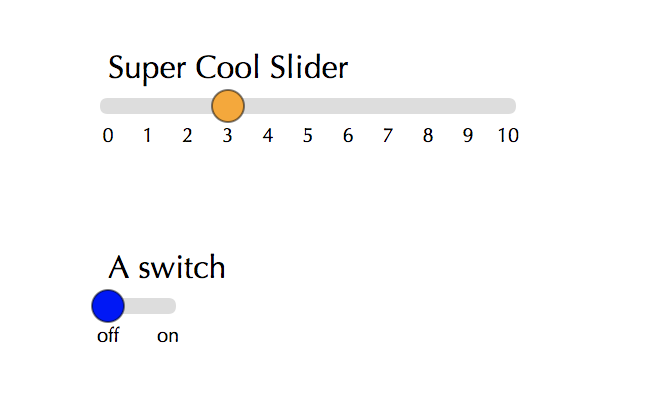
All current options are as follows:
| name | purpose | arguments | default |
|---|---|---|---|
| .label | Text for above slider | string | 'choose value' |
| .range | Slider's possible values | array ([startVal, endVal]) |
[0,10] |
| .startPos | Value that the slider starts at | number (in set range) | 0 |
| .clamp | Should slider report position rounded to nearest integer? | boolean | true |
| .width | Width of slider | number (represents pixels) | 250 |
| .loc | Where the slider sits on the svg | array ([leftEdgeX, topEdgeY]) |
[0,0] |
| .onDone | Callback for after slider is dragged | function (takes position on the slider as first argument) | (x) => console.log('done dragging', x) |
| .onDrag | Called continuously as slider is moving | function (that takes position on the slider as first argument) | (x) => null |
| .font | Font family of the number ticks and label | string (valid css font-family) | 'optima' |
| .animation | Should slider animate the clamping to nearest integer? | number (milliseconds for animation) or false (to disable) | 200 |