
Slow Jam the Code
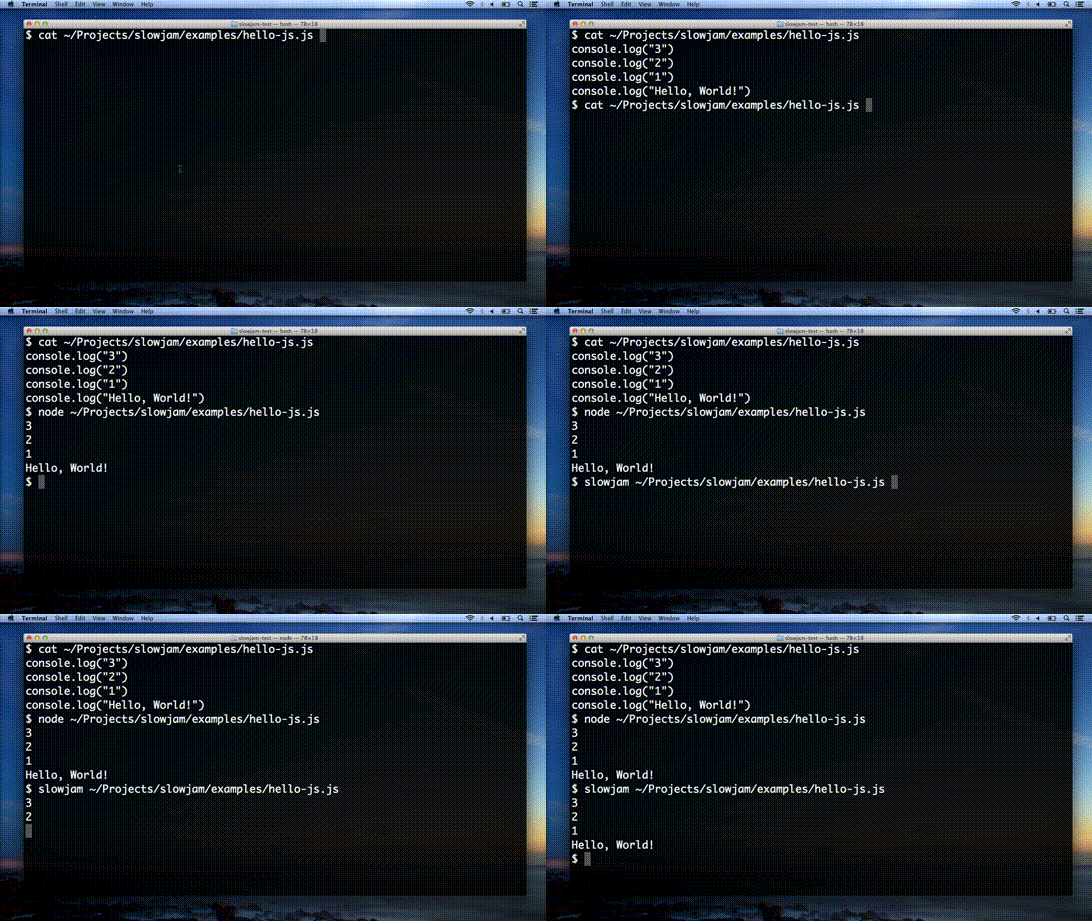
Awesome features!
Plays your code, slowly. Useful for recording software demos or closely watching Selenium user interface tests run.
Can slow jam JavaScript, CoffeeScript, and Literate CoffeeScript.
Simple API. Load and play -- that's all you need to know!
Open source. (MIT License)
Install
Local
npm install slowjamEverywhere
npm install -g slowjamExample usage
As a Library
Default
slowjam = require('slowjam')
jam = new slowjam.SlowJam()
jam.load('/path/to/slowjam-worthy-code.js')
jam.play()
Customized
slowjam = require('slowjam')
jam = new slowjam.SlowJam({'slowness':2000, 'log':true})
jam.load('/path/to/slowjam-worthy-code.js')
jam.play()
From the Command Line
slowjam /path/to/slowjam-worthy-code.jsOptions
Slowness
By default, a one second delay is added between each statement.
> jam.slowness = 1000 // 1000 milliseconds, or 1 secondYou can speed up the jam by reducing the slowness.
> jam.slowness = 500 // 500 milliseconds, or 0.5 secondsOr slow your jam way down...
> jam.slowness = 5000 // 5000 milliseconds, or 5 secondsLogging
By default, slowjam does not log the statement about to be run to stdout.
> jam.log = falseBut you can turn that on.
> jam.log = true