snappet v0.0.2
snappet
store, manage and switch between your config settings easily




🔨 Install
You can install snappet through npx:
$ npx snappet <command> [options]Note: Make sure you are using npm versions 16 and above for proper compatibility.
⚡ Usage
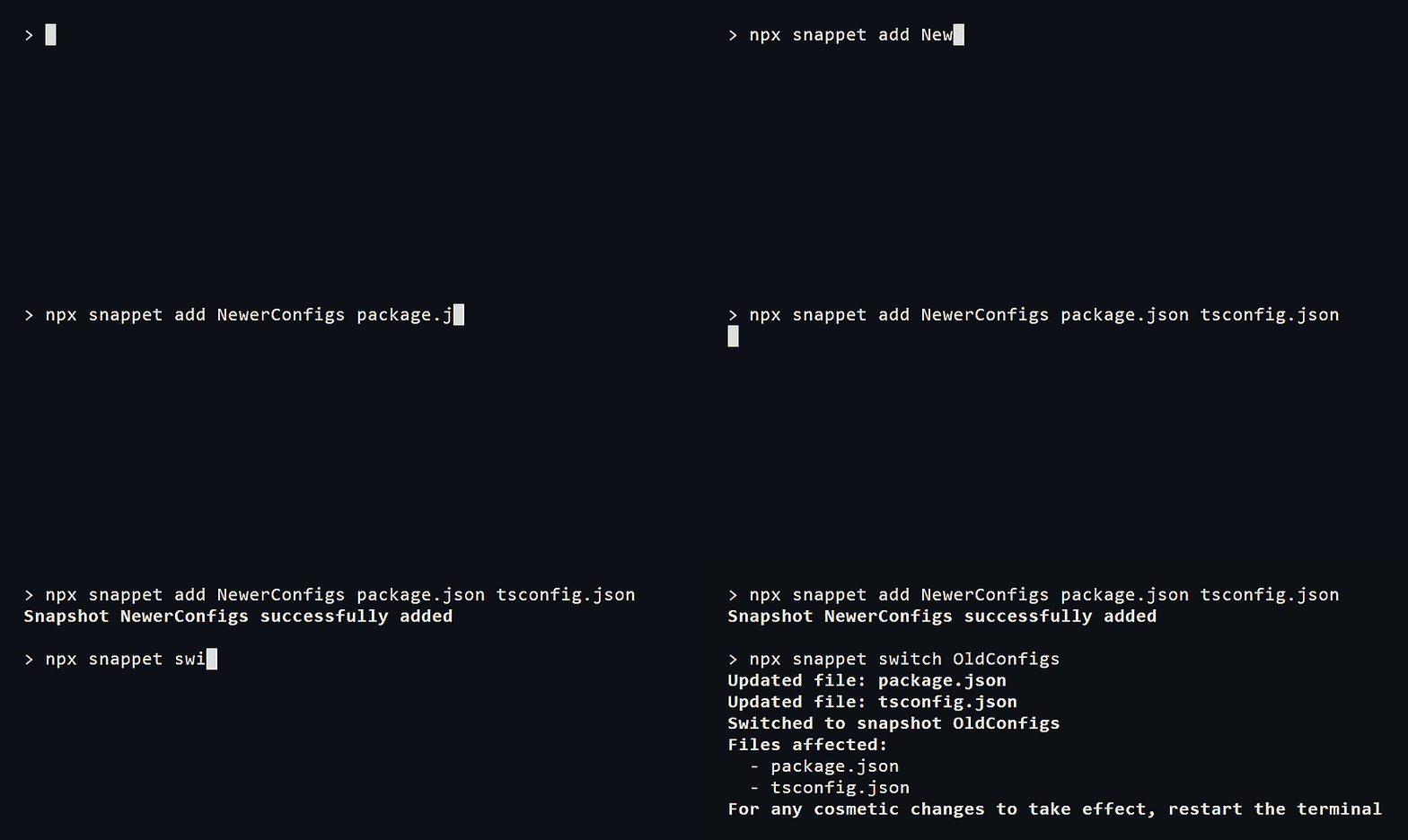
snappet simplifies the process of storing and managing your settings with snapshots - saved states of a file stored locally that can be accessed at any time. This approach can be particularly useful for managing config files, where switching between different settings is common.
Add
Start by adding a snapshot with the add command:
$ snappet add myOldConfig utils.luaYou can add more than one filepath:
$ snappet add myNewConfig plugins.lua utils.luasnappet saves the current state of those files and stores them locally.
List
In order to see all your saved snapshots, use the list command:
$ snappet list
Saved snapshots:
    - myOldConfig: utils.lua
    - myNewConfig: plugins.lua, utils.lua
Switch
If you want to switch between saved snapshots, use the switch command:
$ snappet switch myOldConfig
Switched to myOldConfig
  Files affected:
    - utils.lua
Switching snapshots restores files to the saved state of the selected snapshot. For any cosmetic changes to take place, a terminal restart is required.
Remove
In case you want to remove a snapshot, use the remove command:
$ snappet remove myNewConfigYou can also remove all snapshots with the --all flag.
$ snappet remove --all❗ Disclaimer
Please be aware that snappet is not designed as a backup solution for important files and documents. All data is saved in a local snapshots.json file.
🚧 Contributing
Any contributions to this project are appreciated. If you have any ideas/suggestions/bug fixes, please open an issue or a pull request. If you like the project, mind giving it a star on Github.
📑 License
This package is licensed under the MIT license.