1.1.0 • Published 5 years ago
stream-pad v1.1.0
Stream Pad
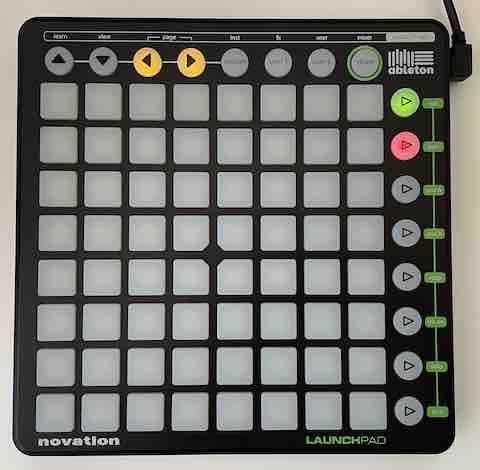
Use a Novation Launchpad1 as an OBS Studio controller
Supported features
- Scene selection (up to 8) & active scene status
- Scene cycling
Dependencies
- A Novation Launchpad device
- OBS Studio
- The
obs-websocketplugin - Node.js
Note: Ensure your Launchpad is connected and OBS is running (with obs-websocket active) before using this library
Getting started
...by installing the global command
- Run
npm install -g stream-pad - Run
stream-pad
If it can't connect to obs-websocket, you can supply the --hostname, --port and --password as arguments.
...by cloning this git repo
- Clone this project
- Run
npm install(in the project directory) - Create a
.envfile in the project directory - Set relevant environment variables in
.env(see.env.example) - Run
npm start
...by installing this as a dependency in your own project
- In your own project directory, run
npm install stream-pad - In your project, import the
runfunction (const { run } = require('stream-pad);) - Call
runwith up to 3 optional arguments (obs-websocket'shostname,port&password);
In all cases, obs-websocket's default hostname is "localhost", and the default port is 4444;
Usage
- The ▷ buttons are mapped to your first 8 scenes; pressing will request a scene change
- 🔴 = Inactive scene
- 🟠 = Requested scene
- 🟢 = Active scene
- Pressing the ◀ and ▶ buttons loop forwards/backwards through your scenes
Underlying libraries
Footnotes
- Successfully tested with the original Launchpad (MK1), but the library was designed for the Launchpad Mini